YITH WooCommerce Recently Viewed Products v2.31.0 Plugin
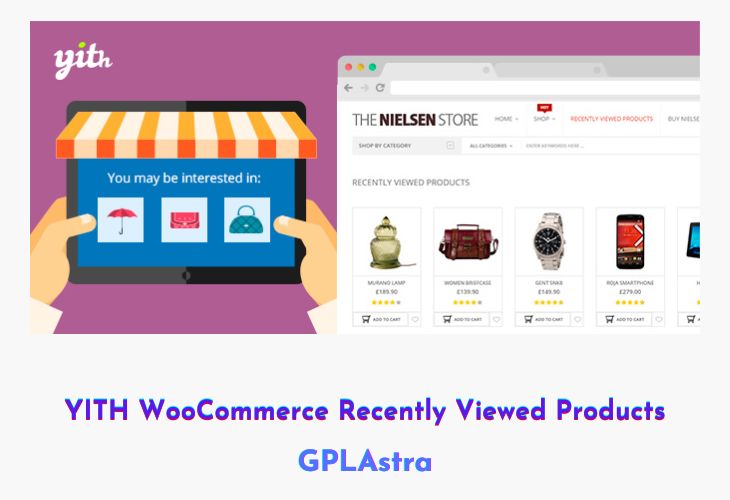
YITH WooCommerce Recently Viewed Products is a smart plugin designed to re-engage visitors and boost your store’s conversion rate by showing customers the products they recently viewed. By tracking user navigation history, it automatically displays a personalized list of items they’ve already explored, helping them easily return to their favorite products and complete their purchase. This simple yet powerful feature mimics the strategies used by major e-commerce platforms like Amazon, keeping your store competitive and customer-focused.
The plugin not only enhances the shopping experience but also increases sales opportunities by reminding customers of their interests. You can display recently viewed products anywhere on your site, such as product pages, sidebars, or custom sections, using shortcodes or widgets. With advanced customization and automatic email integration, YITH WooCommerce Recently Viewed Products makes it effortless to reconnect with potential buyers and reduce cart abandonment.
| Name | YITH WooCommerce Recently Viewed Products |
| Type | Plugin |
| Version | 2.31.0 |
| File Name | yith-woocommerce-recently-viewed-products-premium |
| File Type | zip (Installable Archive) |
| File Host | mediafire.com | Mirror |
| Updated On: | 4 months ago |
Core Features of YITH WooCommerce Recently Viewed Products Plugin
- Automatic Product Tracking: Monitors and records products viewed by each visitor.
- Custom Display Options: Showcase recently viewed products using widgets or shortcodes anywhere on your site.
- Personalized Recommendations: Display items tailored to individual browsing behavior.
- Email Marketing Integration: Send automated emails reminding users of products they viewed.
- Widget and Shortcode Support: Easily insert product lists on pages, posts, or sidebars.
- Customizable Layouts: Adjust the number of products, order, and display style to match your theme.
- Session-Based Tracking: Works even for users who are not logged in.
- WooCommerce Compatible: Fully integrates with your WooCommerce store.
- Responsive Design: Ensures product lists look great on all devices.
- Conversion Boosting Tool: Encourages customers to revisit and complete purchases with minimal effort.
What’s New (Changelog) in YITH WooCommerce Recently Viewed Products v2.31.0
= v2.31.0 = Released on 12 March 2024
* New: support for WordPress 6.5
* New: support for WooCommerce 8.7
* Update: YITH plugin framework
Sales Page and Live Demo of YITH WooCommerce Recently Viewed Products Plugin
https://yithemes.com/themes/plugins/yith-woocommerce-recently-viewed-products/
Free Download YITH WooCommerce Recently Viewed Products Latest Version
⚡ Premium Access
Unlock All Premium Features
Unlimited Downloads
No Restrictions
Direct Download Links
Access to Private Content
Frequently Asked Questions (FAQs):
Here are some frequently asked questions related to YITH WooCommerce Recently Viewed Products Plugin that might help you while installing it on your WordPress site: