YITH WooCommerce Product Add-Ons v4.30.0 WordPress Plugin
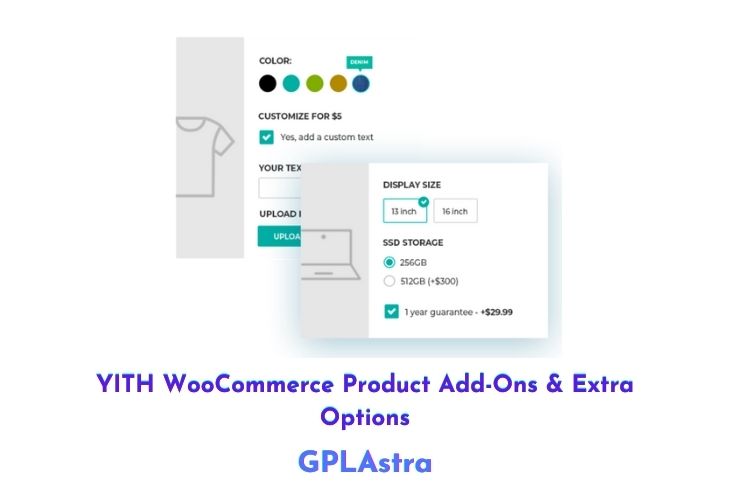
YITH WooCommerce Product Add-Ons & Extra Options is a plugin that allows you to offer custom products to your customers based on their specific needs and preferences. With this plugin, you can add advanced options, such as checkboxes, text areas, radio buttons, and select menus, to your products, which allows you to sell products with an unlimited number of combinations.
YITH WooCommerce Product Add-ons also allow you to show users the price change in real-time as they customize their products. This plugin is ideal for those who sell products that cannot simply be added to a cart, as it allows you to offer customizable products and variable services that adapt to your customers’ requests. By offering custom products, you can increase your conversion rate and improve your relationship with your customers, who will see your store as a portal built specifically for them and tailored to their needs.
| Name | YITH WooCommerce Product Add-Ons |
| Type | WordPress Plugin |
| Version | 4.30.0 |
| File Name | yith-woocommerce-advanced-product-options-premium |
| File Type | rar (Archive, please extract before use) |
| File Host | mediafire.com | Mirror |
| Updated On: | 4 weeks ago |
Core Features of YITH WooCommerce Product Add-Ons WordPress Plugin
- Custom product options: You can add advanced options, such as checkboxes, text areas, radio buttons, and select menus, to your products, allowing you to offer custom products to your customers.
- Price changes in real-time: YITH WooCommerce Product Add-ons allow you to show users the price change in real-time as they customize their products.
- Unlimited combinations: This plugin allows you to sell products with an unlimited number of combinations, giving your customers more options and flexibility.
- Customizable options: You can customize the options available for your products, including the option labels, prices, and descriptions.
- Compatibility with other plugins: YITH WooCommerce Product Add-ons is compatible with popular WordPress plugins, such as WooCommerce and WPBakery Page Builder.
- Easy to use: This plugin is easy to set up and use, with a user-friendly interface that allows you to quickly add custom options to your products.
- Advanced reporting: YITH WooCommerce Product Add-ons provides advanced reporting and analytics tools, allowing you to track customer activity and performance over time.
- Translatable: This plugin is fully translatable, allowing you to offer custom products in multiple languages.
What’s New (Changelog) in YITH WooCommerce Product Add-Ons v4.30.0
v4.30.0 – Released on 26 January 2026
* New: support for WooCommerce 10.5
* Update: YITH plugin framework
Sales Page and Live Demo of YITH WooCommerce Product Add-Ons WordPress Plugin
https://yithemes.com/themes/plugins/yith-woocommerce-product-add-ons/
Free Download YITH WooCommerce Product Add-Ons Latest Version
⚡ Premium Access
Unlock All Premium Features
Unlimited Downloads
No Restrictions
Direct Download Links
Access to Private Content
Frequently Asked Questions (FAQs):
Here are some frequently asked questions related to YITH WooCommerce Product Add-Ons WordPress Plugin that might help you while installing it on your WordPress site: