WP Carousel Pro v4.2.2 Plugin
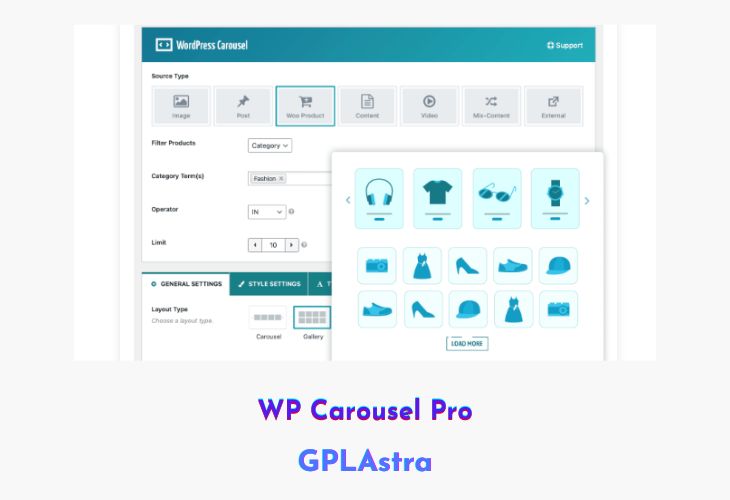
WP Carousel Pro is a powerful and versatile WordPress plugin designed to create stunning carousels, sliders, and galleries with ease. Whether you want to showcase images, blog posts, WooCommerce products, videos, or even external content from social platforms like Instagram and Twitter, this plugin provides a seamless and elegant way to display your content. Its intuitive and stylish admin interface makes it effortless to design visually appealing layouts—perfect for beginners and professionals alike.
With WP Carousel Pro, you can create Grid or Masonry-style galleries and fully responsive sliders that look great on any device. The plugin offers extensive customization options, allowing you to adjust layouts, transitions, and styling to match your site’s branding. Built for performance and flexibility, it ensures a smooth browsing experience while enhancing your website’s visual presentation.
| Name | WP Carousel Pro |
| Type | Plugin |
| Version | 4.2.2 |
| File Name | wp-carousel-pro |
| File Type | zip (Installable Archive) |
| File Host | mediafire.com | Mirror |
| Updated On: | 4 months ago |
Core Features of WP Carousel Pro Plugin
- Multi-Content Support: Display images, posts, WooCommerce products, videos, and external sources like Instagram and Twitter.
- Multiple Layouts: Choose between Grid, Carousel, or Masonry layouts to suit your design needs.
- Drag-and-Drop Interface: Intuitive admin panel for effortless carousel creation and arrangement.
- Fully Responsive Design: Optimized for mobile, tablet, and desktop viewing.
- Advanced Styling Options: Customize colors, typography, borders, and spacing to match your theme.
- Custom Post Type Support: Easily include custom content types in your sliders or galleries.
- Dynamic Content Loading: Showcase automatically updated posts or product feeds.
- Lightbox and Navigation Controls: Add interactive lightboxes, arrows, and pagination for better user engagement.
- Lazy Load Optimization: Improve performance by loading images only when needed.
- WooCommerce Integration: Highlight featured, latest, or best-selling products in stylish carousels.
What’s New (Changelog) in WP Carousel Pro v4.2.2
v4.2.2 - Oct 24, 2025
New: The YouTube Feed feature serves as an external source to display the latest videos from a YouTube Channel.
New: Video Play (Inline, Lighbox) mode for YouTube feed.
New: Autoplay Video option for YouTube feed.
New: Video Loop option for YouTube feed.
New: SproutVideo support has been added.
New: Autoplay option for SproutVideo.
New: Loop option for SproutVideo.
New: Play mode(Inline, Lighbox) option for SproutVideo.
New: The Featured Product option to show featured products in any layouts (slider, grid, etc).
New: The translate shortcode option for the Polylang plugin.
Improved: The text watermark feature.
Improved: The plugin option data to save in the wp_options table.
Improved: The Thumbnail Slider Navigation position.
Fix: The password-protected shortcode option was hidden.
Fix: The Thumbnail Slider Navigation options dependency issue.
Sales Page and Live Demo of WP Carousel Pro Plugin
https://wpcarousel.io/
Free Download WP Carousel Pro Latest Version
⚡ Premium Access
Unlock All Premium Features
Unlimited Downloads
No Restrictions
Direct Download Links
Access to Private Content
Frequently Asked Questions (FAQs):
Here are some frequently asked questions related to WP Carousel Pro Plugin that might help you while installing it on your WordPress site: