WooCommerce Composite Products v11.0.5 Plugin
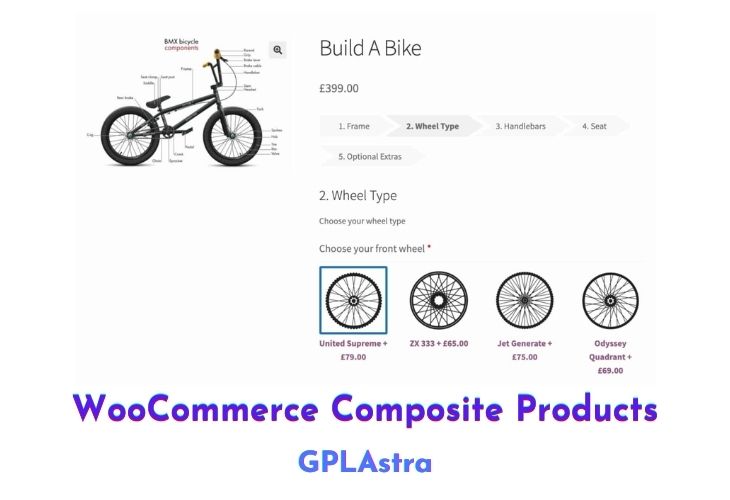
The WooCommerce Composite Products Pro Addon is a plugin that allows you to create product kits made up of multiple configurable components. These kits can include items such as custom computers, skateboards, gift boxes, and made-to-order jewellery. The Composite Products plugin is designed for use in kitting applications and has advanced pricing, shipping, inventory management, and scalability features. It supports simple and variable products, downloadable products, and product bundles.
With multiple layouts and styling options, a responsive component options view, and product sorting and filtering functionality, the Composite Products plugin is easy to use and customize. It has a streamlined admin interface that allows you to create complex product kits and start selling in minutes. Advanced configuration options are thoroughly documented, and a collection of snippets and plugins for common customizations is available for free.
| Name | WooCommerce Composite Products |
| Type | Plugin |
| Version | 11.0.5 |
| File Name | woocommerce-composite-products |
| File Type | zip (Installable Archive) |
| File Host | mediafire.com | Mirror |
| Updated On: | 2 weeks ago |
Core Features of WooCommerce Composite Products Plugin
- Product kit creation: The Composite Products plugin allows you to create product kits made up of multiple configurable components, such as custom computers, skateboards, gift boxes, and made-to-order jewellery.
- Advanced pricing and shipping: The plugin has advanced pricing and shipping features, making it suitable for kitting applications with complex requirements.
- Inventory management: The Composite Products plugin includes inventory management features, allowing you to track and manage the availability of components in your product kits.
- Scalability: The plugin is designed for scalability, making it suitable for use in businesses of all sizes.
- Customization options: The Composite Products plugin offers multiple layout and styling options, a responsive component options view, and product sorting and filtering functionality, allowing you to customize your product kits to meet your needs.
- Streamlined admin interface: The plugin has a streamlined admin interface that makes it easy to create complex product kits and start selling in minutes.
- Advanced configuration options: Advanced configuration options are thoroughly documented, and a collection of snippets and plugins for common customizations is available for free.
- Compatibility: The Composite Products plugin is fully compatible with the WooCommerce plugin and other popular WordPress plugins.
What’s New (Changelog) in WooCommerce Composite Products v11.0.5
2026.02.11 - v11.0.5
* Fix - Improved compatibility with Min/Max Quantities.
* Tweak - Added defensive code when aggregating package items without calculated cart totals.
* Tweak - Bumped WooCommerce tested up to version to 10.5.
Sales Page and Live Demo of WooCommerce Composite Products Plugin
https://woocommerce.com/products/composite-products/
Free Download WooCommerce Composite Products Latest Version
⚡ Premium Access
Unlock All Premium Features
Unlimited Downloads
No Restrictions
Direct Download Links
Access to Private Content
Frequently Asked Questions (FAQs):
Here are some frequently asked questions related to WooCommerce Composite Products Plugin that might help you while installing it on your WordPress site: