Uncanny LearnDash Toolkit Pro v4.4 Plugin
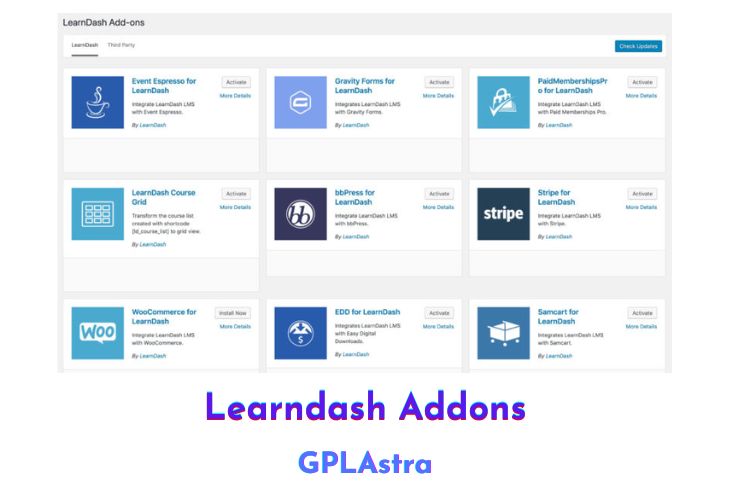
The Uncanny LearnDash Toolkit Pro is a WordPress plugin that extends the functionality of LearnDash sites, making the learning experience smoother and more efficient. The plugin builds on the free version of the Uncanny LearnDash Toolkit, which is already used on thousands of WordPress sites, and includes exciting new features to improve the user experience and simplify development.
The Toolkit Pro offers various modules that can help users extend LearnDash in different ways, such as simplifying admin tasks like adding users or making course completion and group participation more seamless for learners. Additionally, the plugin provides more rewards for user achievement and supports businesses in making things faster and easier for users and administrators by automating steps in the learning process.
The Uncanny LearnDash Toolkit Pro is an excellent tool for managing a great learning experience for users that can scale as you add more users, groups, and courses. The plugin also ensures that users can focus on learning rather than software development. With over 20 powerful features and continuously expanding list, the Uncanny LearnDash Toolkit Pro offers exclusive features that cannot be found anywhere else.
| Name | Uncanny LearnDash Toolkit Pro |
| Type | Plugin |
| Version | 4.4 |
| File Name | uncanny-toolkit-pro |
| File Type | zip (Installable Archive) |
| File Host | mediafire.com | Mirror |
| Updated On: | 3 months ago |
Core Features of Uncanny LearnDash Toolkit Pro Plugin
- Automate tasks: the Toolkit helps automate tasks in the learning process, such as user enrollment and group participation, making things faster and easier for both users and administrators.
- Improved learner experience: the Toolkit’s modules help improve the learner experience by providing more rewards for user achievement and simplifying course completion and group participation.
- Easy course and user management: the Toolkit helps administrators manage courses and users with ease, even as they scale and add more users, groups, and courses.
- Saves time: with automation and improved management capabilities, the Toolkit saves time for both users and administrators, allowing them to focus on learning instead of software development.
- Continuously expanding list of features: the Pro version of the Toolkit offers a growing list of powerful features (currently 20) that can’t be found anywhere else.
- Improved reporting: the Toolkit adds new reporting options to LearnDash, such as progress reports and group reports, making it easier for administrators to track learner progress and course performance.
- Custom email notifications: with the Toolkit, administrators can send custom email notifications to learners for things like course completion, quiz attempts, and more.
- Enrollment automation: the Toolkit includes automation options for user enrollment, making it easy to add learners to courses and groups without manual intervention.
- Group management: the Toolkit includes modules for managing LearnDash groups, allowing administrators to assign users to groups and monitor group progress.
- Front-end editing: the Toolkit allows administrators to edit courses and lessons from the front-end of the site, making it easier to make changes and updates.
- Custom fields: the Toolkit adds custom field options to LearnDash, allowing administrators to collect and track additional learner data.
- Improved certificates: the Toolkit includes features for improving LearnDash certificates, such as custom templates and the ability to assign certificates automatically upon course completion.
- Advanced quiz options: the Toolkit adds advanced quiz options to LearnDash, such as quiz timers, randomized questions, and more.
- Improved login and registration: the Toolkit includes modules for improving the LearnDash login and registration process, such as custom login and registration pages and social login options.
- Improved course lists: the Toolkit adds options for customizing the course list display, such as custom sorting options and the ability to show or hide courses based on user role.
- Improved course navigation: the Toolkit includes features for improving course navigation, such as a progress bar and course timer display.
- Improved shopping cart: the Toolkit adds features to improve the LearnDash shopping cart, such as the ability to create custom checkout pages and offer discount codes.
- Improved messaging: the Toolkit includes modules for improving the messaging between administrators and learners, such as custom notifications for course enrollment and completion.
- Improved learner engagement: the Toolkit helps improve learner engagement with features such as course reviews and a course directory display.
- Improved course import/export: the Toolkit includes features for importing and exporting LearnDash courses and content, making it easier to migrate content or make backups.
What’s New (Changelog) in Uncanny LearnDash Toolkit Pro v4.4
v4.4 - [2025-11-13]
Added:
- Learner Transcript – Added an option to allow public transcript access with a shareable link and copy-to-clipboard feature for easier viewing and sharing of transcript records #773
Updated:
- Implemented new, standardized Uncanny Owl admin UI theme
- Import Users – Enhanced CSV import functionality to support multiple delimiters (comma, semicolon, tab, pipe) with automatic detection #855
Fixed:
- Autocomplete Lessons & Topics – Set $force to true when calling learndash_process_mark_complete #817
- Course Dashboard – PHP warning Undefined array key “has_graded” #858
- Duplicate Pages & Posts module – Duplicating a course no longer enables nested URLs #836
- Email Course Certificates – Refactored hardcoded certificate paths to dynamic upload directory with fallbacks #842
- Import Users – Fixed password reset token regeneration issue in CSV #845
Sales Page and Live Demo of Uncanny LearnDash Toolkit Pro Plugin
https://www.uncannyowl.com/downloads/uncanny-learndash-toolkit-pro/
Free Download Uncanny LearnDash Toolkit Pro Latest Version
⚡ Premium Access
Unlock All Premium Features
Unlimited Downloads
No Restrictions
Direct Download Links
Access to Private Content
Frequently Asked Questions (FAQs):
Here are some frequently asked questions related to Uncanny LearnDash Toolkit Pro Plugin that might help you while installing it on your WordPress site: