WoodMart v8.4.0 WordPress Theme
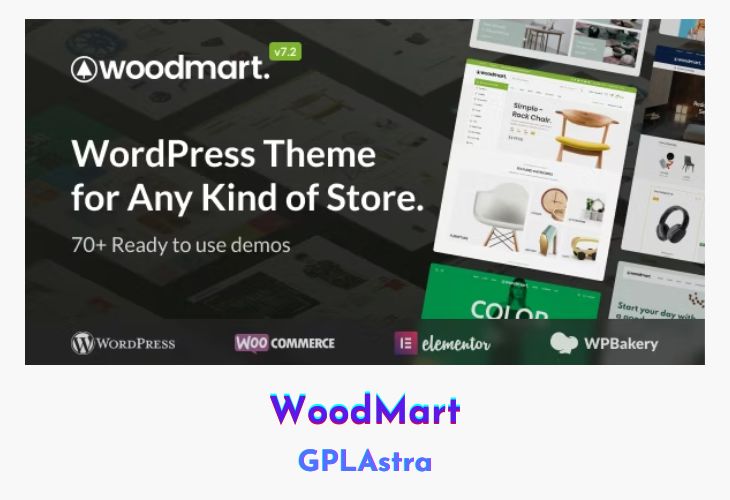
WoodMart is an advance as well as a great WordPress theme for WooCommerce. The Woodmart template comes with a clean, modern design that makes your online store fresh and unique. It is specially designed for those who want to create online product shopping stores even this is suitable for any kind of store.
It offers you more than 45 beautiful demo layouts. As we all know, A great website should have a nice supply of demo layouts to get you started and You can use the Woodmart theme for any kind of store including furniture, fashion, clothing, electronics, watches, glasses, sports, shoes, jewellery, cosmetics and a lot of others. This theme is also suitable for corporate and magazine websites and you can use it without WooCommerce.
| Name | WoodMart |
| Type | WordPress Theme |
| Version | 8.4.0 |
| File Name | woodmart |
| File Type | rar (Archive, please extract before use) |
| File Host | mediafire.com | Mirror |
| Updated On: | 18 hours ago |
Core Features of WoodMart WordPress Theme
- Cross-browser compatibility: FireFox, Safari, Chrome, IE10, IE11, Edge
- Custom CSS & JS in Theme Settings
- AJAX store filters
- Search for AJAX
- Support WPML Multilanguage
- WooCommerce supported
- 45+ beautiful demo layouts
- More than 15 pre-built home pages
- Advanced support for WooCommerce 3.0+
- Drag and drop page builder WPBakery
- 100% Responsive & Retina ready
- Supports WordPress 5.0+
- Demo version RTL ready
- Drag and drop title builder
- Easy one-click installation
- Fake content included
- The codebase is clean and well organized
- PHP object-oriented standards
- Files of CSS and JS are minified
- Supports multiple plugin vendors
- 8 predefined title layouts
- Advanced title customization options
- Layout of 3 titles for mobile devices
- Sticky title
- Advanced ad pop-up options
- Accordion function for product catalogue widget
- Nice Scroll for widget filters
- 6 product thumbnail layouts
What’s New (Changelog) in WoodMart v8.4.0
23-02-2026 – Update v8.4.0
- NEW VERSION: Electronics 3
- NEW VERSION: Fashion 2
- NEW VERSION: Perfumes
- NEW VERSION: Merchandise
- NEW FEATURE: Product loop item layout builder. (Video)
- ADDED: Breadcrumbs support for Rank Math and All in One SEO plugins. (Screenshot)
- ADDED: New predefined layouts for Popup and Floating Blocks. (Screenshot)
- ADDED: “Text” to Design option in Header Builder elements. (Screenshot)
- ADDED: New pagination style “Style 4” for sliders. (Video)
- ADDED: Ability to add text in “Style 2” for Slider pagination. (Screenshot)
- ADDED: “Padding” option for advanced buttons in Theme Settings. (Screenshot)
- ADDED: “Typography” options for Product Stock Status element. (Screenshot)
- ADDED: Conditions for Thank You page layout. (Screenshot)
- ADDED: Support for setting a background image via an “img” tag for the Banner element in Gutenberg. (Screenshot)
- ADDED: “Background color” and “Box shadow” options for dropdowns in Menu, Main Menu, and My Account elements in Header Builder. (Screenshot)
- ADDED: “Color”, “Background color”, and “Dropdown indicator color” options for Menu and Main Menu elements in Header Builder. (Screenshot)
- ADDED: Attribute term image metabox and related options for Product Tabs and Product Additional Information Table elements. (Screenshot)
- ADDED: “Categories with shadow” option for Product Categories element in Gutenberg. (Screenshot)
- ADDED: “Menu order” option for Brand element. (Screenshot)
- ADDED: Base price option for free shipping progress bar calculation. (Screenshot)
- ADDED: “Load Google Fonts locally” option in Theme Settings. (Screenshot)
- ADDED: “Off-canvas sidebar width” option for off-canvas containers. (Screenshot)
- ADDED: “Link color” option for the Single Product Meta block in Gutenberg. (Screenshot)
- ADDED: “Border” styles option for the Product Additional Information element. (Screenshot)
- ADDED: Padding option for Wishlist, Compare, Size Guide, and Track Price elements in single product layout. (Screenshot)
- ADDED: Waitlist compatibility with WPC Product Bundles and WPC Composite Products plugins.
- ADDED: “Full screen opener” option for Header Builder search element. (Screenshot)
- ADDED: Synchronization of first and last names during login with Google and Facebook.
- ADDED: “Space between list products” option for product loop list design. (Screenshot)
- ADDED: VH unit support for “Banner Height” option in Promo Banner element.
- ADDED: Typography options for Off-canvas column button element.
- ADDED: “Display as days count” for delivery time estimation. (Screenshot)
- ADDED: Color options for Off-canvas column button element.
- ADDED: Icon size option for Off-canvas column button element.
- ADDED: Custom gap for “Main Menu” and “Menu” elements in Header Builder.
- ADDED: “Disable active style” option for My Account Navigation element.
- ADDED: Native WordPress auto-updates support for the WoodMart Core plugin.
- FIXED: Spacing options for Portfolio and Blog elements.
- FIXED: Issue with zero-value gaps for elements with grid attributes on mobile.
- FIXED: Issue with zero-value spacing for Blog and Portfolio archive elements.
- FIXED: Single product layout preview issue with Product Tabs element.
- FIXED: Countdown timer display for variable products in single product layout.
- FIXED: Flickering issue in the Filter Products by Price widget.
- FIXED: Price tracker desired price validation to support amounts less than 1.
- FIXED: Gutenberg divider block with icon inner block.
- FIXED: Issue where empty links in Extra Menu List element displayed without a title attribute.
- FIXED: Elementor dropdown menu styles not loading from localStorage cache on page reload.
- FIXED: Elementor cache issue with Floating Block import.
- FIXED: Twitter API deprecation messages.
- FIXED: Inactive save button after image upload on the widgets page.
- FIXED: Social links sanitization before saving. (Topic)
- FIXED: Translations for Register & Login widget titles. (Topic)
- FIXED: Accessibility issue in single product carousel pagination.
- FIXED: Paragraph block translation issue in WPML Advanced Translation Editor. (Topic)
- FIXED: Single variation display issue in the WCFM Marketplace plugin. (Topic)
- FIXED: Page title display for empty shop categories. (Topic)
- FIXED: WPML links in AJAX shop now go to the correct translated category. (Topic)
- FIXED: Mobile categories layout option in Product Categories element (Gutenberg).
- FIXED: Accent color in WooCommerce email previews.
- FIXED: Navigation background color options.
- FIXED: Stock status for grouped products.
- FIXED: AJAX rendering issues with Gutenberg blocks (Blog, Products, Products Tabs, Portfolio) in Header Builder frontend editor.
- FIXED: Dynamic Discounts calculation issue with WooCommerce Subscriptions. (Topic)
- FIXED: Estimate Delivery compatibility with Dokan plugin. (Topic)
- FIXED: Products archive layout condition issue. (Topic)
- FIXED: Product search filter now correctly handles accented characters. (Topic)
- FIXED: Issue with the Product Category filter widget when the “Collapse widgets” option is enabled. (Topic)
- FIXED: Issue with the “Stretch Row and Content” options in Chrome v145. (Topic)
- FIXED: Cart empty page redirect and undo logic after removing an item from checkout.
- FIXED: AJAX Load More displays raw JSON when opened in a new tab (Products, Portfolio, Blog).
- FIXED: Compatibility with PHP 8+. (Topic)(Topic)
- REFACTORED: The “Show username” option now only works if the Account element has “Text” or “Icon with text” design enabled.
- REFACTORED: Product Additional Information table and tabs elements options.
- REFACTORED: Accent and Default button styles.
- REFACTORED: Header banner structure.
- REFACTORED: Empty pages layouts.
- REFACTORED: Archive description.
- REFACTORED: Product labels styles and structure.
- REFACTORED: Wishlist, Compare, Size Guide, and Track Price elements options in single product layout.
- REFACTORED: Price selectors in the Single Product Price element and Advanced Typography.
- REFACTORED: Dokan Dashboard page styles.
- REFACTORED: Star rating structure in product loop.
- REFACTORED: Gutenberg block styles are applied via CSS classes instead of IDs.
- IMPROVED: Template library Elementor content migrated from sections/columns to containers.
- IMPROVED: Popup and Floating Blocks post IDs now use auto-increment when imported or created.
- IMPROVED: Moved Gutenberg layout blocks to the top of the elements list.
- IMPROVED: Layout shifting caused by scrollbar appearance/disappearance.
- IMPROVED: Sticky header background behavior while scrolling.
- IMPROVED: Close button for Popup and Floating Block is now removed from the DOM when disabled.
- IMPROVED: Button switch design for different languages.
- IMPROVED: Repeated clicks on buttons now properly remove products from Wishlist, Compare, and Price Tracker lists.
- UPDATED: WooCommerce templates.
- UPDATED: Google Fonts list.
- DEV: Added new filter ‘woodmart_wishlist_cookie_expires’ to control wishlist cookie expiration.
- REMOVED: Deprecated ‘woodmart_get_old_classes’ function.
- REMOVED: Functions marked as deprecated prior to version 8.0.
Sales Page and Live Demo of WoodMart WordPress Theme
https://themeforest.net/item/woodmart-woocommerce-wordpress-theme/20264492
Free Download WoodMart Latest Version
⚡ Premium Access
Unlock All Premium Features
Unlimited Downloads
No Restrictions
Direct Download Links
Access to Private Content
Frequently Asked Questions (FAQs):
Here are some frequently asked questions related to WoodMart WordPress Theme that might help you while installing it on your WordPress site:



Hello
Please update theme woodmart to version8.0.3. thank you
Hello
Please update theme woodmart to version8.0.2
Hello
Please update theme woodmart to version8.0.1
Please update the theme WOODMART 8.0.1 thank you!
Please update the theme WOODMART thank you!
Hello
Please update theme woodmart to version8.0.0
Hey GPLAstra, I tried installing the Woodmart theme on my WordPress. First, I opened the woodmart.7.6.0-package.rar and found the woodmart.7.6.0.zip inside. I uploaded that file, but I keep encountering Plugin installation failures. No valid plugins were found.
Please if Someone can help am working with popos
Install it as a theme.
Is it compatible with elementor or elementor pro?
please update woodmart theme
Are they not updated?
Bro is it safe??
Yes, OFC!
thank you bhai
Thank you So much
Links are not working Brother. Please fix it.
I have checked, Its Working.
Use VPN