Total v6.5 WordPress Theme
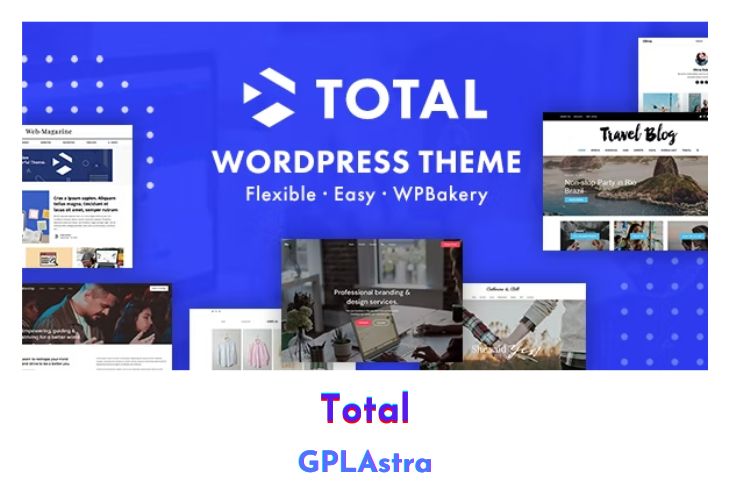
Total is a modern and highly responsive WordPress theme that seamlessly blends the flexibility of the WordPress Customizer with the intuitive Visual Composer page builder, allowing users to create websites for virtually any purpose. Designed with versatility in mind, Total caters to a wide range of niches and professions, including corporations, small businesses, online stores, legal firms, agencies, wedding planners, hosting companies, non-profits, and bloggers. With an extensive array of features and settings, Total empowers users to craft bespoke websites tailored to their specific needs. Its growing list of demos provides a glimpse into the vast possibilities offered by this premium WordPress theme.
Ideal for freelancers, Total streamlines website development by eliminating the need for multiple themes for different clients. With Total, freelancers can import stunning demos and customize them to meet each client’s unique requirements swiftly and efficiently. The theme’s integration with WooCommerce and provision of Unlimited Portfolios further enhance its capabilities. Whether starting from scratch or tweaking existing designs, Total’s combination of affordability and functionality makes it an indispensable tool for website creation.
| Name | Total |
| Type | WordPress Theme |
| Version | 6.5 |
| File Name | Total |
| File Type | zip (Installable Archive) |
| File Host | mediafire.com | Mirror |
| Updated On: | 3 months ago |
Core Features of Total WordPress Theme
- Seamless integration of WordPress Customizer and Visual Composer page builder.
- Suitable for various industries and professions, including corporations, small businesses, online stores, legal firms, agencies, wedding planners, hosting companies, non-profits, and bloggers.
- Extensive features and settings for creating diverse websites.
- Perfect for freelancers, enabling them to use Total across multiple client projects.
- Wide range of industry-specific homepage examples showcasing Total’s versatility.
- Packed with features like WooCommerce integration and Unlimited Portfolios.
- Affordable price point making Total accessible to all users.
- Unlimited Custom Pages with Visual Composer for effortless layout customization.
- Easy-to-use WordPress Customizer for real-time theme adjustments.
- Responsive design ensures optimal viewing experience across devices.
- Growing list of demos providing insight into Total’s potential.
What’s New (Changelog) in Total v6.5
v6.5 - Version released on Nov 20, 2025 View Release Notes
AddedAbility to activate a license as “staging” (without API registration) on unlimited dev sites.
AddedTable of Contents element for WPBakery and Elementor (sample video).
AddedAbility to display descriptions in the site header menu dropdowns (see docs).
AddedCustomizer options for the logo icon: dimensions, background color and border radius.
AddedCustomizer option to control the header menu dropdown border radius.
AddedCustomizer option to control the header dropdown menu link border radius.
AddedCustomizer option to define a max-width for mega menus that are not full-width.
AddedSupport to the spacing element for the lh unit (computed line height).
AddedGreater-than and Chevron options to the separator choices for the Breadcrumbs element.
AddedColor option for the Heading badge element.
AddedBalance Text option to the Title element.
AddedRow and Column Span utility classes which will allow you to make elements in the Grid Container take up multiple rows or columns (sample video).
Added“Use Article Tag” option to the Post Content element.
AddedOption to the Alert element to select the heading html tag (h2, h3, h4, div).
AddedOption to the Video element for autoplaying self-hosted videos so they can play when in view and pause when not in view.
AddedLetter spacing options for the pricing table Element cost, per, features and button.
AddedSupport for the dark mode toggle in the mobile icons menu.
AddedVietnamese locale thanks to @valsvetvn.
UpdatedWPBakery and Slider Revolution plugins.
UpdatedThe theme will now display updates for bundled plugins in the WordPress plugin updater to make it easier to update them (it still requires updating the theme first – the function is hooked into the theme’s recommended plugin class).
UpdatedThe theme disables the new admin notice added by WPBakery in the latest update.
UpdatedThe theme disables the Add-ons tab added by WPBakery to the Add Element window in the latest plugin update.
UpdatedRenamed the “Theme Button” element to just “Button”.
UpdatedRenamed the Heading option “Add Design to Inner Span” to “Style Text Only”.
UpdatedThe Heading element to display the default HTML tag for quick reference.
UpdatedThe Heading element so the theme’s background color, padding, border radius and shadow settings can be used with all the heading styles.
UpdatedThe Navigation Bar filter functionality to support dashes in the ?filter URL parameter. You can now link directly to a filter by replacing spaces with dashes. For example, to link to an item named ‘Category One’, use ?filter=category-one.
UpdatedThe Navigation Bar when used as a filter, so that the mobile select empty text option is added with the disabled attribute. This way it serves as a prompt only and won’t break filtering as your first filter item should be an “all” link.
UpdatedThe WPBakery theme patterns are now requested via AJAX and cached in JS memory to slim down the DOM (this means we can add many more patterns without a decrease in site performance).
UpdatedThe WPBakery theme patterns popup window design.
UpdatedThe WPBakery theme header and footer patterns are now separated into a Header/Header Dark and Footer/Footer Dark categories so it’s easier to browse.
UpdatedThe License Manager so if the license was originally registered to the http version of a domain it won’t display as invalid when enabling SSL on the site or vice-versa.
UpdatedThe svg sanitizer to allow more attributes to support a wider range of icon sets.
UpdatedThe searchform shortcode to pass the shortcode attributes as arguments to the searchform.php file.
UpdatedImproved theme logic for enabling a full sticky header for header styles two, three and/or four. If you were previously using the custom plugin, you can use the updated snippet instead which is much slimmer.
FixedMissing “New Template” button in the Header Builder.
FixedIssue with ajax filter caching not resetting the filter buttons only the grid when un-selecting an active filter button.
FixedWhen using the Navigation Bar as a filter and the mobile select enabled, filtering items on desktop will also set the selected attribute on the corresponding mobile select in case the user shrinks their browser window after making a selection.
Fixed“Increment on non-alphanumeric string is deprecated” notices in PHP 8.4+ for older grid elements.
FixedMissing Height and Width settings for some WPBakery row divider styles.
FixedIssue where using the “wpex-col-span-full” class on elements added to the Grid Container would not span full width in the WPBakery frontend editor.
FixedIssue with the Post Cards load more button not working when using a Meta Query.
FixedIssue where adding a new license and removing it right away without refreshing the page wouldn’t deregister the license from the API.
FixedIssue where activating a license on the main site prevented access to the license panel on a multisite sub-site that had previously activated its own license.
FixedSome localized strings incorrectly ending with an empty space.
Fixed“Alignment” typo in various setting labels.
FixedIssue with Post Cards ajax loading (filter menu or load more) when adding a dynamic variable to any field.
FixedThe alignfull class so it takes the site frame border into account.
FixedIssues with custom SVG icons that have should not have a defined fill color such as the popular Feathers icon set.
FixedThe border style option was not working for the Post Cards heading when using the Bottom Border heading style.
FixedIf the theme is temporarily disabled and WPBakery runs an update check it could show an available update but it wouldn’t actually work (if not registered), the theme loops through and removes the update to prevent issues.
FixedThe “Use Content/Sidebar Layout” WPBakery row option was not working properly when enabling “Equal Height” for the row.
FixedExtra spacing on mobile between the content and the sidebar when the “Use Content/Sidebar Layout” is enabled for a WPBakery row.
FixedWhen using the on click header menu dropdown style it would flip top level arrows on hover.
Sales Page and Live Demo of Total WordPress Theme
https://themeforest.net/item/total-responsive-multipurpose-wordpress-theme/6339019
Free Download Total Latest Version
⚡ Premium Access
Unlock All Premium Features
Unlimited Downloads
No Restrictions
Direct Download Links
Access to Private Content
Frequently Asked Questions (FAQs):
Here are some frequently asked questions related to Total WordPress Theme that might help you while installing it on your WordPress site:


