Streamit v4.3.0 WordPress Theme
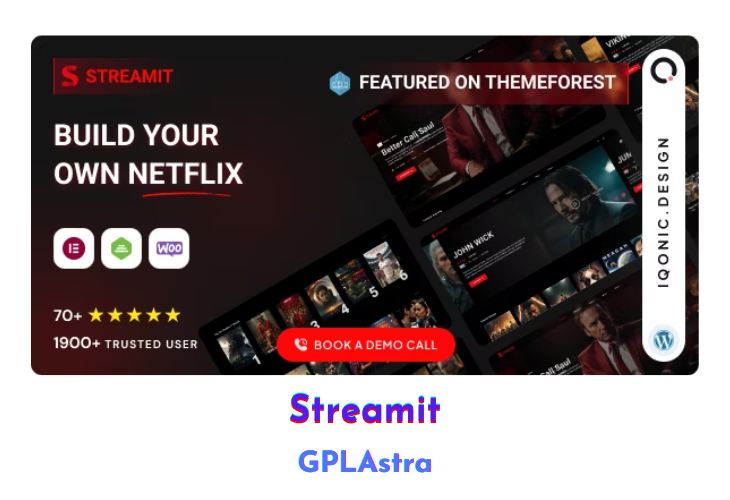
Streamit is a powerful and sleek WordPress theme tailored for OTT (Over-the-Top) streaming platforms. With its unique features and stunning UI/UX elements, Streamit offers the perfect package for any media, video, movie, or show streaming-related web application. This theme boasts beautiful front-end pages, a fully functional admin panel, a rating list, and a user list, allowing you to seamlessly add movies and shows. Additionally, Streamit provides a ready-to-use login page and pricing page, making it an extremely functional and easy-to-use solution.
Streamit is perfectly suited for creating video blogs, video tutorial sites, podcasts, and more. Its responsive design ensures that your website is fully adaptive and looks great on any device. Whether you’re building an online movie magazine, TV show and video streaming website, video blog, or event streaming site, Streamit offers a stunning and appealing demo page, allowing you to explore all possibilities.
| Name | Streamit |
| Type | WordPress Theme |
| Version | 4.3.0 |
| File Name | streamit |
| File Type | rar (Archive, please extract before use) |
| File Host | mediafire.com | Mirror |
| Updated On: | 3 months ago |
Core Features of Streamit WordPress Theme
- Cross-Browser Optimization for consistent appearance across browsers
- Unique, Clean, and Modern Design
- Stunning Dashboard Page layouts
- Highly attractive front-end pages
- Clean code developed by the best team at Iqonic Design
- Hover effects to engage users
- Multipurpose solutions for building powerful projects
- Multipurpose IT design offers the ability to create specific-purpose websites with various layout designs
- No Coding or Design Skills Required for creating attractive and functional sites
- Redux Framework for a Powerful Admin Panel
- One-Click Data Install for easy demo or extension installation
- 100% Responsive Layout for optimal viewing on any device
- Stunning Parallax effects to captivate visitors
- Rich typography with Google Fonts integration
- Blog styles for sharing ideas with style
- Social Share options for popular social platforms
- Google Fonts integration for customizing website typography
- Experienced support team to assist you throughout the website creation process
- Fully Responsive design for optimal viewing across desktop, tablet, and smartphones
What’s New (Changelog) in Streamit v4.3.0
Version 4.3.0 | 20 November 2025
Added:
- Introduced Filter options for Movies, Videos, and TV Shows.
- Added Device Limit functionality for better account control.
- Introduced a core option to easily handle both Web and App environments.
- Added “Remind Me” feature for upcoming content.
- Introduced Sensor Rating for Videos and TV Shows.
- Added Pricing Page Points Settings configurable by admin.
- Integrated Redis Cache for enhanced caching performance.
- Added Capabilities for Movies, TV Shows, Episodes, etc. — including Add, Update, and Delete options.
Modified:
- Revamped Login flow with improved validation and faster performance.
- Enhanced Profile section tabs for better user experience.
- Improved Notification Module for more accurate and timely alerts.
- Updated Card Hover Effects across the theme for a modern look
- Improved Player Security based on upcoming content and login limitations.
- Enhanced Site SEO and query optimization for better performance.
- Removed IDs from URLs for cleaner and SEO-friendly links.
- Mobile Footer Menu Option.
Resolved:
- Fixed minor bugs and improved overall site loading speed.
- Optimized queries for faster data retrieval and better performance.
Update:
- Overall site speed and performance improvements.
- Prepared base for auto-release functionality in Movies, Videos, TV Shows, Seasons, and Episodes.
- Compatible with WooCommerce v10.3.5.
- Compatible with Paid Memberships Pro v3.6.
Important Note
- The Streamit plugin version 1.3.0 is required.
- In this update, the Admin has full access to the content with no restrictions.
Sales Page and Live Demo of Streamit WordPress Theme
https://themeforest.net/item/streamit-video-streaming-wordpress-theme/29772881
Free Download Streamit Latest Version
⚡ Premium Access
Unlock All Premium Features
Unlimited Downloads
No Restrictions
Direct Download Links
Access to Private Content
Frequently Asked Questions (FAQs):
Here are some frequently asked questions related to Streamit WordPress Theme that might help you while installing it on your WordPress site:


