MyListing v2.15 WordPress Theme
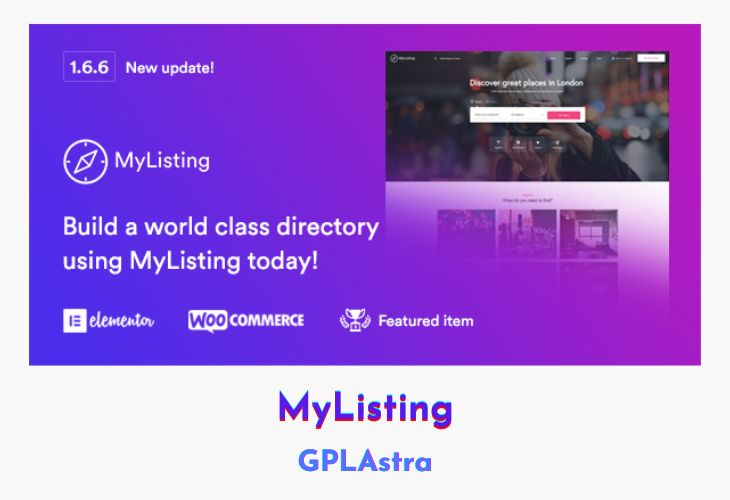
MyListing, a versatile WordPress theme, empowers you to craft dynamic directory and listing websites with utmost flexibility. With the ability to design pages effortlessly on the front-end, MyListing makes your vision come to life in real-time. The theme capitalizes on the powerful Elementor front-end page builder, featuring 50+ drag-and-drop elements that require no coding expertise.
Regardless of your project, be it a business directory or event listing, MyListing caters to diverse appearances, functionalities, and features. Its advanced listing type creator enables differentiation between listing types through a selection of 20+ pre-made fields and limitless custom fields. MyListing’s integration with Elementor and its range of widgets ensures that every aspect of your directory or listing site is fully customizable.
| Name | MyListing |
| Type | WordPress Theme |
| Version | 2.15 |
| File Name | my-listing |
| File Type | rar (Archive, please extract before use) |
| File Host | mediafire.com | Mirror |
| Updated On: | 4 weeks ago |
Core Features of MyListing WordPress Theme
- Elementor Integration:
- Built using the open-source Elementor page builder for seamless design and real-time visualization.
- Over 50 Elementor widgets readily available for diverse functionalities.
- Advanced Listing Type Builder:
- Create multiple listing types, each with distinct designs and functionalities.
- Intuitive listing type editor with an aesthetically pleasing and user-friendly interface.
- Custom Listing Profiles and Fields:
- Design custom listing profiles for every listing type.
- Add powerful and customizable custom fields for each listing type.
- Tailored Listing Preview and Explore Pages:
- Customize the listing preview box uniquely for each listing type.
- Create a personalized Explore page with custom facets for individual listing types.
- Search Facet Editor:
- Tailor the search facet options for each listing type using the powerful facet editor.
- Integration with Third-party Tools:
- Seamlessly integrate TimeKit and Contact Form 7 for enhanced functionality.
- Incorporate listing reviews, bookmarking, and ratings to enrich user experience.
- Shortcode Functionality:
- Utilize the intuitive shortcode generator to simplify the inclusion of custom elements.
- Access custom shortcodes such as ‘Button’, ‘Listing Categories’, ‘Format Text’, ‘Icon Picker’, and ‘Listing Search Form’.
- Icon Variety:
- Choose from a vast selection of icons, including Custom Theme Icons, Material Icons, Font Awesome, and Glyphicons.
- Google Maps Integration:
- Leverage Google Maps integration to enhance location-based features and services.
What’s New (Changelog) in MyListing v2.15
v2.15 – 29 Jan 2026
Features
- Video URL field:
- Added support for multiple videos
- Added support for Twitch and Streamable
- Added filter allowing site admins adding additional video providers
- Added package based selection limits
- Video URL field can be added multiple times in Add Listing form
- Video block on listing page uses carousel to display multiple videos
- Gallery field/block:
- Added support for uploading and displaying videos (those supported by HTML5 <video> tag)
- Header:
- Added option to display the mobile menu on the right
- Quick search - Search Form Featured Categories:
- Added option to select terms from other listing taxonomies as well (option is rename to "Search Form Featured Terms")
Bug Fixes
- Fixed repeater field styling in the backend
- Fixed OSM location block not loading inside inner tabs
- Fixed issue where taxonomy terms assigned to a listing type were not displayed in Explore tabs
- Fixed issue with MyListing select inputs in backend
- Fixed HTML being stripped from footer text
- Fixed Explore widget preview not rendering correctly in Elementor editor
- Fixed incorrect listing status being applied when switching packages
Sales Page and Live Demo of MyListing WordPress Theme
https://themeforest.net/item/mylisting-directory-listing-wordpress-theme/20593226
Free Download MyListing Latest Version
⚡ Premium Access
Unlock All Premium Features
Unlimited Downloads
No Restrictions
Direct Download Links
Access to Private Content
Frequently Asked Questions (FAQs):
Here are some frequently asked questions related to MyListing WordPress Theme that might help you while installing it on your WordPress site:



Please Upload latest update files : MyListing v2.11.6