Kapee v1.6.24 WordPress Theme
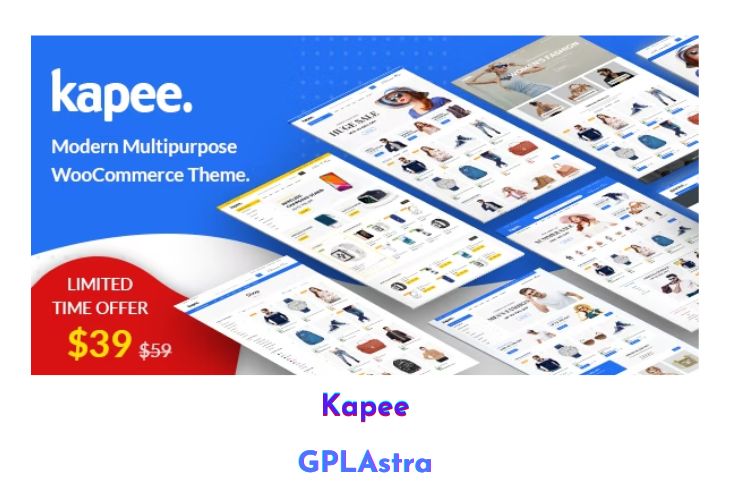
Kapee is a fast, clean, highly customizable, and responsive WordPress theme designed for all kinds of online shops, including fashion, electronics, furniture, accessories, and more. This professional WordPress WooCommerce theme comes packed with a plethora of features and variations, ensuring a seamless and engaging shopping experience for your customers. With its responsive layout, mega menu, page builder integration, stunning Slider Revolution, RTL support, product quick view, Ajax search, Ajax cart, Ajax product filter, and bought together product recommendations, Kapee delivers a powerful and user-friendly e-commerce solution.
Kapee is compatible with popular page builders such as WPBakery Page Builder and Revolution Slider, ensuring a smooth and flexible website creation process without requiring coding knowledge. The theme is fully responsive and Retina-ready, ensuring a visually stunning experience across all devices and screen resolutions. With its robust e-commerce features, including Ajax search, product comparison, wishlist, off-canvas cart, and buy together recommendations, Kapee empowers you to create a compelling and engaging online shopping experience for your customers.
| Name | Kapee |
| Type | WordPress Theme |
| Version | 1.6.24 |
| File Name | kapee |
| File Type | rar (Archive, please extract before use) |
| File Host | mediafire.com | Mirror |
| Updated On: | 2 months ago |
Core Features of Kapee WordPress Theme
- Responsive layout
- Mega menu
- Page builder integration (WPBakery Page Builder, Revolution Slider)
- RTL support
- Product quick view
- Ajax search
- Ajax cart
- Ajax product filter
- Bought together product recommendations
- Easy one-click installation
- Clean and modern design
- 10+ unique homepages
- WordPress 5.0+ and WooCommerce 4+ ready
- Smart sticky header
- Sticky sidebar
- Drag & drop Visual Composer builder
- Advanced mega menu
- Advanced shop features
- Instant Ajax search
- Shop list/grid view
- Frequently bought together
- Quick buy button
- Multi-vendor support (Dokan, WC Vendor, WC MarketPlace, WCFM)
- Quickview popup
- Catalog mode
- YITH Wishlist
- AJAX add to cart
- 5 different shop item hover effects
- No coding knowledge required
- Highly customizable
- Wide & boxed layout
- WPML compatible
- High performance
- Built with HTML5 and CSS3
- Free premium plugins
- 100% fully responsive
- Typography control
- Google fonts included
- Typkit fonts integration
- Custom font option
- RTL support
- Retina ready
- One-click demo importer
- Advanced portfolio styles
- Unlimited color options
- Custom widgets
- Custom post formats
- Translation ready
- SEO ready
- Child theme ready
- Advanced blog options
- Custom page templates & page options
- Useful shortcodes
- Advanced theme options panel
- Valid HTML5 and CSS3 code
- WPML plugin compatible
- Contact Form 7 compatible
- Modern cross-browser support
- Social sharing ready
- Multilingual ready
- Dedicated support
- Online and offline documentation
What’s New (Changelog) in Kapee v1.6.24
v1.6.24 – 07-JAN-2026
ADDED : WordPress Compatible 6.9
ADDED : WooCommerce Compatible 10.4.X
UPDATED : WPBakery Page Builder 8.7.2
UPDATED : Revolution Slider 6.7.40
FIXED : CSS Issue
FIXED : RTL CSS Issue
Sales Page and Live Demo of Kapee WordPress Theme
https://themeforest.net/item/kapee-fashion-store-woocommerce-theme/24187521
Free Download Kapee Latest Version
⚡ Premium Access
Unlock All Premium Features
Unlimited Downloads
No Restrictions
Direct Download Links
Access to Private Content
Frequently Asked Questions (FAQs):
Here are some frequently asked questions related to Kapee WordPress Theme that might help you while installing it on your WordPress site:


