Homeo v1.2.60 WordPress Theme
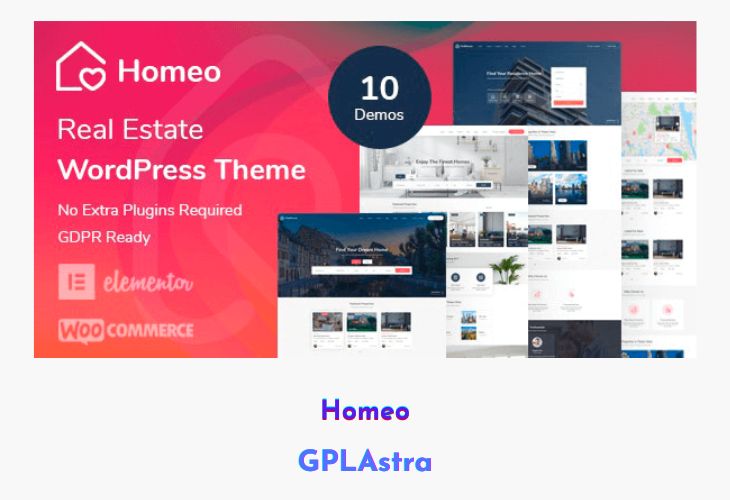
Homeo is a powerful Real Estate WordPress theme designed to let users manage their listings directly from the frontend without accessing the admin panel. Built with flexibility and monetization in mind, it allows property owners, agents, and agencies to submit, edit, and manage properties with ease. The theme supports pay-per-listing and membership-based monetization, making it ideal for building real estate directories or marketplace-style portals. Its scalable structure allows you to create anything from a small agency website to a large, feature-rich property platform.
With Homeo, customization and usability are at the forefront. It integrates seamlessly with Elementor, WooCommerce, and other top plugins, offering a highly interactive experience. From advanced filters and AJAX search to map-based listings and mortgage calculators, everything is built to enhance the property browsing experience. The theme’s modern UI, responsive layout, and rich features make it one of the most comprehensive real estate solutions for WordPress.
| Name | Homeo |
| Type | WordPress Theme |
| Version | 1.2.60 |
| File Name | homeo |
| File Type | rar (Archive, please extract before use) |
| File Host | mediafire.com | Mirror |
| Updated On: | 1 week ago |
Core Features of Homeo WordPress Theme
- Frontend Submission: Allow users to submit and manage listings directly from the frontend.
- Monetization Ready: Built-in pay-per-post and package system for charging users.
- Property Management Dashboard: Manage listings, transactions, and user data efficiently.
- Multiple Property Layouts: Choose from grid, list, half-map, and full-map views.
- Advanced Filters & Ajax Search: Refine property searches quickly and dynamically.
- Elementor Page Builder: 50+ custom widgets for full drag-and-drop design flexibility.
- Agencies & Agents System: Assign agents to listings and create agency profiles.
- Mortgage Calculator: Built-in financial calculator for user convenience.
- WooCommerce Integration: Supports paid listings, payment gateways, and transactions.
- Virtual Tours & Videos: Add immersive property media for better engagement.
- Compare & Favorite Properties: Users can save and compare listings easily.
- Email Alerts & Saved Searches: Notify users of new listings matching their preferences.
- GDPR & reCAPTCHA Support: Fully compliant and secure for user data protection.
- Header & Footer Builder: Customize layout structure using Elementor.
- Social Login Integration: Simplifies registration and login process.
- Fully Responsive & RTL Ready: Ensures perfect performance across all devices and languages.
- SEO Optimized: Built to rank higher on search engines with optimized structure.
- Walkscore & Yelp Integration: Adds valuable local information to listings.
- One-Click Demo Import: Quickly replicate the demo site for fast setup.
What’s New (Changelog) in Homeo v1.2.60
v1.2.60 – 12 February 2026
* Updated WooCommerce
Sales Page and Live Demo of Homeo WordPress Theme
https://themeforest.net/item/homeo-real-estate-wordpress-theme/26372986
Free Download Homeo Latest Version
⚡ Premium Access
Unlock All Premium Features
Unlimited Downloads
No Restrictions
Direct Download Links
Access to Private Content
Frequently Asked Questions (FAQs):
Here are some frequently asked questions related to Homeo WordPress Theme that might help you while installing it on your WordPress site:


