Elessi v6.5.4 WordPress Theme
Elessi Free Download

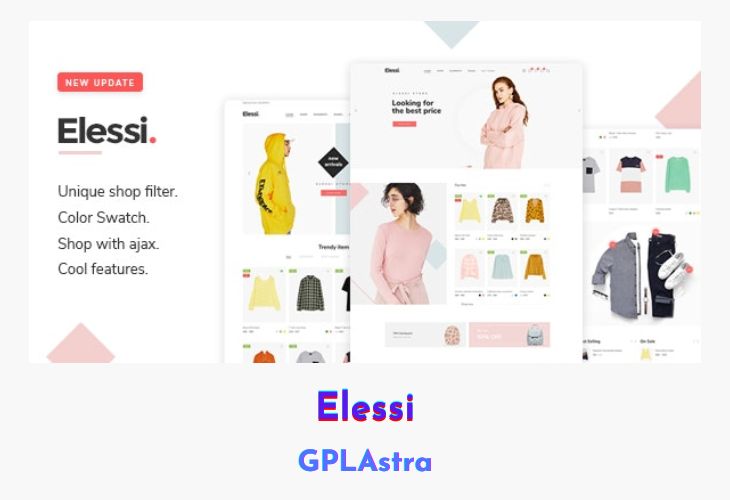
Elessi is an elegant clean, modern as well as user-friendly WooCommerce Theme. It comes with many advance and functional features that can be perfect for your eCommerce projects. It is built with the customer experience in mind with features like some cool design.

Name Elessi
Type WordPress Theme
Version 6.5.4
File Name elessi-theme
File Type rar (Archive, please extract before use)
File Hostmediafire.com | Mirror
Updated On:20 hours ago

Core Features of Elessi WordPress Theme

  • Mobile Friendly
  • Lots of options in Header
  • Responsive Layout
  • Header & Footer Maker
  • 8+ Homepage Layout
  • Grid and Stretched Layouts
  • Edit the maximum width of the site screen
  • RTL is supported
  • Fully Responsive, your website will work on almost any device
  • Store Box Display and List View Supported
  • Attractive Module
  • Shop with Top Sidebar, Left Sidebar, Right Sidebar, No Sidebar.
  • Instant AJAX search with thumbnails
  • Professional Look
  • Custom typography. You can change font style, use colour without touching the code
  • Unlimited Color Options
  • SEO Optimized
  • Child theme
  • Online Documentation + FAQ page
  • Fully customizable design and layout
  • WPBakery’s bundled drag-and-drop page builder
  • Lots of Custom Visual Composer Elements to work with
  • Revolution Slider plugin.
  • Upload your Logo and Favicon
  • Translation Ready
  • Easy Installation and Setup with One click install demo content
  • Fully compatible with PHP 5.3.x, 5.4.x, 5.5.x, 5.6.x, 7.x
  • Unique Compare Feature.
  • Additional widget for filtering by WooCommerce Attributes.
  • Integrated with Google Fonts
  • Integrated with Font Awesome icons

What’s New (Changelog) in Elessi v6.5.4

----- v6.5.4 (24 Feb 2026) -----
- COMPATIBLE: WooCommerce 10.5.2.

Sales Page and Live Demo of Elessi WordPress Theme

https://themeforest.net/item/elessi-woocommerce-ajax-wordpress-theme/20968615

Free Download Elessi Latest Version

⚡ Premium Access

Unlock All Premium Features

🚀 Unlimited Downloads
No Restrictions
🎯 Direct Download Links
🌟 Access to Private Content

Frequently Asked Questions (FAQs):

Here are some frequently asked questions related to Elessi WordPress Theme that might help you while installing it on your WordPress site:


Steps for a Plugin:

If you have already downloaded the plugin file from our website, you can upload it manually by following these steps:

  1. Log in to your WordPress dashboard.
  2. Navigate to "Plugins" in the left-hand menu and click "Add New."
  3. Click on the "Upload Plugin" button at the top of the page.
  4. Click the "Choose File" button and select the plugin file from your computer.
  5. Click the "Install Now" button to start the installation process.
  6. Wait for the installation to complete, and then click the "Activate" button to enable the plugin.

Steps for a Theme:

Installing a new theme in WordPress is also a simple process. Here are the steps you can follow:

  1. Log in to your WordPress dashboard.
  2. Navigate to "Appearance" in the left-hand menu and click on "Themes."
  3. Click on the "Add New" button at the top of the page.
  4. You will see a list of popular themes, or you can click "Upload Theme" to upload a theme from your computer.
  5. If you choose a theme from the list, you can preview it first by clicking on the "Preview" button. If you like it, click the "Install" button to install it.
  6. If you upload a theme, click "Choose File" to select the theme file from your computer, then click "Install Now".
  7. Once installed, click the "Activate" button to activate the new theme.

Please try to install " Elessi" as a plugin instead of a theme.

If you installed a plugin as a theme, it could also cause the "style.css not found" error. This is because plugins and themes have different file structures, and WordPress expects certain files to be in specific locations based on whether it's a plugin or a theme.

Please extract the downloaded file before installing it as it contains some additional files.

The error message you encountered while trying to install the theme/plugin package is likely because it was in .rar format. WordPress only supports installation of themes/plugins in .zip format, so you would need to extract the contents of the .rar file first before installing the theme/plugin.

To do this, you can use a file extraction tool such as WinRAR or 7-Zip to extract the contents of the .rar file on your computer. Once the files have been extracted, you should see a folder containing the theme/plugin files in .zip format. You can then upload and install this .zip file through the WordPress dashboard just like any other theme/plugin.

One comment

Leave a Reply

Your email address will not be published. Required fields are marked *

Verify you're human
5 - 1 =
