Electro v3.6.8 WordPress Theme
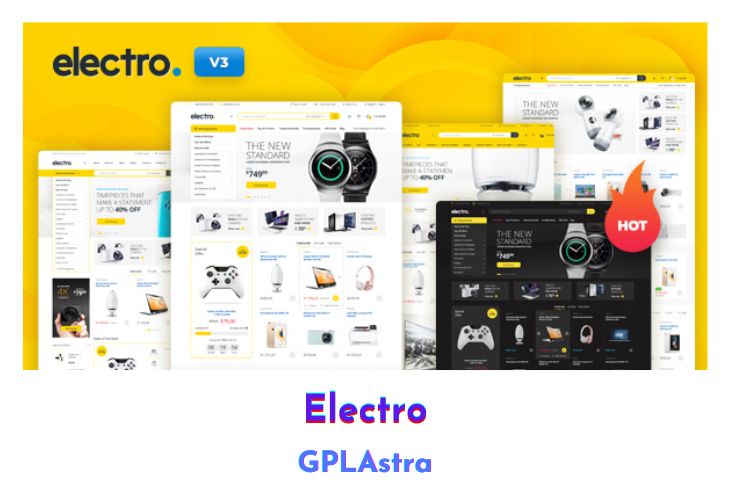
Electro is an electronics store WooCommerce theme for WordPress which is a professional theme that looks like a big and popular eCommerce site such as eBay, Amazon, Flipkart, snap deal, Walmart, Alibaba, aliexpress, etc. However, there are WooCommerce addons or extensions like Dokan Pro, WC Vendors, WCFM Marketplace and Multi Vendor Marketplace by Webkul that allow you to extend WooCommerce into a multi-vendor platform. Even if you’re an Amazon affiliate marketer then this theme is also suitable for you.
| Name | Electro |
| Type | WordPress Theme |
| Version | 3.6.8 |
| File Name | electro |
| File Type | rar (Archive, please extract before use) |
| File Host | mediafire.com | Mirror |
| Updated On: | 1 week ago |
Core Features of Electro WordPress Theme
- Easy Installation and Setup
- Free Updates and one-to-one support
- Comes with importable dummy data
- Built on Bootstrap 4
- Cross-browser compatible (Chrome/Firefox/IE)
- Built with SASS – All SASS files included
- 6 Pre-defined header styles and the option to customize headers
- 9 Pre-defined colour scheme and the option to generate custom colours
- 5 Different types of home pages
- Responsive Megamenu
- 11 Pre-built Pages
- Supports various post formats and post thumbnails feature.
- Includes 17 widgets
- WPML Compatible
- Youtube like page loader
- Advanced Products Live Search
- 3 Different layouts for Single Product Pages.
- Advanced Reviews
- Advanced Specifications tab
- Accessories for Products like on Amazon
- Catalogue Mode is available.
- Shop Page Jumbotron.
- Wishlist and Compare from YITH
- Brands Carousel
- Products Carousel
- Ability to display products in 2, 3, 4, 5 and 6 columns
- Custom Product Comparison page.
- 3 Different types of layout: Classic, List View, Grid View
- Choose from Right Sidebar, Left Sidebar or Full-width layouts
- Enable placeholder images
- Integrated with Google Fonts
- Can choose from FontAwesome icons
- Integrated with Social Media
- Can paste custom CSS easily.
- Import/Export customization options
- Youtube like page loader
What’s New (Changelog) in Electro v3.6.8
v3.6.8 - 2026-02-18
* Fix : Fatal error in 3.6.7 due to old WP Bakery plugin
Sales Page and Live Demo of Electro WordPress Theme
https://themeforest.net/item/electro-electronics-store-woocommerce-theme/15720624
Free Download Electro Latest Version
⚡ Premium Access
Unlock All Premium Features
Unlimited Downloads
No Restrictions
Direct Download Links
Access to Private Content
Frequently Asked Questions (FAQs):
Here are some frequently asked questions related to Electro WordPress Theme that might help you while installing it on your WordPress site:



Outdated, please update it
how to install ? help me