Educavo v3.3.6 WordPress Theme
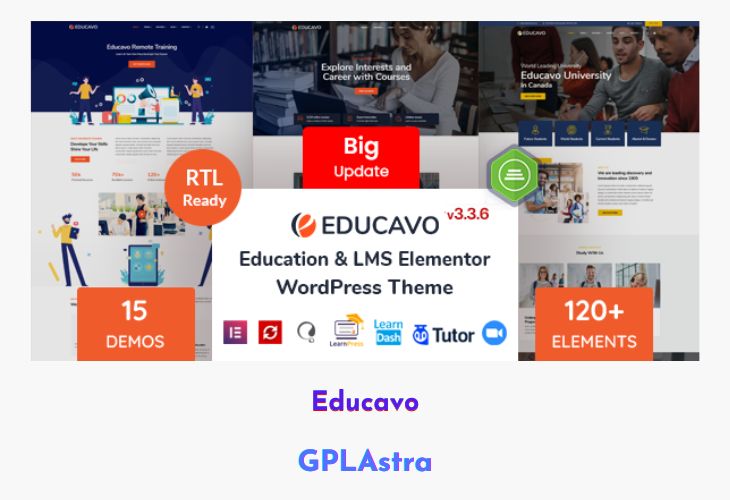
Educavo is a stylish and comprehensive Education LMS WordPress Theme tailored for all types of educational institutions and online learning platforms. Whether you’re running a university, college, school, or an e-learning business, Educavo provides everything you need to create a professional, engaging, and functional education website. It comes with 14 pre-built homepage demos and multiple inner page layouts including course, teacher, and blog templates—allowing users to set up their site effortlessly with one-click demo import.
Built with Elementor Page Builder and powered by the Revolution Slider, Educavo ensures a smooth design experience with live editing and rich visual elements. Its fully responsive design, clean code, and SEO-friendly framework make it an ideal choice for anyone looking to build a powerful educational website without touching a single line of code. The theme also includes extensive customization options through the Redux Framework, offering control over layout, colors, and typography with ease.
| Name | Educavo |
| Type | WordPress Theme |
| Version | 3.3.6 |
| File Name | educavo |
| File Type | rar (Archive, please extract before use) |
| File Host | mediafire.com | Mirror |
| Updated On: | 4 months ago |
Core Features of Educavo WordPress Theme
- 14 Unique Demo Homepages: Professionally designed layouts suitable for various educational niches.
- Elementor Page Builder: Drag-and-drop builder for easy and live customization of any page layout.
- Revolution Slider Integration: Create beautiful animated sliders to highlight key content.
- One-Click Demo Import: Instantly set up your website using pre-made demo data.
- 120+ Addon Elements: Customize your site easily with a wide range of built-in design elements.
- Unlimited Color Options: Adjust global and individual addon colors through theme settings.
- Redux Framework Support: Offers advanced theme options for effortless customization.
- Responsive Layout: Optimized for smartphones, tablets, laptops, and desktops.
- Child Theme Included: Safely customize your website without affecting the main theme files.
- Multiple Page Layouts: Includes about, contact, course, and blog page designs for flexibility.
- SEO Optimized Structure: Built with clean code and Yoast SEO compatibility for better rankings.
- Off-Canvas Menu: Enhances mobile navigation and user experience.
- Bootstrap 4.x Framework: Ensures a stable, fast, and modern front-end structure.
- Google Fonts & Flaticons: Access a vast library of typography and icons to match your branding.
- Free Lifetime Updates: Receive regular improvements and compatibility fixes.
- Well Documented & Quick Support: Step-by-step setup guide and reliable support from the developers.
What’s New (Changelog) in Educavo v3.3.6
- Compatible With WordPress 6.8.x Latest Version
- Compatible With WooCommece Latest Version
- Compatible With Elementor Latest Version
- Added: On Educavo Options - Sticky Menu Logo & Sticky Logo Height field added
- Updated Bundle Plugin: Revolution Slider
Sales Page and Live Demo of Educavo WordPress Theme
https://themeforest.net/item/educavo-education-wordpress-theme/28715006
Free Download Educavo Latest Version
⚡ Premium Access
Unlock All Premium Features
Unlimited Downloads
No Restrictions
Direct Download Links
Access to Private Content
Frequently Asked Questions (FAQs):
Here are some frequently asked questions related to Educavo WordPress Theme that might help you while installing it on your WordPress site:


