eCademy v7.4 WordPress Theme
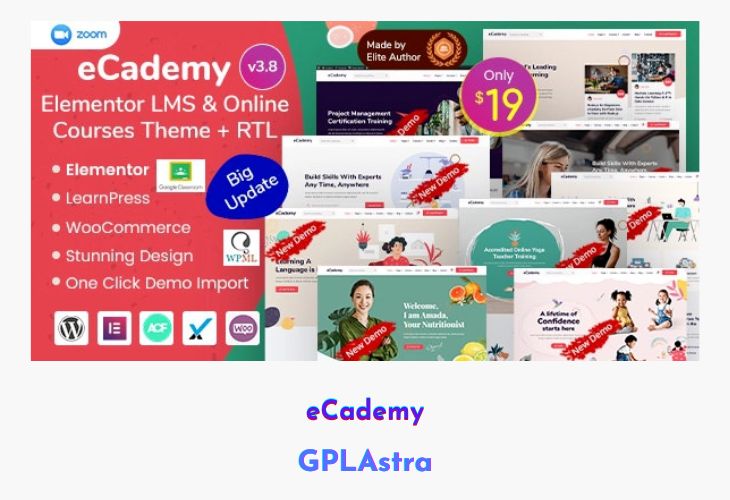
eCademy is a feature-rich and modern WordPress theme designed for education, online courses, coaching centers, and training providers. Built with Elementor and LearnPress LMS, it enables users to create and manage courses, live classes, and student interactions with ease. The theme offers deep integration with Zoom for live sessions, Google Classroom for structured learning, and WooCommerce for course payments. With features like grading systems, content drip, and certificate generation, eCademy provides a comprehensive learning experience for students and instructors alike. Its intuitive admin dashboard, GDPR compliance, and multilingual support make it ideal for global e-learning platforms.
eCademy is not only visually appealing but also performance-optimized, ensuring fast load times and smooth navigation. It comes packed with 9+ demo variations, 47+ Elementor custom widgets, advanced customization options, and built-in support for essential tools like Yoast SEO, bbPress, and MailChimp. Whether you’re building a small tutoring website or a large-scale eLearning platform, eCademy delivers everything you need to launch and grow successfully.
| Name | eCademy |
| Type | WordPress Theme |
| Version | 7.4 |
| File Name | ecademy |
| File Type | rar (Archive, please extract before use) |
| File Host | mediafire.com | Mirror |
| Updated On: | 4 months ago |
Core Features of eCademy WordPress Theme
- Zoom & Google Classroom Integration: Conduct live classes and manage virtual classrooms effortlessly.
- LearnPress LMS Support: Manage courses, lessons, quizzes, and students with offline payment options.
- Grading System: Track student progress and quiz performance with pass/fail results.
- Content Drip: Schedule and release course content gradually to improve learning engagement.
- Course Certificates: Generate and print certificates automatically after course completion.
- Private Messaging & Live Streaming: Facilitate real-time communication and interactive learning.
- Elementor Page Builder: Build pages visually with drag-and-drop customization and 47+ custom widgets.
- WooCommerce Integration: Enable course payments and sell products directly from your site.
- Header & Footer Builder: Customize layouts for better branding and navigation control.
- MailChimp Subscription & Popup Modal: Capture leads and grow your email list effectively.
- WP Events Manager: Manage and display events, webinars, and workshops with ease.
- GDPR Compliant: Ensure user data privacy with built-in GDPR-ready features.
- Multilingual & RTL Ready: Fully compatible with WPML and RTL languages like Arabic and Hebrew.
- Responsive & Retina Ready: Delivers an optimal viewing experience on all devices.
- Unlimited Customization: Offers typography, color, logo, and banner options with live preview.
- Preloader & Lazy Loader Options: Improve user experience and site loading performance.
- Newsletter Integration: Engage users with built-in MailChimp and newsletter plugins.
- Creative Layouts & Fast Performance: Lightweight and developer-friendly with clean, commented code.
- Bootstrap & Sass Built: Modern framework ensures stability, flexibility, and scalability.
What’s New (Changelog) in eCademy v7.4
November 05, 2025: eCademy v7.4
- Updated: Compatibility with WordPress v6.8.3+
- Updated: Compatibility with WooCommerce v10.3.4+
- Updated: Compatibility with LearnPress v4.2.9.4+
- Updated: Compatibility with Tutor LMS v3.9.1+
- Updated: Compatibility with LearnDash v4.25.6+
- Updated: WooCommerce affected files
- Updated: Advanced Custom Fields PRO to the latest version
- Fixed: LearnPress single course preview hide/show issue
- Fixed: bbPress user profile not loading issue
- Fixed: LearnPress profile page design issue
- Fixed: Demo data import issue
Sales Page and Live Demo of eCademy WordPress Theme
https://themeforest.net/item/ecademy-education-lms-wordpress-theme/26701069
Free Download eCademy Latest Version
⚡ Premium Access
Unlock All Premium Features
Unlimited Downloads
No Restrictions
Direct Download Links
Access to Private Content
Frequently Asked Questions (FAQs):
Here are some frequently asked questions related to eCademy WordPress Theme that might help you while installing it on your WordPress site:


