Smart Image Resize Pro for WooCommerce v1.15.0 Plugin
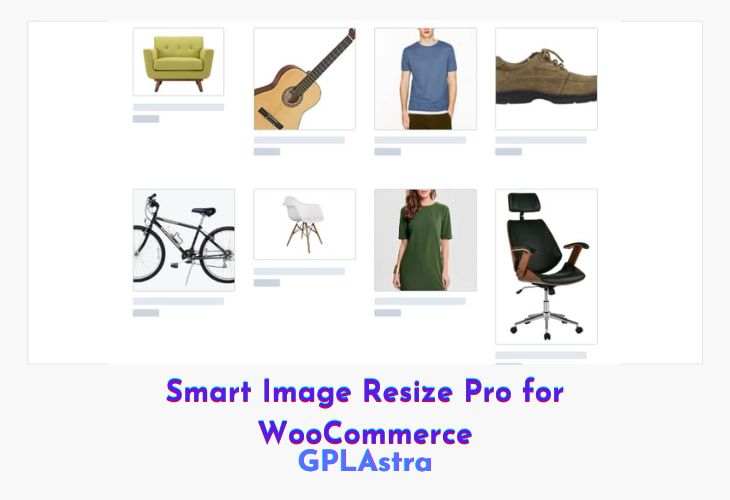
Smart Image Resize Pro is a WooCommerce plugin that ensures all product images in your store are uniform in size without any cropping, making your store look polished and professional. It automates image resizing, trims unnecessary whitespace, and preserves the aspect ratio, eliminating the need for manual editing. With Smart Image Resize Pro, your product images maintain a consistent and visually appealing layout across all devices.
The plugin also optimizes image performance by supporting WebP and JPG formats, improving page load speed and enhancing user experience. Additional customization options, such as setting background colors for resized areas and controlling generated thumbnails, give you full control over how your images appear in your WooCommerce store.
| Name | Smart Image Resize Pro for WooCommerce |
| Type | Plugin |
| Version | 1.15.0 |
| File Name | wp-smart-image-resize-pro |
| File Type | zip (Installable Archive) |
| File Host | mediafire.com | Mirror |
| Updated On: | 1 month ago |
Core Features of Smart Image Resize Pro for WooCommerce Plugin
- Uniform Image Sizes: Resize product images to the same dimensions while preserving aspect ratio, no cropping required.
- Trim Whitespace: Automatically remove unwanted empty space around images.
- Custom Background Color: Set background color for newly generated areas to match your site design.
- Thumbnail Control: Select which theme-generated image sizes to create for better performance and consistency.
- WebP Support: Reduce image size by up to 90% while maintaining quality and transparency.
- JPG Conversion: Convert images to JPG format to improve page loading speed.
- Future Watermark Feature: Insert image or text watermarks to protect your images and boost search engine visibility.
- No Manual Editing Needed: Fully automatic resizing and optimization for all WooCommerce images.
- Optimized for WooCommerce Stores: Maintains consistent layout and appearance across product listings.
- Easy Setup: Zero configuration required, ready to use immediately.
What’s New (Changelog) in Smart Image Resize Pro for WooCommerce v1.15.0
= v1.15.0 =
* Added support for product brands
Sales Page and Live Demo of Smart Image Resize Pro for WooCommerce Plugin
https://sirplugin.com/
Free Download Smart Image Resize Pro for WooCommerce Latest Version
⚡ Premium Access
Unlock All Premium Features
Unlimited Downloads
No Restrictions
Direct Download Links
Access to Private Content
Frequently Asked Questions (FAQs):
Here are some frequently asked questions related to Smart Image Resize Pro for WooCommerce Plugin that might help you while installing it on your WordPress site: