Qi Addons For Elementor Premium v1.10.2 Plugin
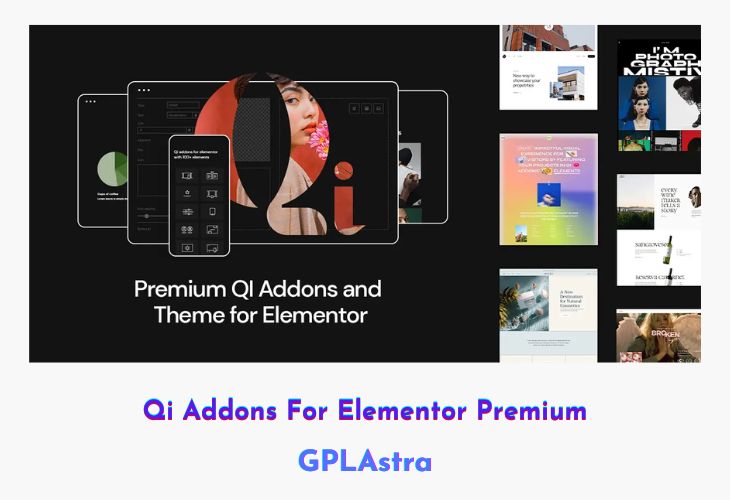
Qi Addons for Elementor Premium is a powerful and versatile widget collection developed by Qode Interactive, designed to extend the capabilities of the Elementor page builder. It offers a rich library of 60 professionally crafted widgets that help users build visually stunning, modern, and highly functional WordPress websites with ease. Each widget is created with flexibility and performance in mind, making it suitable for business websites, portfolios, blogs, and creative projects.
Built to integrate seamlessly with Elementor, Qi Addons for Elementor Premium allows full control over layout, styling, and responsiveness. The widgets are lightweight, well-optimized, and easy to customize, ensuring fast loading times and consistent design quality across your website. Whether you’re a beginner or an experienced designer, this addon pack enhances workflow and design possibilities significantly.
| Name | Qi Addons For Elementor Premium |
| Type | Plugin |
| Version | 1.10.2 |
| File Name | qi-addons-for-elementor-premium |
| File Type | zip (Installable Archive) |
| File Host | mediafire.com | Mirror |
| Updated On: | 2 months ago |
Core Features of Qi Addons For Elementor Premium Plugin
- 60 Premium Widgets: A comprehensive collection of advanced and creative Elementor widgets.
- Fully Customizable Controls: Fine-tune colors, typography, spacing, and layouts effortlessly.
- Responsive Design Options: Optimize widget appearance across desktop, tablet, and mobile devices.
- Modern & Clean UI Elements: Professionally designed widgets for contemporary websites.
- Performance Optimized: Lightweight code ensures minimal impact on page load speed.
- Seamless Elementor Integration: Works flawlessly within the native Elementor interface.
- Flexible Layout Controls: Adjust alignment, spacing, and structure with precision.
- Typography Management: Advanced font and text styling options for better readability.
- Animation & Interaction Effects: Add subtle animations to enhance user engagement.
- Cross-Browser Compatibility: Ensures consistent appearance across major browsers.
- Regular Updates: Maintained and improved by Qode Interactive.
- Developer Quality Code: Clean and well-structured codebase for stability and scalability.
What’s New (Changelog) in Qi Addons For Elementor Premium v1.10.2
= v1.10.2 - 15-10-2025 =
- Fixed EDD API licence registration
- Minor improvements
Sales Page and Live Demo of Qi Addons For Elementor Premium Plugin
https://qodeinteractive.com/qi-addons-for-elementor/
Free Download Qi Addons For Elementor Premium Latest Version
⚡ Premium Access
Unlock All Premium Features
Unlimited Downloads
No Restrictions
Direct Download Links
Access to Private Content
Frequently Asked Questions (FAQs):
Here are some frequently asked questions related to Qi Addons For Elementor Premium Plugin that might help you while installing it on your WordPress site: