MovieWP v3.8.8 WordPress Theme
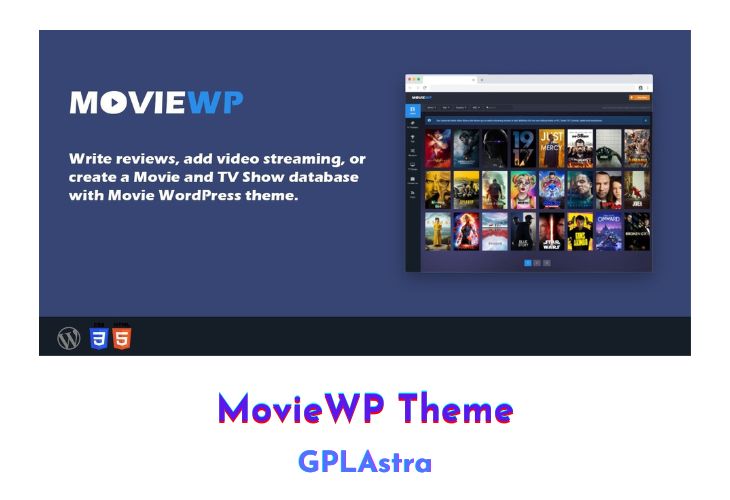
MovieWP is a movie WordPress theme developed by fr0zen that provides an impressive design and a robust set of features, making it adaptable for various movie sites. The theme includes various tools for importing data, including images, text, and reviews from sources such as TMDB and IMDb.
| Name | MovieWP |
| Type | WordPress Theme |
| Version | 3.8.8 |
| File Name | moviewp |
| File Type | zip (Installable Archive) |
| File Host | mediafire.com | Mirror |
| Updated On: | 2 years ago |
Core Features of MovieWP WordPress Theme
- Flexible Design: MovieWP offers a flexible design that can be adapted to many movie sites.
- TMDB and IMDb Importer: One of the coolest features of MovieWP is its importer tool, which can quickly build your own movie directory. This feature allows users to import data such as images, text, and reviews from sources like TMDB and IMDb.
- Modern Design: With its modern design, MovieWP is a great choice for creating a movie and TV show portal site with trailers, ratings, and videos.
- Customizable Homepage: Users can customize their homepage with multiple modules, including the slider module, movie module, and upcoming movies module.
- Multiple Layout Options: MovieWP offers multiple layout options, including the classic list view, grid view, and masonry view.
- Social Media Integration: The theme includes social media integration, allowing users to share their content on platforms such as Facebook, Twitter, and Instagram.
- Translation Ready: MovieWP is translation-ready, making it easy for users to translate their website into different languages.
- Advanced Search Functionality: The theme includes advanced search functionality, enabling users to search for movies based on various criteria such as genre, release date, and rating.
- Built-in Review System: MovieWP includes a built-in review system, allowing users to rate and review movies in their directory.
- Responsive Design: MovieWP is designed to be responsive, ensuring that the website looks great on all devices.
What’s New (Changelog) in MovieWP v3.8.8
Added: Full WordPress 6.1 compatibility.
Added: Multiple sliders on home page with new layout.
Added: Blog
Added: Moies Collections page.
Added: Collection tag below the description of the movies (if the collection exists).
Added: TV Networks page
Fixed: Sidebar scroll
Updated: Admin panel
Updated: Importer
Updated: Autoembed
Updated: JS
Updated: CSS
Sales Page and Live Demo of MovieWP WordPress Theme
https://www.codester.com/items/24019/moviewp-wordpress-theme
Free Download MovieWP Latest Version
⚡ Premium Access
Unlock All Premium Features
Unlimited Downloads
No Restrictions
Direct Download Links
Access to Private Content
Frequently Asked Questions (FAQs):
Here are some frequently asked questions related to MovieWP WordPress Theme that might help you while installing it on your WordPress site: