Meta Box AIO v3.3.0 (All Extensions) Plugin
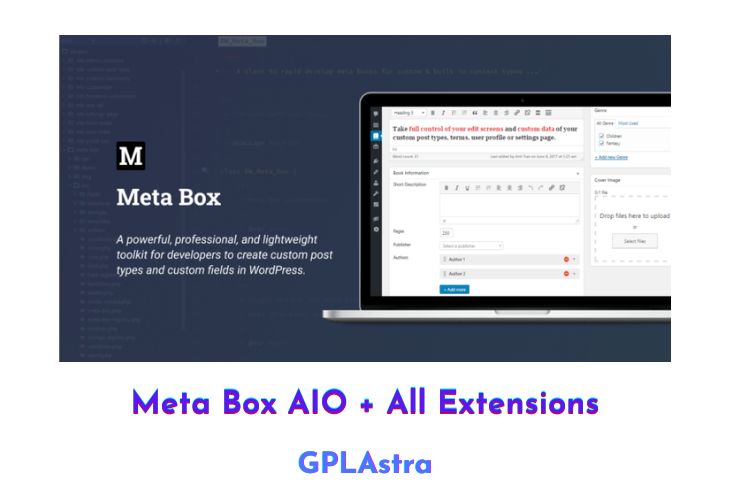
The Meta Box AIO is a comprehensive extension bundle that works alongside the Meta Box WordPress plugin. The latter provides users with the ability to customize their websites using custom fields and meta boxes free of charge. The former, designed to be lightweight and user-friendly, does not have any complicated administrative pages or options. Setting up the plugin is straightforward and can be completed quickly. Additionally, the online generator form makes it possible for users to add custom fields to their websites in only a few minutes.
The plugin is compatible with any theme or plugin, and data entered in the custom fields is not lost during migration to new sites, as Meta Box is fully compatible with WordPress import and export functionality. The plugin is also suitable for both individual and multisite installations.
In addition to its user-friendly features, Meta Box is also compliant with both Gutenberg and General Data Protection Regulations (GDPR). It does not store any personal data or send data to remote servers, ensuring that users’ privacy is protected.
| Name | Meta Box AIO |
| Type | Plugin |
| Version | 3.3.0 (All Extensions) |
| File Name | meta-box-aio |
| File Type | zip (Installable Archive) |
| File Host | mediafire.com | Mirror |
| Updated On: | 4 months ago |
Core Features of Meta Box AIO Plugin
- Easy to set up and use: Adding custom fields to a WordPress website can be done in just a few minutes by using the online generator form. The plugin is designed to be user-friendly, with no complicated options or admin pages.
- Fast and lightweight: The plugin is speedy and supercharged, making it a fast and efficient solution for customizing a website.
- Compatible with any theme or plugin: Meta Box works smoothly with any theme or plugin, making it a versatile solution for website customization.
- Data preservation during migration: Custom field data entered in the plugin is not lost during migration to new sites, as Meta Box is fully compatible with WordPress import and export functionality.
- Suitable for individual and multisite installations: The plugin is fully compatible and works well with both individual and multisite installations.
- Gutenberg and GDPR compliant: Meta Box is completely compatible with Gutenberg and the General Data Protection Regulations (GDPR), ensuring that users’ privacy is protected. It does not store any personal data or send data to remote servers.
- No personal data storage: The plugin does not store any personal data, ensuring that users’ privacy is protected.
What’s New (Changelog) in Meta Box AIO v3.3.0 (All Extensions)
**Highlights:**
- Allow models to add more features: `author`, `published_date`, `modified_date` via the `supports` parameter. [Learn more about it](https://docs.metabox.io/extensions/mb-custom-table/#usage). This version also simplifies the API for creating custom tables for models. You don't need to pass the last parameter for auto increament anymore. The plugin will auto handle that for you. This makes the code to create custom tables consistent for both normal posts/terms/users and models.
- Add width settings for admin columns, which allows you to define custom width for a column. You can set the width in the builder, or set via parameter `width`, like: `'width' => '10%'`.
- Add a new block for adding a view in the block editor
- Add auto login for register form. To enable it, set `'auto_login'="true"` to the register shortcode.
- Add toggle status column settings for quickly toggle Published/Draft status for custom post types.
**Other changes:**
- Fix bug with `meta_box_sanitize_cb` when importing custom post types from ACF
- WPML integration: filter helper functions to get the translated IDs for `post` field
- Fix cloning `post` field not clearing the value
- Remove IDs for custom HTML, divider, heading fields in the structure panel, and for custom HTML field in the preview area
- Fix parsing prefix for tabs
- Fix required URL & email fields preventing saving
- Fix cannot save field group again if saving it without title and ID
- Local JSON: fix custom table name not containing prefix
- Do not show default user forms & fields in the admin
Sales Page and Live Demo of Meta Box AIO Plugin
https://metabox.io/plugins/
Free Download Meta Box AIO Latest Version
Metabox AIO Contains all the addons:
- MB Toolset Migration
- MB Rank Math
- MB ACF Migration
- Meta Box – Admin Columns Integrator
- MB Views
- Meta Box – SearchWP Integrator
- MB Blocks
- Meta Box – Elementor Integrator
- Meta Box – Beaver Themer Integrator
- MB User Profile
- MB Relationships
- Meta Box – FacetWP Integrator
- MB Custom Table
- MB Comment Meta
- MB Revision
- MB Frontend Submission
- MB User Meta
- MB REST API
- Meta Box Geolocation
- MB Admin Columns
- MB Term Meta
- MB Settings Page
- MB Custom Post Types & Custom Taxonomies
- Meta Box for Yoast SEO
- Meta Box Text Limiter
- Meta Box Conditional Logic
- Meta Box Group
- Meta Box Builder
- Meta Box Template
- Meta Box Tooltip
- Meta Box Show Hide
- Meta Box Columns
- Meta Box Tabs
- Meta Box Include Exclude
⚡ Premium Access
Unlock All Premium Features
Unlimited Downloads
No Restrictions
Direct Download Links
Access to Private Content
Frequently Asked Questions (FAQs):
Here are some frequently asked questions related to Meta Box AIO Plugin that might help you while installing it on your WordPress site:
Sir,
this plugins wants licence key to activate. please do needful