Independent Analytics Pro v2.14.4 Plugin
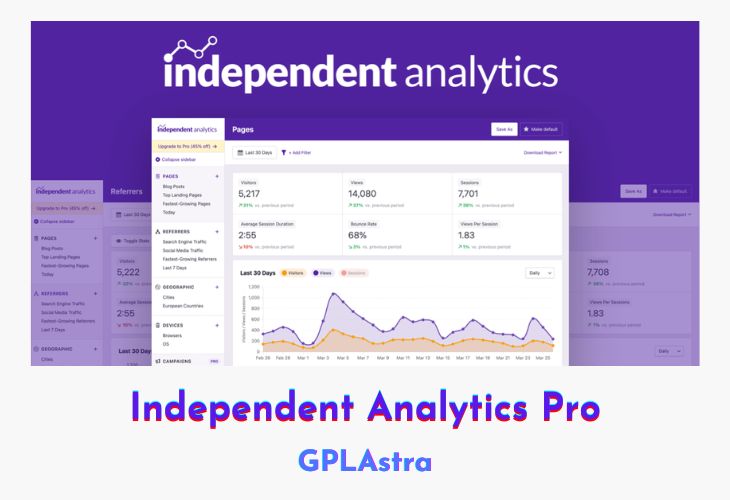
Independent Analytics Pro is a GDPR-compliant, privacy-focused website analytics plugin designed exclusively for WordPress, offering a seamless alternative to Google Analytics. This free plugin provides a comprehensive analytics dashboard directly within your WordPress admin, eliminating the need for external accounts or complex tracking codes. It delivers detailed insights into your website’s performance, including popular posts, top traffic sources, and geolocation data, all while ensuring virtually zero impact on your site’s performance. With its cookie-less tracking and server-side data storage, Independent Analytics Pro is fully GDPR-compliant, making it an ideal choice for privacy-conscious users. The plugin also offers a Pro version with advanced features like campaign URLs, real-time analytics, WooCommerce integration, and email reports, catering to businesses seeking deeper analytics capabilities.
Independent Analytics Pro stands out for its unique page-based analytics approach, which integrates seamlessly with WordPress. Unlike traditional tools that display URLs, this plugin provides detailed metrics alongside page titles, authors, publication dates, and categories, offering a more intuitive and actionable view of your data. Its user-friendly dashboard allows you to sort, filter, and customize reports effortlessly, while features like geolocation tracking and traffic source analysis help you optimize your marketing strategies. With data portability, you can easily export analytics to CSV, transfer data between domains, and maintain full control over your information. Independent Analytics Pro is the perfect solution for WordPress users seeking a powerful, privacy-first analytics tool.
| Name | Independent Analytics Pro |
| Type | Plugin |
| Version | 2.14.4 |
| File Name | independent-analytics-pro |
| File Type | zip (Installable Archive) |
| File Host | mediafire.com | Mirror |
| Updated On: | 6 days ago |
Core Features of Independent Analytics Pro Plugin
- GDPR Compliance: Cookie-less tracking, no personally identifiable information stored, and server-side data storage.
- Analytics Dashboard: Integrated directly into your WordPress admin for easy access.
- Quick Stats: Displays total views and visitors at a glance.
- Visual Chart: Shows daily traffic trends over time.
- Data Table: Lists every page with views, including page titles, authors, and publication dates.
- Sorting & Filtering: Customize reports by columns like page type, author, and categories.
- Top Traffic Sources: Identifies referrers, including search engines and social media platforms.
- Geolocation Report: Tracks visitor locations by continent, country, region, and city.
- Interactive World Map: Visualizes geolocation data for better insights.
- No Tracking Codes Required: Automatically starts tracking upon installation.
- Data Portability: Export analytics to CSV, backup with site data, and transfer between domains.
- Performance Optimization: Virtually zero impact on site speed.
- Pro Version Features:
- Campaign URLs: Track the performance of marketing campaigns.
- Real-Time Analytics: Monitor live traffic data.
- WooCommerce Integration: Analyze e-commerce performance.
- Email Reports: Schedule and receive detailed analytics reports.
- Page-Based Analytics: Tracks pages, not just URLs, for deeper insights.
- Privacy-Friendly: No cookie popups required, ensuring a seamless user experience.
- Customizable Dashboard: Tailor the analytics interface to your needs.
- Search Engine & Social Media Detection: Automatically identifies traffic from popular platforms.
What’s New (Changelog) in Independent Analytics Pro v2.14.4
= 2.14.4 - February 17th, 2026 =
* **Fix:** Fixed errors triggering for non-admin analytics viewers
* **Fix:** Fixed errors for some Solo Reports
Sales Page and Live Demo of Independent Analytics Pro Plugin
https://independentwp.com/
Free Download Independent Analytics Pro Latest Version
⚡ Premium Access
Unlock All Premium Features
Unlimited Downloads
No Restrictions
Direct Download Links
Access to Private Content
Frequently Asked Questions (FAQs):
Here are some frequently asked questions related to Independent Analytics Pro Plugin that might help you while installing it on your WordPress site: