HappyFiles Pro v1.8.3 WP Plugin
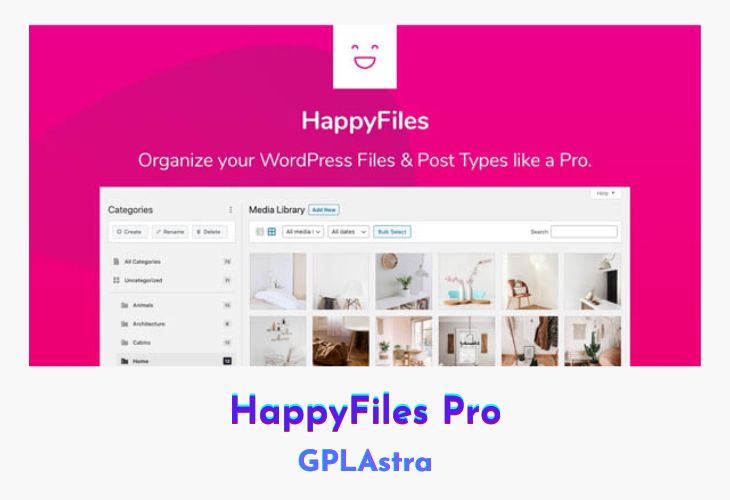
HappyFiles Pro is a WordPress plugin that simplifies media file organization by allowing users to categorize their files into folders. With a beautiful and intuitive drag-and-drop interface, users can easily manage their media files and post types. The plugin offers unlimited folder creation and management, one-click updates, and the ability to import folder structures from other plugins. Users can also create and assign multiple categories, browse through them quickly, and inspect their content without any hassle.
HappyFiles Pro supports SVG uploads, whitelists/blacklists websites, restricts access to certain folders, and offers fast media management. It also allows users to create galleries with integrated lightbox features and resizes the sidebar for a more customizable view of the folder structure. The media context menu provides quick access to various options when right-clicking on a media file. Additionally, HappyFiles Pro supports right-to-left languages like Arabic and Hebrew.
Overall, HappyFiles Pro is an excellent solution for WordPress users who want to keep their media files and posts organized. Its user-friendly interface and numerous features make it a great choice for both beginners and experienced users alike. Users can enjoy seamless media management with just a few clicks, making it easier than ever to keep their content organized and accessible.
| Name | HappyFiles Pro |
| Type | WP Plugin |
| Version | 1.8.3 |
| File Name | happyfiles-pro |
| File Type | zip (Installable Archive) |
| File Host | mediafire.com | Mirror |
| Updated On: | 1 year ago |
Core Features of HappyFiles Pro WP Plugin
- Create and manage unlimited folders: Users can create as many folders as they want and easily manage them through the plugin.
- Organize all your post types: Not only can users organize their media files, but they can also organize their posts by assigning them to specific folders.
- One-click plugin updates: HappyFiles Pro offers seamless updates with just one click, so users can always stay up-to-date with the latest version.
- Import folders from other plugins: Users can easily import their existing folder structures from other plugins into HappyFiles Pro.
- Beautiful and intuitive drag-and-drop interface: The plugin comes with a user-friendly interface that makes it easy for users to drag and drop their media files into the desired folders.
- Direct upload to any category: Users can directly upload their media files to a specific folder within the plugin.
- Create and assign multiple categories: Users can create multiple categories and assign them to different media files or posts.
- Quick category inspection and browsing: With HappyFiles Pro, users can quickly browse through their categories and inspect their content without any hassle.
- SVG upload, sanitization, preview: The plugin supports SVG uploads and offers a preview option to ensure that the file is correct before uploading.
- Whitelist/Blacklist websites: Users can whitelist or blacklist certain websites to ensure that only authorized sites can access their media files.
- Fast media management: HappyFiles Pro offers fast media management, making it easy for users to find and organize their files quickly.
- Create galleries (with Lightbox) from folders: The plugin allows users to create galleries from their folders with an integrated lightbox feature.
- Resizable sidebar: The sidebar can be resized to allow for a more customizable view of the folder structure.
- Restrict category management: HappyFiles Pro allows users to restrict access to certain folders, ensuring that only authorized users can manage and access them.
- Media context menu: Users can access a context menu with various options when right-clicking on a media file.
- Right-to-left support: The plugin supports right-to-left languages like Arabic and Hebrew.
What’s New (Changelog) in HappyFiles Pro v1.8.3
Sep 4, 2023 - 1.8.3
A few new integrations await.
Integration: Beaver builder (v2.7+) NEW
Integration: BeTheme (v27+) NEW
Integration: Cornerstone NEW
iOS & iPadOS: Open “All Files” & “Uncategorised” folders not working IX
Sales Page and Live Demo of HappyFiles Pro WP Plugin
https://happyfiles.io/
Free Download HappyFiles Pro Latest Version
⚡ Premium Access
Unlock All Premium Features
Unlimited Downloads
No Restrictions
Direct Download Links
Access to Private Content
Frequently Asked Questions (FAQs):
Here are some frequently asked questions related to HappyFiles Pro WP Plugin that might help you while installing it on your WordPress site: