Directorist v8.5.9 + All Addons WP Plugin
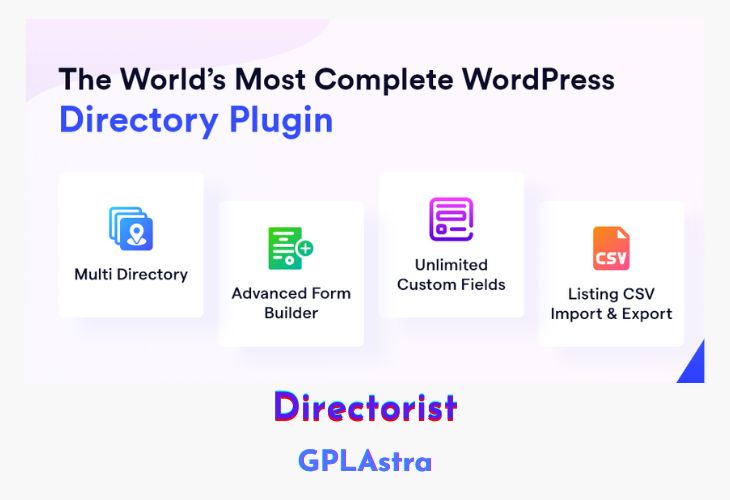
Directorist is a comprehensive WordPress directory plugin designed to empower businesses by creating scalable, user-centric online directories. It offers a wide range of functionalities, including advanced search filters, custom fields, monetization options, and seamless integration with popular WordPress themes and page builders like Elementor and Divi. With features like easy translation, geolocation, and multi-directory support, Directorist is a versatile tool for building directories across various industries, including restaurants, real estate, hotels, events, and more. Its intuitive interface makes it beginner-friendly, while its extensibility and advanced features cater to developers and businesses looking for a robust directory solution. Trusted by over 10,000 businesses worldwide, Directorist has earned accolades such as the “Best WordPress Dynamic Plugins Award” in 2022 and 2023, solidifying its reputation as a top-tier directory plugin.
The plugin is designed to help businesses maximize their online presence and revenue streams through features like paid listings, subscriptions, and booking systems. It also supports advanced customization, allowing users to create personalized directories with drag-and-drop form builders and tailored search filters. With seamless integration with WooCommerce, WPML, and other tools, Directorist ensures compatibility and scalability for businesses of all sizes. Whether you’re building a local business directory, a classified ads platform, or a service-based listing site, Directorist provides the tools and flexibility needed to create a world-class directory experience.
| Name | Directorist |
| Type | WP Plugin |
| Version | 8.5.9 + All Addons |
| File Name | directorist |
| File Type | rar (Archive, please extract before use) |
| File Host | mediafire.com | Mirror |
| Updated On: | 3 weeks ago |
Core Features of Directorist WP Plugin
- Multi-Directory Support: Create and manage multiple directories effortlessly.
- Advanced Search Filters: Includes radius distance search, geolocation, and customizable filters for accurate results.
- Custom Fields: Add unlimited custom fields to tailor listings to your needs.
- Drag-and-Drop Form Builder: Easily create personalized listing forms.
- Monetization Options: Generate revenue through paid listings, subscriptions, featured listings, and pay-per-submit models.
- Booking System: Develop booking systems for restaurants, doctors, events, hotels, and more.
- Geolocation & Maps: Display nearby listings and integrate maps for better user experience.
- Easy Translation & RTL Support: Fully translatable and supports right-to-left languages.
- Built-in SEO Solution: Optimize directories for search engines.
- CSV Bulk Importer: Import large volumes of listings quickly.
- Elementor & Divi Compatibility: Seamlessly integrate with popular page builders.
- WooCommerce Integration: Compatible with WooCommerce for e-commerce functionality.
- WPML Support: Multilingual support for global directories.
- Ratings & Reviews: Allow users to rate and review listings.
- Private Directories: Create exclusive, private directories.
- Custom Badges: Add unique badges to highlight specific listings.
- Social Login: Enable users to log in via social media platforms.
- Email Notifications & Scheduling: Automate notifications and schedule tasks.
- Flag & Report: Users can flag inappropriate content.
- Invoice System: Generate invoices for transactions.
- Mobile App Support: Extend functionality with mobile apps.
- Premium Modules: Enhance functionality with modules like live chat, compare listings, and mark as sold.
- Award-Winning Performance: Recognized with “Best WordPress Dynamic Plugins Award” (2022, 2023) and “Best Value Software Award” (2022).
- Beginner-Friendly Interface: No coding skills required for setup and management.
- Highly Extensible: Expand functionality with robust extensions and integrations.
What’s New (Changelog) in Directorist v8.5.9 + All Addons
directorist.8.5.9.zip
directorist-adverts-manager.2.2.zip
directorist-announcement.2.3.zip
directorist-authorize-net.2.2.zip
directorist-booking.3.0.2.zip
directorist-buddyboss-integration.2.0.zip
directorist-buddypress-integration.2.0.zip
directorist-business-hours-3..3.7.zip
directorist-claim-listing.2.5.1.zip
directorist-compare-listing.2.2.zip
directorist-coupon.2.4.zip
directorist-digital-marketplace.2.1.1.zip
directorist-directory-linking.2.2.zip
directorist-faqs.2.2.1.zip
directorist-gallery.2.2.zip
directorist-gamipress-integration.2.1.zip
directorist-google-recaptcha.2.2.1.zip
directorist-helpgent-integration.2.0.4.zip
directorist-job-manager.2.2.zip
directorist-listings-with-map.2.3.zip
directorist-live-chat.2.3.zip
directorist-mailchimp.2.2.zip
directorist-mark-as-sold.2.2.zip
directorist-oxygen-integration.2.0.0.zip
directorist-paypal.2.1.zip
directorist-post-your-need.2.1.zip
directorist-pricing-plans.3.3.10.zip
directorist-search-alert.1.0.2.zip
directorist-slider-carousel.2.2.1.zip
directorist-social-login.2.1.1.zip
directorist-stripe.2.8.zip
directorist-universal-search.1.0.0.zip
directorist-woocommerce-pricing-plans.3.6.7.zip
directorist-wpml-integration.2.1.zip
Sales Page and Live Demo of Directorist WP Plugin
https://directorist.com/
Free Download Directorist Latest Version
⚡ Premium Access
Unlock All Premium Features
Unlimited Downloads
No Restrictions
Direct Download Links
Access to Private Content
Frequently Asked Questions (FAQs):
Here are some frequently asked questions related to Directorist WP Plugin that might help you while installing it on your WordPress site: