WPShapere v8.0.1 Plugin
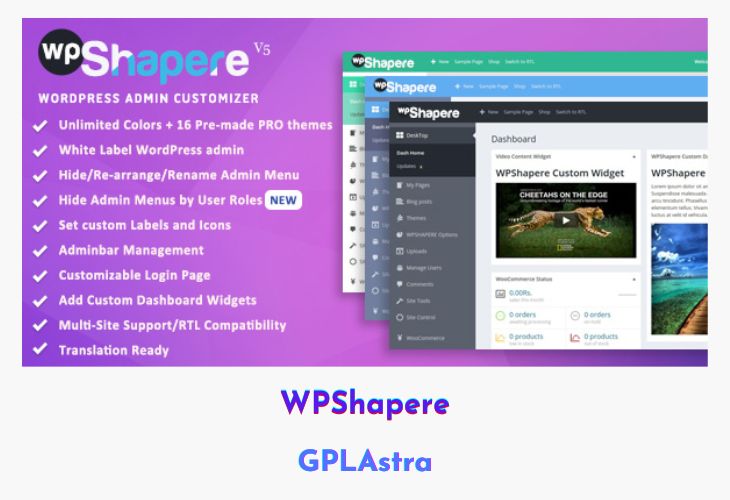
WPShapere is a powerful WordPress admin theme plugin that allows you to fully customize the default WordPress admin dashboard. It provides complete white-labeling capabilities, enabling you to present a branded and professional admin interface to your clients. With WPShapere, you can tailor colors, layouts, menus, and dashboard elements, making WordPress easier to manage and more visually appealing for users.
Designed for both developers and website owners, WPShapere simplifies admin customization with an intuitive interface, support for multiple sites, and compatibility with popular plugins. Its extensive options allow you to create a clean, modern, and professional admin experience while maintaining full control over user access, branding, and dashboard functionality.
| Name | WPShapere |
| Type | Plugin |
| Version | 8.0.1 |
| File Name | WPShapere |
| File Type | rar (Archive, please extract before use) |
| File Host | mediafire.com | Mirror |
| Updated On: | 2 months ago |
Core Features of WPShapere Plugin
- Unlimited Color Options & 16 Pre-Made Themes: Customize admin colors and styles.
- White Label Branding: Replace WordPress branding with your own logos and identity.
- Custom Login & Dashboard Logos: Upload logos for login screens and dashboards.
- Menu Management: Hide, rename, and sort admin menu items.
- Privilege User Access: Control which users can access specific menus.
- RTL Compatibility: Full support for right-to-left languages.
- Custom Admin Menu Icons: Choose from Dashicons or FontAwesome icons.
- Custom Dashboard Widgets: Create, manage, or hide dashboard widgets.
- Admin Bar Management: Add custom links and control admin bar elements.
- Disable Automatic Background Updates: Take full control of WordPress updates.
- White Label Emails: Customize emails sent from WordPress.
- Multi-Site Network Support: Apply global settings or individual blog options.
- Export & Import Settings: Easily transfer your configuration between sites.
- Custom CSS Support: Add custom styles for login and admin pages.
- Compatibility with Popular Plugins: Tested with WooCommerce, Contact Form 7, Visual Composer, WP Super Cache, and more.
- User-Friendly Options Panel: Intuitive interface for managing all settings.
- Detailed Documentation: Guides for installation, setup, and customization.
What’s New (Changelog) in WPShapere v8.0.1
- New: Elementor built WordPress admin dashboard.
- Fix: Classic Editor - Metabox hide feature issue.
Sales Page and Live Demo of WPShapere Plugin
https://codecanyon.net/item/wordpress-admin-theme-wpshapere/8183353
Free Download WPShapere Latest Version
⚡ Premium Access
Unlock All Premium Features
Unlimited Downloads
No Restrictions
Direct Download Links
Access to Private Content
Frequently Asked Questions (FAQs):
Here are some frequently asked questions related to WPShapere Plugin that might help you while installing it on your WordPress site:


