WP MAPS PRO v6.0.4 Plugin
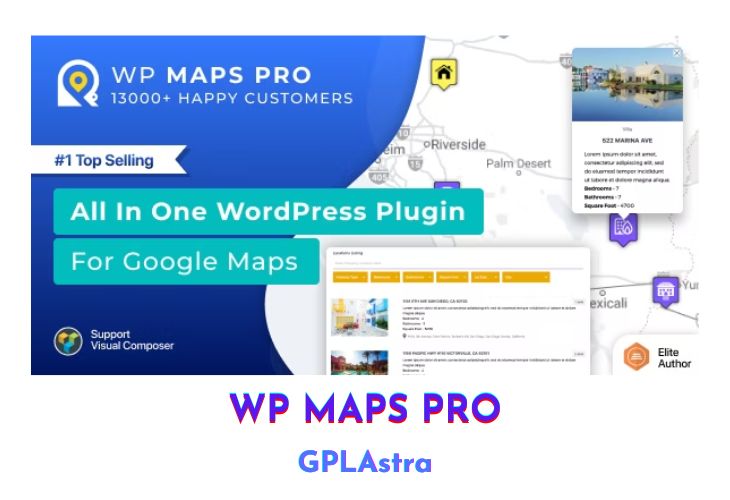
WP Maps Pro is an advanced Google Maps plugin for WordPress that provides a wealth of powerful features for displaying locations, posts, custom post types, and various types of data on Google Maps. With its robust filtering capabilities, extensive customization options, and seamless integration with popular platforms like Advanced Custom Fields, this plugin offers an unparalleled level of functionality for businesses, organizations, and individuals looking to leverage the power of Google Maps on their WordPress websites.
| Name | WP MAPS PRO |
| Type | Plugin |
| Version | 6.0.4 |
| File Name | wp-google-map-gold |
| File Type | zip (Installable Archive) |
| File Host | mediafire.com | Mirror |
| Updated On: | 7 months ago |
Core Features of WP MAPS PRO Plugin
- Filter locations by custom fields, taxonomies, and location data
- Display posts, pages, or custom post types on Google Maps (multiple post types supported)
- Assign locations to posts using meta boxes or custom fields (Advanced Custom Fields integration)
- Display post information (title, content, excerpt, featured image, categories, tags, custom fields) in info windows
- Display post listings below the map in grid or list format (switchable by visitors)
- Add unlimited information to location or marker details for display in info windows
- Import unlimited location data from CSV (including categories and custom fields)
- Assign multiple categories to locations and enable category filtering
- Redirect to a location or display info window on marker click
- Complete listing module with filtering, sorting, printing, and advanced search capabilities
- Ajax-based listing module for faster search experience
- Search for nearby locations within a specified radius
- Filter locations/markers by category (multiple category selection supported)
- Sort listing by title, address, or category in ascending or descending order
- Print filtered location listings
- Placeholders for modifying location listing data
- Enable/disable search form, category filter, print option, sorting options
- Pagination support for listings
- Directions with start and end location inputs (textbox or select box)
- Display driving, bicycling, walking, or transit route information
- Get nearby places using Google Places API
- Display circles around amenities found via Google Places API
- Enable marker clustering with customizable styles and options
- Create and display routes with customizable properties (color, stroke, waypoints, etc.)
- Draw circles, rectangles, polygons, or polylines on the map
- Display info windows or redirect on shape click
- Modify shapes and their properties
- Apply Google Maps styles from Snazzy Maps or create custom styles
- Fetch locations from external data sources or APIs
- Automatic address geocoding
- Manage parent-child categories
- Assign custom markers to categories or choose from 500+ ready-made markers
- Customize info window content using placeholders
- Display info windows on marker click, mouseover, or page load
- Close info windows on marker click
- Marker animations (bounce, drop)
- Change map zoom level on marker click
- Display KML/KMZ layers
- Display fusion table data
- Display traffic conditions and overlays
- Display bicycle paths and terrain information
- Customize map height, width, zoom level, map type, and controls
- Fully responsive maps
- Center map based on locations or visitor’s current location
- Display a circle around the center location
- Assign multiple locations using searchable listings
- Show/hide map controls
- Hide markers on page load and display after filtration
- Display street view with customizable POV
- Display overlays with customizable styles
- Limit panning/dragging to certain bounds
- Display GeoJSON data
- Display blend of normal and satellite views
- Display maps in sidebars using widgets
- Display categories, directions, routes, and nearby tabs together
- Display location counts with category names (sortable)
- Backup locations, routes, maps, and categories
- User role-based permissions
- External database/source integration for markers
- Display multiple Google Maps on a single page
- Cross-browser compatible (IE8+)
- Multilingual support
- Multisite enabled with network-wide activation
What’s New (Changelog) in WP MAPS PRO v6.0.4
v6.0.4
Fix - Listings now display correctly when the search control is enabled.
Sales Page and Live Demo of WP MAPS PRO Plugin
https://codecanyon.net/item/advanced-google-maps-plugin-for-wordpress/5211638
Free Download WP MAPS PRO Latest Version
⚡ Premium Access
Unlock All Premium Features
Unlimited Downloads
No Restrictions
Direct Download Links
Access to Private Content
Frequently Asked Questions (FAQs):
Here are some frequently asked questions related to WP MAPS PRO Plugin that might help you while installing it on your WordPress site:


