WooCommerce PDF Catalog v1.18.9 Plugin
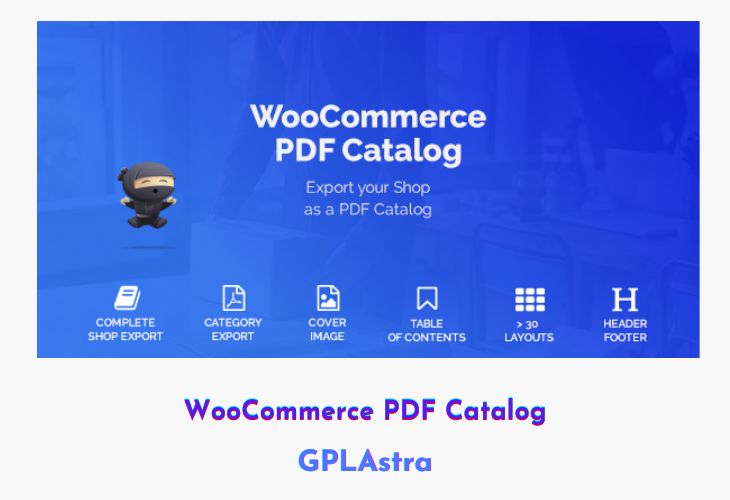
WooCommerce PDF Catalog is an excellent plugin designed to help store owners create beautifully formatted PDF catalogs of their online shop. Whether you want to share your full product catalog, highlight a specific category, or present sale items offline, this plugin makes it effortless. You can generate complete, category-based, or cart-based PDF catalogs directly from your WordPress dashboard—no coding, HTML, or CSS required. Everything is customizable, from layout and design to product details and structure, all managed easily within the admin panel.
The plugin comes with multiple layout combinations, letting you create unique designs for every catalog type. You can add cover pages, tables of contents, indexes, and even QR codes for easy product access. It’s perfect for businesses wanting to showcase products in trade shows, send offline portfolios to clients, or keep professional-looking records of their WooCommerce inventory. With advanced customization and shortcode support, WooCommerce PDF Catalog provides complete flexibility and convenience.
| Name | WooCommerce PDF Catalog |
| Type | Plugin |
| Version | 1.18.9 |
| File Name | woocommerce-pdf-catalog |
| File Type | rar (Archive, please extract before use) |
| File Host | mediafire.com | Mirror |
| Updated On: | 1 month ago |
Core Features of WooCommerce PDF Catalog Plugin
- Multiple Layout Options: Over 30 layout combinations with 5 category and 6 product layouts.
- Full & Category-Based Catalogs: Generate complete shop catalogs or specific category catalogs as needed.
- Cart & Sale Product Catalogs: Easily create PDFs for current cart items or discounted products.
- Custom Cover & Index Pages: Add a professional touch with cover pages, tables of contents, and indexes.
- QR Code Integration: Automatically generate QR codes for quick product access.
- Advanced Customization: Control padding, borders, alignment, text size, and image display options.
- Show or Hide Elements: Toggle product details like title, price, description, SKU, tags, and more.
- Custom Headers & Footers: Design personalized page sections in multiple column layouts.
- Shortcode Support: Generate specific catalogs using simple shortcodes like
[pdf_catalog text="text" category="full OR Category-ID"]. - Background & Styling Options: Add background colors and style elements for better presentation.
- Page Numbering Support: Automatically include page numbers for better organization.
- Subcategory Handling: Display or exclude parent products when showing subcategories.
- Fully Managed in Admin Panel: Configure everything directly within WordPress, no coding needed.
- Comprehensive Documentation: Includes detailed instructions for setup and customization.
What’s New (Changelog) in WooCommerce PDF Catalog v1.18.9
1.18.9
======
- NEW: FIlter woocommerce_pdf_catalog_attribute_products_template_html
- NEW: Set title pagebreak individually per category
https://imgur.com/a/oHRjPFs
- NEW: Set pagebreak after products per category
https://imgur.com/a/uQcqkeZ
- FIX: Removed pagebreak after last wishlist category
======
Sales Page and Live Demo of WooCommerce PDF Catalog Plugin
https://codecanyon.net/item/woocommerce-pdf-catalog/15310703
Free Download WooCommerce PDF Catalog Latest Version
⚡ Premium Access
Unlock All Premium Features
Unlimited Downloads
No Restrictions
Direct Download Links
Access to Private Content
Frequently Asked Questions (FAQs):
Here are some frequently asked questions related to WooCommerce PDF Catalog Plugin that might help you while installing it on your WordPress site:


