WooCommerce Advanced Bulk Edit v6.1 Plugin
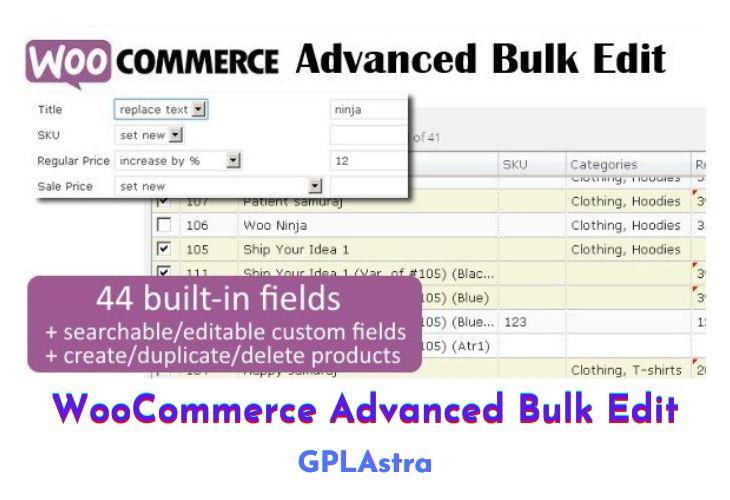
WooCommerce Advanced Bulk Edit offers an efficient and versatile solution for managing your WooCommerce store by providing a comprehensive set of features to streamline the editing process. This plugin empowers users to make extensive modifications in bulk, enhancing the efficiency of store management. The user-friendly interface, resembling a spreadsheet, facilitates easy navigation and quick edits for both products and variations. Whether it’s creating discounts, managing product variations, adjusting stock levels, or altering product attributes, this plugin simplifies the complexities of WooCommerce store management.
The plugin’s extensive feature list is designed to cater to various aspects of product management. Users can filter products based on multiple criteria such as title, category, price, SKU, and more. Bulk editing capabilities allow users to append, prepend, or replace text in text fields, increase or decrease values by percent or amount, generate sale prices from regular prices in bulk, and manage categories and attributes efficiently. With the option to copy values between fields in bulk, fill series for SKUs, and show/hide product fields, WooCommerce Advanced Bulk Edit offers a highly customizable and powerful selection manager for an enhanced editing experience. Additionally, the ability to save and load sets of product fields, support for custom meta fields and taxonomies, and translation support contribute to making this plugin a comprehensive solution for WooCommerce store owners.
| Name | WooCommerce Advanced Bulk Edit |
| Type | Plugin |
| Version | 6.1 |
| File Name | woocommerce-advanced-bulk-edit |
| File Type | zip (Installable Archive) |
| File Host | mediafire.com | Mirror |
| Updated On: | 4 weeks ago |
Core Features of WooCommerce Advanced Bulk Edit Plugin
- Filter products by various criteria.
- Bulk text manipulation in text fields.
- Increase/decrease values in bulk.
- Generate sale prices from regular prices.
- Efficient category and attribute management in bulk.
- Copy values between fields in bulk.
- Dynamic SKU generation and management.
- Customizable display of product fields.
- Create and manage products and variations efficiently.
- Support for custom meta fields and taxonomies.
- Powerful selection manager for precise edits.
- Revert changes to original values.
- Translation support with built-in translations.
- Option to save and load sets of product fields.
- Visual indication of changed cells.
- Export products to a CSV file for viewing purposes only.
What’s New (Changelog) in WooCommerce Advanced Bulk Edit v6.1
v6.1 (January 27, 2026)
- New: Added filter for images. Now you can check which products have image set or not.
- Fix: Saving attribute option "Visible on product page" in bulk.
- Fix: Conflict with plugin Auto Focus Keyword for SEO Pro.
- Other small bug fixes and improvements.
Sales Page and Live Demo of WooCommerce Advanced Bulk Edit Plugin
https://codecanyon.net/item/woocommerce-advanced-bulk-edit/8011417
Free Download WooCommerce Advanced Bulk Edit Latest Version
⚡ Premium Access
Unlock All Premium Features
Unlimited Downloads
No Restrictions
Direct Download Links
Access to Private Content
Frequently Asked Questions (FAQs):
Here are some frequently asked questions related to WooCommerce Advanced Bulk Edit Plugin that might help you while installing it on your WordPress site:


