TotalPoll Pro v4.12.0 Plugin
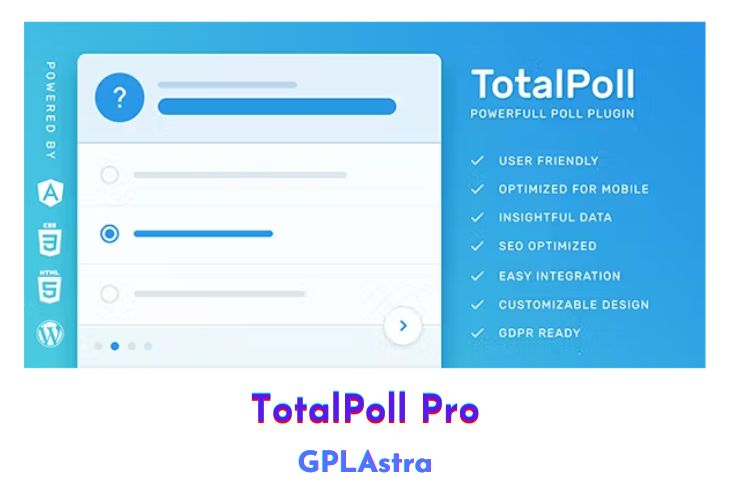
TotalPoll is a versatile and user-friendly WordPress plugin designed to help you create and manage polls effortlessly. With its intuitive interface, TotalPoll allows users to set up polls in under a minute, ensuring a smooth and hassle-free experience. The plugin is optimized for mobile devices, guaranteeing an optimal viewing experience across laptops, tablets, and smartphones, which enhances user engagement. TotalPoll also emphasizes SEO friendliness to attract more search traffic to your site. It offers extensive customization options, including welcome and thank you messages, ensuring that you have full control over your polls. Additionally, TotalPoll supports various custom fields, enabling you to collect detailed information from voters easily.
The plugin is built with performance in mind, ensuring seamless functionality with WordPress. It provides comprehensive vote tracking statistics, allowing you to monitor votes daily, weekly, and monthly, and even track custom field values. TotalPoll supports multiple types of poll choices, including text, images, videos, audio, shortcodes, or HTML, to make your polls more engaging. It integrates seamlessly with your site via shortcodes, widgets, or direct links and includes robust logging features to detect any voting irregularities. TotalPoll also offers voting limitations to control how and when visitors can vote or view poll results. The plugin is highly extensible, allowing developers to create custom extensions and templates, and supports migration from other popular polling plugins like WP-Polls and YOP Poll. Additionally, it is compatible with various other plugins and technologies, ensuring broad usability.
| Name | TotalPoll Pro |
| Type | Plugin |
| Version | 4.12.0 |
| File Name | totalpoll |
| File Type | zip (Installable Archive) |
| File Host | mediafire.com | Mirror |
| Updated On: | 3 months ago |
Core Features of TotalPoll Pro Plugin
- User-Friendly:
- Create polls within 60 seconds with an intuitive interface.
- Mobile-First:
- Optimal viewing experience on all devices (laptop, tablet, smartphone).
- SEO Friendly:
- Enhanced search engine optimization to drive more traffic.
- Customization:
- Over 5 customization settings, including welcome and thank you messages.
- Custom Fields:
- Unique field types for collecting additional voter information.
- Statistics:
- Track votes daily, weekly, monthly, and by custom field values.
- Performance:
- Developed for seamless performance with WordPress.
- Choices:
- Supports text, image, video, audio, shortcode, and HTML poll choices.
- Integration:
- Easy integration via shortcode, widget, or direct link.
- Logs:
- Detailed vote logs (status, IP, browser, time) to prevent cheating.
- Voting Limitations:
- Set conditions for voting and viewing results.
- Extensible:
- Custom extensions and templates for developers.
- Migration:
- Easy migration from other polling plugins (WP-Polls, YOP Poll).
- Compatibility:
- Works with WPML, Polylang, ACF, WP SUPER CACHE, Varnish, HHVM, W3 Total Cache, and more.
What’s New (Changelog) in TotalPoll Pro v4.12.0
v4.12.0 - 2025-09-06
Update compatibility with WordPress 6.8.2.
Complete rewrite of structured data implementation to use JSON-LD format instead of microdata attributes for better search engine optimization.
Enhanced accessibility across the frontend with proper ARIA attributes, roles, and labels for better screen reader support.
Enhanced configuration parsing with fallback mechanism for better reliability
Fix a bug in RecalculateVotes extension where database table reference was not properly resolved.
Minor code formatting improvements and cleanup.
Sales Page and Live Demo of TotalPoll Pro Plugin
https://codecanyon.net/item/totalpoll-pro-responsive-wordpress-poll-plugin/7647147
Free Download TotalPoll Pro Latest Version
⚡ Premium Access
Unlock All Premium Features
Unlimited Downloads
No Restrictions
Direct Download Links
Access to Private Content
Frequently Asked Questions (FAQs):
Here are some frequently asked questions related to TotalPoll Pro Plugin that might help you while installing it on your WordPress site:



Hi Admin, could you please update this TotalPoll plugin, thank you for you effort