Directories Pro v1.14.38 Plugin
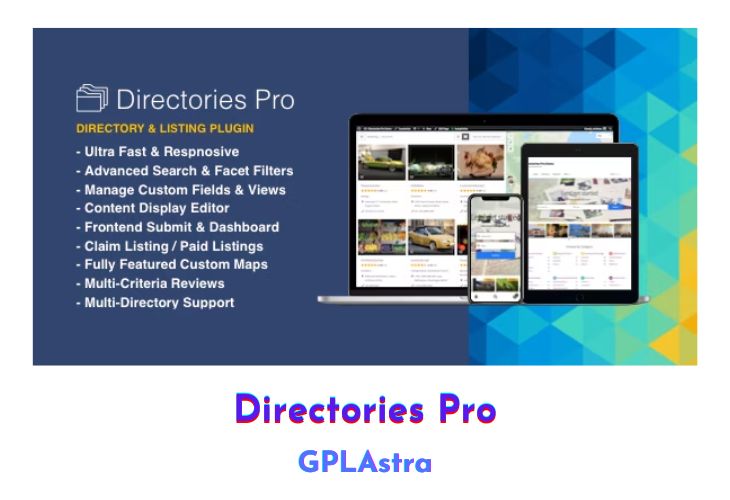
Directories Pro is a powerful and versatile WordPress plugin that empowers you to build robust directory websites of any kind. Whether you aim to create a community-driven local business directory akin to Yelp or Google Places, a user directory, a website directory, or a property listing platform, this feature-rich plugin provides you with the tools you need to bring your vision to life. With its extensive customization options, advanced search and filtering capabilities, and seamless integration with popular platforms like WooCommerce, Directories Pro is the ultimate solution for building and monetizing your directory website.
The plugin’s comprehensive feature set includes unlimited directory creation, category/tag/location management, custom field support (for listings, reviews, and claims), conditional fields, content display customization, advanced search and filtering options (including geolocation), WooCommerce integration for charging listing fees, frontend submission and dashboard, multi-criteria rating reviews, SEO optimization, GDPR compliance, WPML support, and much more. Whether you’re building a simple directory or a complex, feature-rich platform, Directories Pro offers the flexibility and functionality to meet your unique requirements.
| Name | Directories Pro |
| Type | Plugin |
| Version | 1.14.38 |
| File Name | directories-pro |
| File Type | rar (Archive, please extract before use) |
| File Host | mediafire.com | Mirror |
| Updated On: | 8 months ago |
Core Features of Directories Pro Plugin
- Unlimited number of directories
- Disable/enable categories, tags, locations, reviews, claims, payments per directory
- Export and import directory settings and content
- Directory permission (capability) manager
- Add custom fields to listings, reviews, claims (custom post types)
- Add custom fields to categories, tags, locations (custom taxonomies)
- Conditional fields
- Content display editor for customizing appearance without coding
- Create full or partial template files for more control over display
- Hide/show content by user roles
- Advanced search form with auto-suggestion
- Fully customizable filter form with live updating facet count
- Search and filter by custom fields
- Search and filter by current location (geolocation)
- Search form shortcode
- WooCommerce support – charge users for submitting listings
- Charge switch plan/re-activation fee
- Prorated discount
- Guest checkout
- Create add-on plans for additional revenue
- Submit listings/reviews from frontend
- Manage listings/reviews/claims/votes through frontend directory dashboard
- reCAPTCHA support
- Guest posting without user registration
- WooCommerce my-account page integration
- Display listings/reviews/categories/tags/locations in list/grid/masonry view
- Show listings in photo slider
- Configure custom query
- Sort by custom fields
- Display views anywhere with shortcode
- Customizable multi-criteria 5-star rating reviews
- Filter and/or sort listings by review rating
- Filter reviews
- Search listings by review content
- Show review rating statistics by stars or criteria
- Fully compatible with popular SEO plugins
- Configure custom permalink URLs for listings/categories/tags/locations
- Generate custom schema.org JSON-LD
- Custom OpenGraph meta tags
- Compatible with Yoast SEO and Breadcrumb NavXT breadcrumbs
- GDPR compliance
- Claim listings
- WPML support
- Admin and user notification emails
- Contact us form (supports Contact Form 7, WPForms, Gravity Forms)
- Online plugin update (no FTP required)
What’s New (Changelog) in Directories Pro v1.14.38
v1.14.38 - Jul 10, 2025
- Bug fixed: Resolved potential JavaScript error on main directory page related to imagesLoaded JavaScript library.
- Improved: Featured listings now display in the order of their featured date and time.
Sales Page and Live Demo of Directories Pro Plugin
https://codecanyon.net/item/directories-pro-for-wordpress/21800540
Free Download Directories Pro Latest Version
⚡ Premium Access
Unlock All Premium Features
Unlimited Downloads
No Restrictions
Direct Download Links
Access to Private Content
Frequently Asked Questions (FAQs):
Here are some frequently asked questions related to Directories Pro Plugin that might help you while installing it on your WordPress site:


