Barn2 Media WooCommerce Wholesale Pro v2.3.4 Plugin
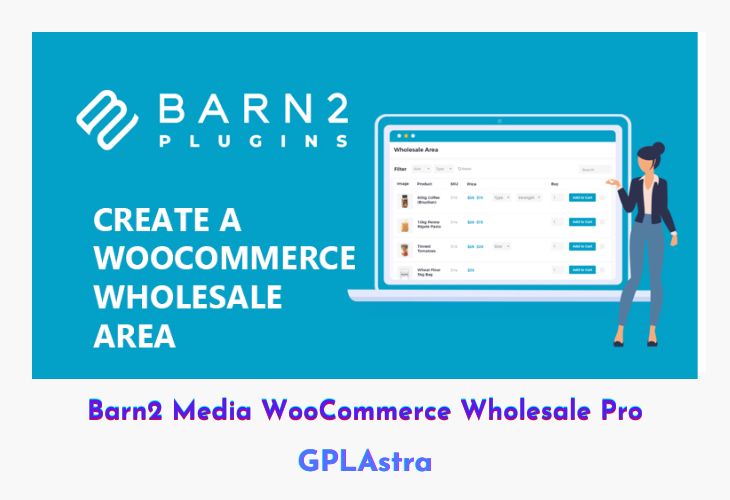
Barn2 Media WooCommerce Wholesale Pro is a powerful solution designed to transform any WooCommerce store into a dual-purpose platform—serving both retail and wholesale customers with ease. It creates a private wholesale area that remains hidden from regular visitors, giving your B2B clients a seamless and professional buying experience. With flexible pricing structures, role-based discounts, and registration controls, this plugin is ideal for store owners managing different customer types under one roof.
The plugin’s advanced features allow you to configure multiple wholesale roles, set up automatic or moderated registration, and offer dynamic pricing tailored to each buyer group. When paired with the WooCommerce Product Table plugin, Wholesale Pro delivers an efficient, one-page order form that simplifies bulk purchasing and boosts conversion rates. Whether you’re running a small business or a large-scale distributor, this tool offers the flexibility, speed, and privacy your wholesale operations need.
| Name | Barn2 Media WooCommerce Wholesale Pro |
| Type | Plugin |
| Version | 2.3.4 |
| File Name | woocommerce-wholesale-pro |
| File Type | zip (Installable Archive) |
| File Host | mediafire.com | Mirror |
| Updated On: | 4 months ago |
Core Features of Barn2 Media WooCommerce Wholesale Pro Plugin
- Multiple Wholesale Roles: Create unlimited wholesale roles with custom pricing and permissions.
- Advanced Pricing Options: Set global, category-wide, or per-product wholesale discounts.
- Custom Registration System: Allow wholesale buyers to register with manual approval or instant access.
- User Conversion Tools: Easily convert existing customers into wholesale users.
- Hidden Wholesale Area: Secure, private section accessible only to approved wholesale buyers.
- Quick Order Forms: Enable one-page bulk order forms using WooCommerce Product Table integration.
- Bulk Purchase Optimization: Designed specifically for large order quantities and repeat B2B buyers.
- Role-Based Access Control: Show or hide prices and products based on user type.
- Flexible Discount Management: Combine flat-rate or percentage-based discounts per category or product.
- Moderation Settings: Option to review and approve wholesale registrations before granting access.
- Improved B2B Workflow: Simplifies wholesale management without affecting retail operations.
- Increased Wholesale Revenue: Streamlined checkout and order process encourages higher order values.
- Seamless WooCommerce Integration: Works flawlessly with your existing WooCommerce setup and theme.
What’s New (Changelog) in Barn2 Media WooCommerce Wholesale Pro v2.3.4
= v2.3.4 = Release date 16 September 2025
* New: Added Danish tranlsation
* New: Added German translation
* New: Added Spanish translation
* New: Added Finnish translation
* New: Added French translation
* New: Added Italian translation
* New: Added Japanese translation
* New: Added Korean translation
* New: Added Norwegian translation
* New: Added Dutch translation
* New: Added Polish translation
* New: Added Portuguese translation
* New: Added Russian translation
* New: Added Swedish translation
* New: Added Chinese translation
* Fix: Changes to the product query being made too early
* Fix: Wholesale pricing being disregarded for variable products
* Fix: WooCommerce Subscription generating an infinite loop
* Fix: Moved disappeared Payment roles section to Wholesale settings tab
* Tweak: Moved Shipping roles section to Wholesale settings tab for consistency
* Dev: Added filter hook for order custom column
* Dev: Updated internal dependency libraries
* Dev: Tested up to WordPress 6.8.2 and WooCommerce 10.1.2
Sales Page and Live Demo of Barn2 Media WooCommerce Wholesale Pro Plugin
https://barn2.co.uk/wordpress-plugins/woocommerce-wholesale-pro/
Free Download Barn2 Media WooCommerce Wholesale Pro Latest Version
⚡ Premium Access
Unlock All Premium Features
Unlimited Downloads
No Restrictions
Direct Download Links
Access to Private Content
Frequently Asked Questions (FAQs):
Here are some frequently asked questions related to Barn2 Media WooCommerce Wholesale Pro Plugin that might help you while installing it on your WordPress site: