Barn2 Document Library Pro v3.0.2 Plugin
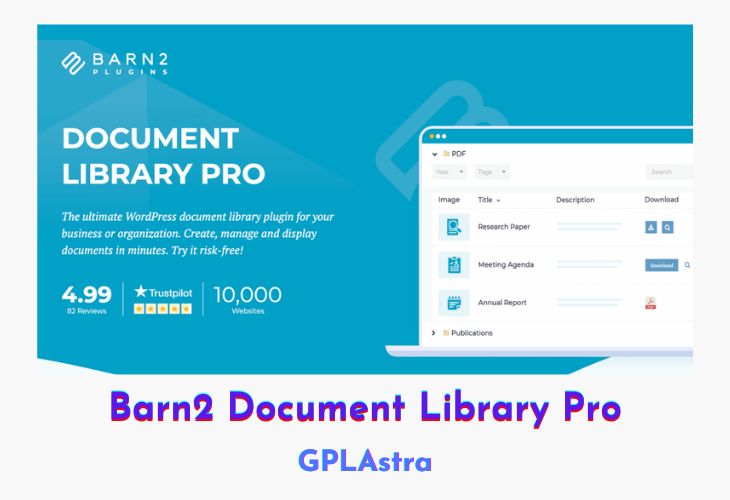
Document Library Pro is a robust WordPress plugin designed to help businesses and organizations create, manage, and showcase documents efficiently. With support for both table and grid layouts, it offers a versatile interface to display files anywhere on your site. The plugin’s instant search, sort, and filter functionalities make it easy for users to locate specific documents quickly. Whether you’re managing internal files or creating a public-facing document repository, this plugin adapts seamlessly to your needs.
Beyond its intuitive interface, Document Library Pro offers flexible file management options. Admins can upload, import, or allow front-end submissions of documents. It supports all file types and even external URLs, including embedded audio and video players. The plugin is packed with over 50 customization options and integrates smoothly with the Password Protected Categories plugin for creating secure, private document libraries — making it ideal for intranets, client portals, and resource hubs.
| Name | Barn2 Document Library Pro |
| Type | Plugin |
| Version | 3.0.2 |
| File Name | document-library-pro |
| File Type | zip (Installable Archive) |
| File Host | mediafire.com | Mirror |
| Updated On: | 4 months ago |
Core Features of Barn2 Document Library Pro Plugin
- Instant Search, Sort & Filter: Quickly find documents using real-time filtering and search tools
- Flexible Layouts: Choose between table or grid views to match your site design
- Front-End Submission Support: Allow users to upload or submit documents directly
- Full File Type Compatibility: Supports documents, images, audio, video, and external links
- Customizable Display: Show download buttons, links, icons, and specific document data
- Category & Tag System: Organize documents with folders, categories, and custom taxonomies
- Embeddable Anywhere: Display document libraries on any page or post using shortcodes
- Secure Access Control: Use with Password Protected Categories for private libraries
- Highly Configurable: Over 50 options to tailor the document listing to your needs
- Media Player Integration: Embed playable audio/video directly within the document list
What’s New (Changelog) in Barn2 Document Library Pro v3.0.2
= v3.0.1 = Release date 30 October 2025
* Fix: ACF fields were not being displayed with the correct formatting on the frontend.
* Fix: Yoast SEO category sitemap error due to incorrectly named class method.
* Dev: Filter to disable the taxonomy libraries feature.
Sales Page and Live Demo of Barn2 Document Library Pro Plugin
https://barn2.com/wordpress-plugins/document-library-pro/
Free Download Barn2 Document Library Pro Latest Version
⚡ Premium Access
Unlock All Premium Features
Unlimited Downloads
No Restrictions
Direct Download Links
Access to Private Content
Frequently Asked Questions (FAQs):
Here are some frequently asked questions related to Barn2 Document Library Pro Plugin that might help you while installing it on your WordPress site: