Asset CleanUp Pro v1.2.7.0 Plugin
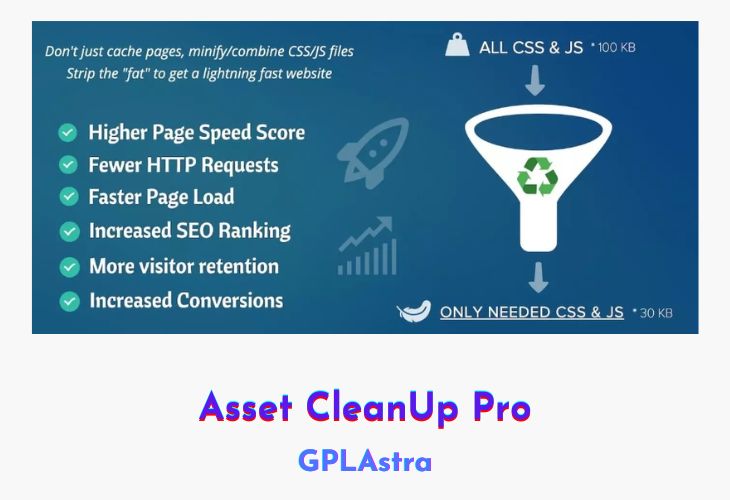
Are you looking for a plugin to handle your site codes or unused assets without coding knowledge? Then, Asset Cleanup Pro Can be the perfect option for you. We have provided the plugin in the latest version for free. It helps in managing and minifying your site code. You can easily remove extra CSS and Javascript codes from your site. Moreover, you can unload the required part of your codes from your site. It is not a cache plugin but works as an assistant to boost the site’s performance. Similarly, you can find all of the required plugins and themes on our site.
WP Asset cleanup pro is a loading speed booster premium WordPress plugin. It works by doing the best settings and removing fatty components from any web page. Thus, resulting in an increase in the loading speed of that page. To clarify, I want to mention that it is not a cache plugin but works with another caching plugin like WP Rocket to improve your site performance. It simply reduces the HTTP requests by removing unused CSS and Javascript.
For better loading speed, it makes a good partnership with third-party plugins like WP Rocket. It can also be integrated with pre-hosted hosting cache plugins like Kinsta and WPEngine. You can use this plugin while using other performance plugins without any objection or conflict.
The plugin is designed and developed by Gabriel Livan and is available in two versions. One is a lite version with limited features. This version is available in WordPress Directory for free download. The second version with all of the features is premium and costs up to $47 for one year in the basic package. It has strong features than the free one and is reliable to use for removing extra coding from your site.
You can easily clean up your web pages including archive pages, 404 pages, author, search, date archives, and other pages. Although, as mentioned above, it is not a cache plugin it is powered by the tool to preload your site pages. Actually, it works on pre-loading the most used files from your files directory. Moreover, you can use CDN’s and Shortcodes for many tasks instead of raw codes by using this plugin.
Overall, WP Asset CleanUp Pro is a handful box of clean coding tools without coding knowledge. Even if you don’t know much about coding, you can play with it.
| Name | Asset CleanUp Pro |
| Type | Plugin |
| Version | 1.2.7.0 |
| File Name | wp-asset-clean-up-pro |
| File Type | zip (Installable Archive) |
| File Host | mediafire.com | Mirror |
| Updated On: | 4 months ago |
Core Features of Asset CleanUp Pro Plugin
- Instruct the browser to obtain a CSS/JS file primarily based on the customer’s display screen measurement (e.g. keep away from downloading belongings in cellular view when they aren’t wanted, if the display screen measurement is smaller than 768px)
- Defer CSS by appending it to the BODY to load it asynchronously (Render blocking CSS delays an internet web page from being seen in a well timed method)
- Move JavaScript information from HEAD to BODY and vice-versa (CSS information moved to the BODY are mechanically deferred)
- Defer JavaScript loaded information (by making use of “defer” attribute to any enqueued JS file)
- Async JavaScript loaded information (by making use of “async” attribute to any enqueued JS file)
- Priority in releasing new options & different enhancements (updates which are meant for each Lite and Pro plugins are first launched to the Pro customers)
- Premium assist and updates inside the Dashboard
- Inline JavaScript information (mechanically & by specifying the trail to the stylesheets)
- Unload CSS/JS on all WordPress pages together with Categories, Tags, Custom Taxonomy (e.g. WooCommerce product class), 404 Not Found, Date & Author Archives, Search Results)
- Unload plugins within the frontend view (for visitor guests) * This is not going to simply unload the CSS/JS information loaded from the plugins, however every little thing else associated to them (e.g. sluggish database queries)
- Unload plugins inside the Dashboard /wp-admin/ * Do you could have any sluggish pages which are loading inside the Dashboard? You can cut back seconds in web page load for some cumbersome ones or repair plugin conflicts
- Apply “font-display:” CSS property to @font-face from present native information to enhance the PageSpeed rating for “Ensure text remains visible during webfont load”
What’s New (Changelog) in Asset CleanUp Pro v1.2.7.0
v1.2.7.0 - 1 Nov 2025
* Fix: When an asset’s position was changed, it was correctly saved in the database and displayed properly on the front-end. However, in the CSS/JS manager (within the Dashboard), the old position was still shown, which could cause confusion.
* "License" page: Improved the speed of license verification to prevent timeout errors and avoid confusing the admin into thinking there was an issue with the license.
Sales Page and Live Demo of Asset CleanUp Pro Plugin
https://gabelivan.com/items/wp-asset-cleanup-pro/
Free Download Asset CleanUp Pro Latest Version
⚡ Premium Access
Unlock All Premium Features
Unlimited Downloads
No Restrictions
Direct Download Links
Access to Private Content
Frequently Asked Questions (FAQs):
Here are some frequently asked questions related to Asset CleanUp Pro Plugin that might help you while installing it on your WordPress site:
That’s actually the wrong zip file (or the wrong plugin description if the zip is correct).
Asset CleanUp vs Admin Site Enhancement
Thanks, I have updated the download link.
Now work. Thanks Admin.