All In One SEO Pack Pro v4.9.0 (+Addons) Plugin
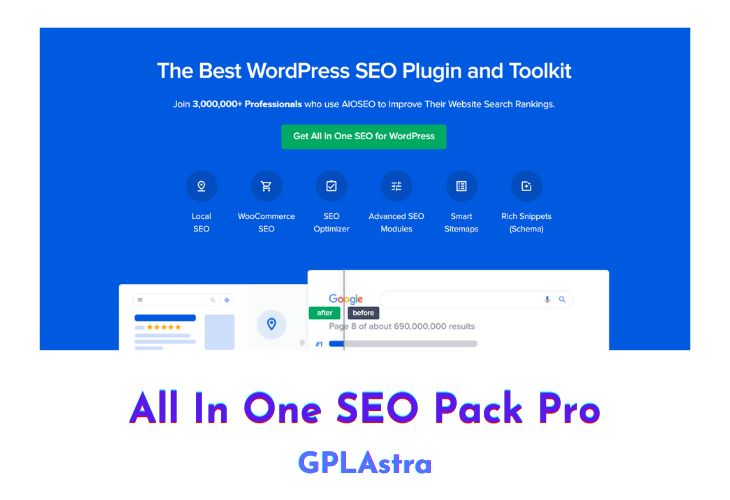
All-in-One SEO Pack Pro (AIOSEO) is one of the most advanced WordPress SEO plugin on the market. It gives you intuitive and powerful control over your website’s ranking in search engines. With it, you can manage meta tags, title tags, keywords, redirects, canonical URLs, breadcrumbs and more from within a single interface. This makes optimizing your website for search engines easier and more efficient than ever before.
| Name | All In One SEO Pack Pro |
| Type | Plugin |
| Version | 4.9.0 (+Addons) |
| File Name | all-in-one-seo-pack-pro |
| File Type | rar (Archive, please extract before use) |
| File Host | mediafire.com | Mirror |
| Updated On: | 3 months ago |
Core Features of All In One SEO Pack Pro Plugin
- Unlimited downloads and access to upgrades to All in One SEO Pack Pro for as long as you maintain your subscription
- Priority support from our dedicated Support Team
- Access to video tutorials on SEO and use of this plugin
- Feature Manager provides access to a variety of SEO modules designed for all types of users
- Generate and submit an XML Sitemap to Google and Bing
- Support for Schema.org and Google Knowledge Graph
- Advanced options for Google Analytics tracking
- Easily control how your content looks on Facebook, Twitter, and other social media networks
- Set images to appear when your post is shared on social media
- Access to debugging tools provided by Facebook
- WordPress SEO Setup Wizard – Properly set up WordPress SEO in less than 10 minutes.
- On-page SEO Optimization – optimize SEO code markup (without hiring a developer)
- TruSEO score – detailed content & readability analysis to help you optimize your pages for higher SEO rankings.
- Smart Meta Title & Description – Automatic SEO generation, dynamic smart tags, and more.
- Unlimited SEO Keywords – our SEO content analyzer helps you optimize your pages for unlimited keywords.
- XML Sitemap – Advanced SEO sitemaps for your site.
- Video SEO Sitemap – Improve your SEO rankings with a video sitemap.
- News SEO Sitemap – Increase your SEO traffic with Google News sitemap.
- RSS SEO Sitemap – Improve SEO crawl frequency with RSS sitemap.
- Automatic Image SEO – Our image SEO module helps your images rank higher.
- Local Business SEO – Improve your local business SEO presence with our local SEO module.
- Rich Snippets Schema – Get better click-through rate (CTR) and increase SEO rankings with rich snippets schema.
- Knowledge Graph Support – Improve your website’s search appearance with an SEO Knowledge panel.
- Sitelinks Search Box – Helps you get a search box in Google SEO rankings.
- Google Site Links – Our SEO markup can help you get site links for your brand.
- Robots.txt Editor – Control what SEO robots can see with our easy SEO robots.txt editor.
- SEO Audit Checklist – Improve your website’s SEO ranking with our SEO audit checklist.
- Google Search Console – Connect your WordPress site with Google webmaster tools to see additional SEO insights.
- Search Engine Verification Tools – Easily integrate with other popular SEO webmaster tools to improve search visibility.
- Google AMP SEO – Improve your mobile SEO rankings with Google AMP SEO.
- Advanced SEO Canonical URLs – Prevent duplicate content in SEO with automatic canonical URLs and boost your SEO rankings.
- Advanced Robots Meta SEO Settings – granular controls for no index, no follow, no archive, no snippet, max snippet, max video, and more.
- RSS Content for SEO – Stop content theft from hurting your SEO rankings with our RSS Content tool.
- User Access Control – Control who can manage your SEO settings with our advanced SEO access control.
- Competitor Site SEO Analysis – Use our competitor SEO analysis to outrank them by improving your website’s SEO optimization.
What’s New (Changelog) in All In One SEO Pack Pro v4.9.0 (+Addons)
v4.9.0 - November 6, 2025
New
Table of Contents Block 2.0 – Our revamped Table of Contents block now supports multiple blocks on the same page, with a standalone or synced mode. We also added accordion support so you can collapse or expand it.
Recipe Block – Highlight your best recipes with a new block that also comes with schema markup to get your recipes featured in search results.
Products Block – Showcase your products with granular controls and Product schema markup to drive more organic traffic to your page.
Fixed
Rare PHP error when action scheduler arguments are not a JSON object.
DB lock issue when checking table schema in MariaDB.
Sales Page and Live Demo of All In One SEO Pack Pro Plugin
https://aioseo.com/pricing/
Free Download All In One SEO Pack Pro Business
All the Addons are Updated to the Latest Version!
⚡ Premium Access
Unlock All Premium Features
Unlimited Downloads
No Restrictions
Direct Download Links
Access to Private Content
Frequently Asked Questions (FAQs):
Here are some frequently asked questions related to All In One SEO Pack Pro Plugin that might help you while installing it on your WordPress site:
please update this plugin ♥
Please update the plugins and addons, I urgently need.
Advance thanks for updating.
Kindly Update the plugin , Thanks
Hello GPL Astra, the version you have provided is v4.6.5 now the updated version is Version 4.7.3. Can you please update the plugin to the latest version.
please update download link, its not working anymore
thank you
Please update the plugin
Please update to 4.6.9.1+ if possible!
Please add the Redirect Addon
The following addons cannot be used, because they require an update to work with All in One SEO Pro 4.6.9.1:
Plugin Licence Expired. Please share
It’s fixed now, Please download again!
please update. thank you
Can you please update the SEO plugin? thanks
Hi,
Thanks for the uplaod. Do you plan do upgrade it to Version 4.5.6?
Cheers
Kindly Update the plugin
Any update available ?
The addons on this plugin you uploaded are the old version addons, and is not working with the latest version of this seo plugin… please kindly upload the latest version addon…
ok done!!