Admin Columns Pro v7.0.10 Plugin
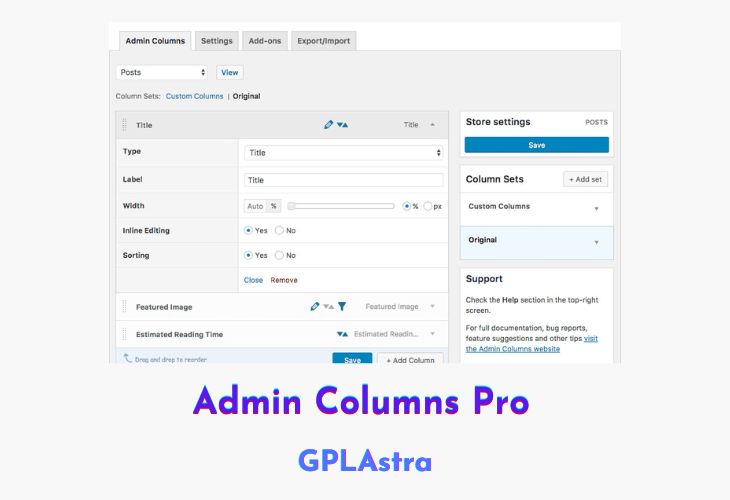
Admin Columns Pro is a powerful WordPress plugin that enhances the way you manage your content in the WordPress admin area. It provides an intuitive interface to customize the columns displayed on your admin screens, allowing you to sort, filter, edit, and export your content with great ease. With Admin Columns Pro, you can gain better insights into your data, streamline your editing workflow, and save valuable time in managing your WordPress content.
This plugin empowers you to tailor the admin columns to fit your specific needs, displaying any desired information for users, media, and all post types, including custom field data. You can sort and filter columns to quickly find the right content, and even edit column values directly from the overview page, eliminating the need to open individual items. Additionally, Admin Columns Pro offers the ability to export your WordPress content, such as posts and users, into a CSV format for further analysis or integration with other systems.
| Name | Admin Columns Pro |
| Type | Plugin |
| Version | 7.0.10 |
| File Name | admin-columns-pro |
| File Type | zip (Installable Archive) |
| File Host | mediafire.com | Mirror |
| Updated On: | 1 week ago |
Core Features of Admin Columns Pro Plugin
- Better Insights: Display any content for users, media, and all post types on your list screens, including all custom field data.
- Sort & Filter: Filter and sort any column to quickly find the right content.
- Faster Editing: Save time by editing any column value right in the overview page.
- Export your Content: Export WordPress content, like posts and users, into a CSV format.
- Add Columns to Fit Your Needs: Customize overview pages by adding columns to display important information, such as thumbnails, tags, and word counts.
- Lightning Fast Editing: Edit your posts without opening them, using the inline edit feature to modify fields like featured images, tags, and titles directly from the post overview page.
- Sort and filter content based on column content.
- Edit most content from the overview screen itself.
What’s New (Changelog) in Admin Columns Pro v7.0.10
= v7.0.10 = Release Date: February 16th, 2026
* [Fixed] Fixed an issue where child terms in hierarchical taxonomies were excluded from filtered results when no sorting was applied
* [Fixed] Fixed an error in the Yoast Primary Taxonomy column.
* [Fixed] Toolset types legacy relationship fields could trigger an error.
* [Added] Implemented missing Editing feature for some Events Calendar columns
* [Added] Added the `do_action('ac/export/data')` hook for customizing exported CSV data.
* [Added] WooCommerce add-on: Exclude the stock count when the quantity is zero during product stock export.
* [Added] Reintroduced the WooCommerce Product Details column to the Orders table.
* [Added] MetaBox support for the "Switch" field type
* [Improved] Restored the post display settings for the ACF page link field
* [Improved] String limit setting added to Media Caption column
* [Deprecated] Deprecated the Admin Columns helper function 'ac_helper'.
* [Deprecated] Removed the hook `ac/column/types/pro` in favor of `ac/column/types`.
Sales Page and Live Demo of Admin Columns Pro Plugin
https://www.admincolumns.com/
Free Download Admin Columns Pro Latest Version
⚡ Premium Access
Unlock All Premium Features
Unlimited Downloads
No Restrictions
Direct Download Links
Access to Private Content
Frequently Asked Questions (FAQs):
Here are some frequently asked questions related to Admin Columns Pro Plugin that might help you while installing it on your WordPress site: