School Management Pro v10.6.9 Plugin
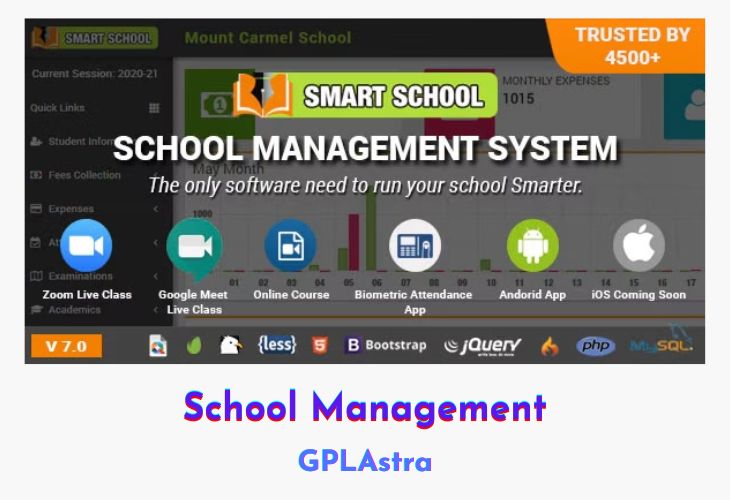
School Management is a robust WordPress plugin designed to manage multiple schools efficiently and their various entities, such as classes, sections, students, exams, ID cards, teachers, staff, fees, and more. It provides a comprehensive solution for school administrators to streamline operations and maintain organization across multiple institutions. The plugin supports multiple payment gateways including PayPal, Stripe, Pesapal, Paystack, Razorpay, and PayTM, making fee collection and management seamless.
The plugin offers features like multi-school management, session management, class and section management, student admissions and transfers, attendance tracking, and student dashboards. It also includes functionalities for managing inquiries, promoting students, assigning roles and permissions, and distributing study materials. Additionally, it has a noticeboard widget, homework management, exam management, and automated notifications via email and SMS. With a user-friendly interface, School Management ensures that schools can efficiently handle administrative tasks and provide a smooth experience for students and staff.
| Name | School Management Pro |
| Type | Plugin |
| Version | 10.6.9 |
| File Name | school-management-pro |
| File Type | zip (Installable Archive) |
| File Host | mediafire.com | Mirror |
| Updated On: | 3 weeks ago |
Core Features of School Management Pro Plugin
- Multi-School Management
- Add multiple schools
- Assign admins and classes to each school
- Session Management
- Create new sessions
- Keep records of previous sessions
- Class and Section Management
- Create classes and assign them to schools
- Multiple class sections
- Student Management
- New admissions with unique admission numbers
- Automatic generation of enrollment numbers
- Student promotion to new classes
- Student transfer between schools
- Daily attendance tracking
- Print attendance sheets
- Student dashboards for viewing fees, admission details, and more
- Inquiries Management
- Inquiry forms via shortcode
- School-wise inquiries management
- Add follow-up dates and notes
- Roles and Permissions
- Create custom roles (e.g., teacher, accountant)
- Assign necessary permissions to roles
- Admin and Staff Management
- Assign administrators to schools
- Create staff roles to manage school entities
- Noticeboard Widget
- Display notices on the website
- Customizable number of notices, widget height, and width
- Study Materials and Homework
- Add and distribute study materials
- Homework notifications via SMS
- Notifications
- Automated notifications via email and SMS
- Custom templates for notifications
- SMS providers: Nexmo, Twilio, MsgClub, SMS Striker, Msg91 SMS, TextLocal
- Exams Management
- Create exams and exam papers
- Set exam centers, timings, dates, and room numbers
- Publish exam timetables
- Generate and publish admit cards
- Accounting Management
- Fee invoice generation and payment collection
- Income and expense management
- Print fee invoices and payment receipts
- Fee Collection
- Bulk or single student fee invoice generation
- Partial or one-time payment support
- Fees collection form via shortcode
- Payments through Stripe, Razorpay, Pesapal
- Expense and Income Management
- Add categories for expenses and income
- Manage expenses and income date-wise
- Student Dashboard
- View noticeboard
- Print ID cards
- View and pay pending fee invoices
- Payment history
- Download study materials, exam timetables, and admit cards
- Student Login Widget and Shortcode
- Display student login form via shortcode
- Login widget for the website
What’s New (Changelog) in School Management Pro v10.6.9
v10.6.9 [ 29-01-2026 ]
* Fixed: Invoice due dates now automatically set to the last day of the month for period-based intervals.
* Enhanced: BigBlueButton live class URLs now dynamically generated for students and parents in API responses.
* Enhanced: Added class type information to meeting data for better live class management.
* Fixed: Removed `esc_url` wrapper from join URLs in API to provide raw URLs for better compatibility.
* Updated: "Invoices Report" menu renamed to "Student Invoices Report" for better clarity.
* Improved: Refactored invoice generation logic into reusable methods for better code maintainability.
* Fixed: Prevented duplicate monthly auto-invoices with detailed logging for the generation process.
* Enhanced: Answer key download link now conditionally displayed based on availability.
* Updated: Removed overall and subject-wise result sections from student exam results display.
* Updated: Code formatting improvements in setup wizard JavaScript.
* Fixed: Mobile wordpress admin menu bar fixed.
* Fixed: Menu collapse issue fixed.
* Added: BigBlueButton live class allow recordable and lock options.
* Updated: Parents Api auth user type updated.
* Updated: lession added in student portal.
* Added: Lession navigation dashboard hide and show setting added in school dashboard settings.
* Fixed: donation and expense categories add issue fixed.
Sales Page and Live Demo of School Management Pro Plugin
https://codecanyon.net/item/school-management-education-learning-management-system-for-wordpress/24678776
Free Download School Management Pro Latest Version
⚡ Premium Access
Unlock All Premium Features
Unlimited Downloads
No Restrictions
Direct Download Links
Access to Private Content
Frequently Asked Questions (FAQs):
Here are some frequently asked questions related to School Management Pro Plugin that might help you while installing it on your WordPress site:


