Discy v5.7.4 WordPress Theme
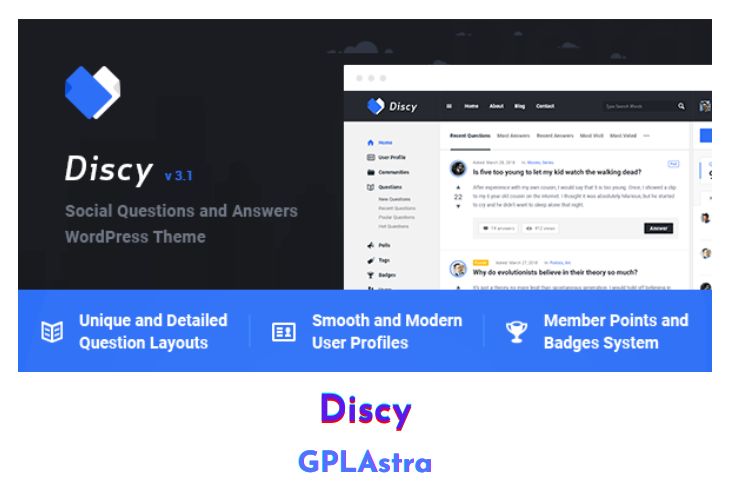
Discy is a visually striking, professional, and highly adaptable WordPress theme designed specifically for creating social questions and answers websites. Ideal for online communities, niche question and answer sites, marketing websites, developer hubs, or any type of social community, Discy provides all the tools needed to build an engaging and interactive platform. Whether you’re looking to create a site like StackOverflow, Quora, or Yahoo Answers, Discy offers the functionality and design flexibility to bring your vision to life.
With Discy, you can establish a fully-featured question and answer community with ease. The theme is equipped with advanced features to support user interactions, such as upvoting and downvoting answers, user badges, and profile pages. Its professional design ensures that your site will look polished and credible, while its flexibility allows you to customize layouts, colors, and typography to match your brand. Discy is also responsive, ensuring that your community looks great on all devices, from desktops to smartphones.
| Name | Discy |
| Type | WordPress Theme |
| Version | 5.7.4 |
| File Name | discy |
| File Type | rar (Archive, please extract before use) |
| File Host | mediafire.com | Mirror |
| Updated On: | 1 year ago |
Core Features of Discy WordPress Theme
- Community Features:
- Create full-featured question & answer communities
- Upvoting and downvoting system for questions and answers
- User badges and reputation points
- User profile pages
- Follow questions, answers, and users
- Customization Options:
- Customizable layouts to fit your needs
- Unlimited color schemes
- Extensive typography options
- Design and Usability:
- Professional and clean design
- Fully responsive and mobile-friendly
- Retina-ready for high-resolution displays
- SEO optimized to enhance search engine visibility
- Functionality:
- Advanced question and answer features
- Voting system to promote the best answers
- Option to mark questions as solved
- Social login integration for easy user access
- Integration and Compatibility:
- Compatible with major WordPress plugins
- Easy integration with social media platforms
- Built with clean and valid code for better performance
- User Engagement:
- Notification system for user interactions
- Private messaging between users
- Gamification features to encourage participation
- Administration and Monetization:
- Comprehensive admin panel for site management
- Ad spaces for monetization opportunities
- Membership and subscription options
What’s New (Changelog) in Discy v5.7.4
v5.7.4 – 15 August 2024
=== New Features and improved ===
- Added a new option to allow the users to register with English letters only or not.
- Added a new option to add a ChatGPT prompt to make it respond better based on your words.
- Added a new option to add a ChatGPT role content to make it respond better based on your words.
- FIXED: bug fixes.
Sales Page and Live Demo of Discy WordPress Theme
https://themeforest.net/item/discy-social-questions-and-answers-wordpress-theme/19281265
Free Download Discy Latest Version
⚡ Premium Access
Unlock All Premium Features
Unlimited Downloads
No Restrictions
Direct Download Links
Access to Private Content
Frequently Asked Questions (FAQs):
Here are some frequently asked questions related to Discy WordPress Theme that might help you while installing it on your WordPress site:


