Sober v3.6.2 WordPress Theme
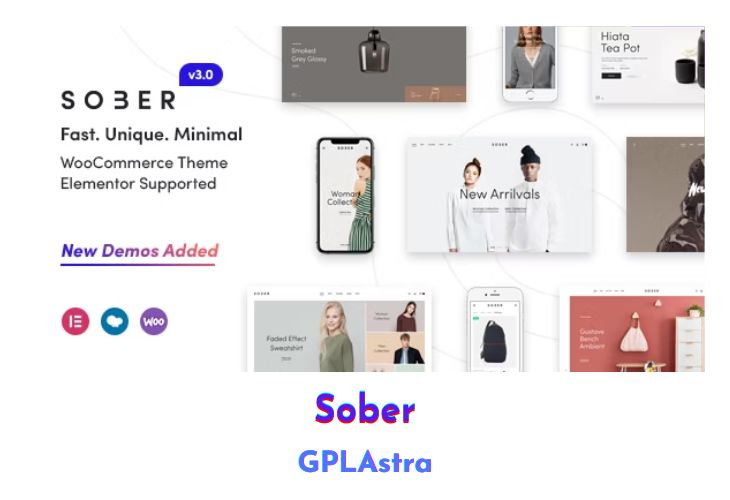
Sober is a sophisticated and contemporary WordPress e-commerce theme designed to cater to a wide range of online stores, including digital, hi-tech, fashion, furniture, books, cosmetics, luxury jewelry, and accessories stores. Developed with Bootstrap and powered by both Elementor and WPBakery Page Builder, Sober offers a highly customizable and user-friendly experience. This theme is seamlessly integrated with WooCommerce, providing robust e-commerce capabilities along with numerous features such as a mini cart, custom widgets, unlimited color schemes, and sliders with smooth transition effects. The advanced menu system supports multiple column styles and widgets, allowing for a versatile and visually appealing navigation experience.
The theme’s powerful e-commerce functionality ensures that it can handle all types of products, whether shippable goods, virtual items, or digital downloads. With its fully responsive design, Sober guarantees an optimal viewing experience across all devices. Users can rate and review products, utilize intricate tax and shipping options, and benefit from a built-in order tracking system. Store management is made easy with features like product filtering, a coupon system, comprehensive store reports, and an optional catalog mode. Sober is also SEO optimized to enhance your store’s visibility in search engines, ensuring that your products reach a broader audience.
| Name | Sober |
| Type | WordPress Theme |
| Version | 3.6.2 |
| File Name | sober |
| File Type | rar (Archive, please extract before use) |
| File Host | mediafire.com | Mirror |
| Updated On: | 2 days ago |
Core Features of Sober WordPress Theme
- Built with Bootstrap and powered by Elementor and WPBakery Page Builder
- Integrated with WooCommerce for robust e-commerce functionality
- Suitable for various stores: digital, hi-tech, fashion, furniture, books, cosmetics, luxury jewelry, and accessories
- Mini cart functionality
- Custom widgets
- Unlimited color schemes
- Smooth transition effects for sliders
- Menu with multiple column styles and advanced widgets
- Fully responsive design
- Customers can rate and review products
- Unlimited categories and sub-categories
- Product filters (e.g., by size, color, etc.)
- Powerful store management tools
- Built-in coupon system
- Detailed store reports for insights
- Easy shipping calculator
- Catalog mode option
- SEO optimized
- Supports selling simple or variable products
- Ability to sell digital/downloadable products
- Support for external/affiliate products
- Built-in order tracking system
- Comprehensive tax and shipping options
- Optional wishlist feature
What’s New (Changelog) in Sober v3.6.2
v3.6.2
Update - Update WC templates.
Sales Page and Live Demo of Sober WordPress Theme
https://themeforest.net/item/sober-woocommerce-wordpress-theme/18332889
Free Download Sober Latest Version
⚡ Premium Access
Unlock All Premium Features
Unlimited Downloads
No Restrictions
Direct Download Links
Access to Private Content
Frequently Asked Questions (FAQs):
Here are some frequently asked questions related to Sober WordPress Theme that might help you while installing it on your WordPress site:


