WooCommerce Free Shipping Bar v1.2.10 Plugin
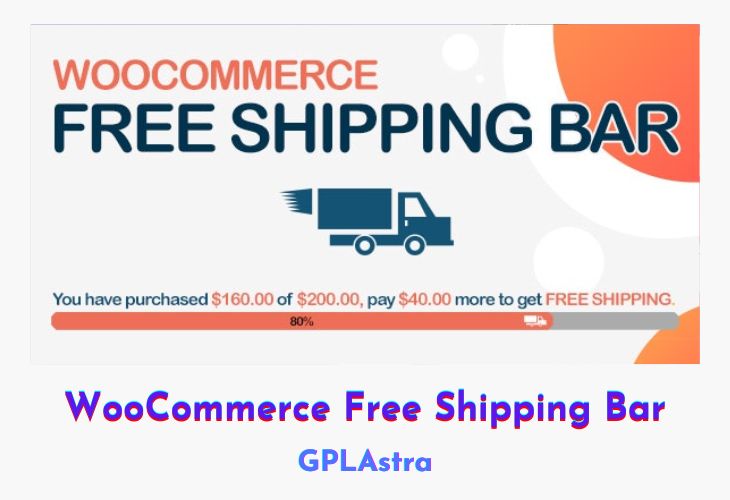
WooCommerce Free Shipping Bar is a simple yet powerful plugin designed to boost your store’s average order value by motivating customers to reach your free shipping threshold. This plugin dynamically displays a customizable progress bar and notifications that inform shoppers how much more they need to spend to qualify for free shipping. Once the minimum order amount is met, it automatically updates to show a success message, creating an engaging and rewarding shopping experience.
Perfect for any WooCommerce store, this plugin enhances customer satisfaction while subtly encouraging larger purchases. It features flexible design options, allowing you to style banners and messages to match your brand identity. Whether you’re running a seasonal promotion or aiming to increase cart totals year-round, the WooCommerce Free Shipping Bar offers a smart, non-intrusive way to increase conversions and maximize sales performance.
| Name | WooCommerce Free Shipping Bar |
| Type | Plugin |
| Version | 1.2.10 |
| File Name | woocommerce-free-shipping-bar |
| File Type | zip (Installable Archive) |
| File Host | mediafire.com | Mirror |
| Updated On: | 1 month ago |
Core Features of WooCommerce Free Shipping Bar Plugin
- Dynamic Progress Bar: Displays real-time progress toward the free shipping goal with a percentage indicator.
- Customizable Messages: Show personalized messages for both “goal not reached” and “goal achieved” states.
- Automatic Updates: Instantly refreshes the message when customers add or remove products from the cart.
- Banner Notification System: Highlight free shipping offers using eye-catching banners on any page.
- Minimum Order Tracking: Automatically calculates the amount remaining to qualify for free shipping.
- Success Message Display: Congratulate customers once they’ve met the free shipping requirement.
- Easy Customization: Adjust colors, text, and design to blend seamlessly with your site’s theme.
- Responsive Design: Works perfectly across all devices, from desktop to mobile.
- WooCommerce Integration: Fully compatible with WooCommerce settings and checkout workflows.
- Sales Optimization Tool: Encourages customers to add more items, increasing average order value naturally.
What’s New (Changelog) in WooCommerce Free Shipping Bar v1.2.10
v1.2.10 - 2026.01.23
- Update: VillaThem support
Sales Page and Live Demo of WooCommerce Free Shipping Bar Plugin
https://codecanyon.net/item/woocommerce-free-shipping-bar/19536343
Free Download WooCommerce Free Shipping Bar Latest Version
⚡ Premium Access
Unlock All Premium Features
Unlimited Downloads
No Restrictions
Direct Download Links
Access to Private Content
Frequently Asked Questions (FAQs):
Here are some frequently asked questions related to WooCommerce Free Shipping Bar Plugin that might help you while installing it on your WordPress site:


