WP Social Chat PRO v8.0.7 Plugin
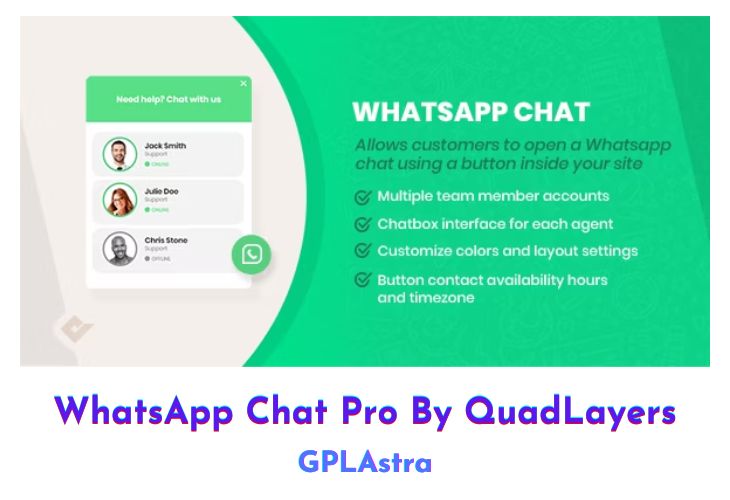
WhatsApp Chat Pro (WP Social Chat PRO) by QuadLayers is a powerful WordPress plugin designed to enhance customer service by integrating WhatsApp communication directly into your website. This plugin allows users to initiate a conversation with your support team seamlessly, improving engagement and customer satisfaction. By enabling one-click access to WhatsApp, it streamlines the process for users to reach out with inquiries, support requests, or feedback, making it an invaluable tool for businesses looking to maintain high levels of customer interaction and responsiveness.
This plugin is highly customizable, offering various configuration options to tailor the chat experience to your brand’s needs. It supports multiple team members and provides detailed analytics to track the effectiveness of your customer support interactions. Whether you run a small business or a large enterprise, WhatsApp Chat Pro is designed to scale and adapt, ensuring that you can provide efficient and personalized customer service through one of the world’s most popular messaging platforms.
| Name | WP Social Chat PRO |
| Type | Plugin |
| Version | 8.0.7 |
| File Name | wp-whatsapp-chat-pro |
| File Type | zip (Installable Archive) |
| File Host | mediafire.com | Mirror |
| Updated On: | 4 weeks ago |
Core Features of WP Social Chat PRO Plugin
- One-Click WhatsApp Chat Integration: Users can start a conversation with your team directly from your website.
- Customizable Chat Box: Personalize the chat interface to match your brand’s look and feel.
- Multiple Agent Support: Assign multiple team members to handle different types of inquiries.
- User-Friendly Interface: Easy to set up and manage without needing advanced technical skills.
- Schedule Availability: Set your agents’ availability times to manage customer expectations.
- Message Pre-Text: Configure pre-defined messages to streamline user inquiries.
- Detailed Analytics: Track and analyze chat interactions to improve customer service strategies.
- Mobile-Friendly: Fully responsive design ensures a seamless experience on all devices.
- GDPR Compliance: Ensure that your customer interactions comply with data protection regulations.
- Multi-Language Support: Cater to a global audience with support for multiple languages.
- Shortcode Integration: Easily add the chat feature to any page or post using shortcodes.
- Custom Greetings: Set automated greeting messages to welcome users.
- WooCommerce Compatibility: Enhance your online store with direct customer communication.
- Notification Settings: Receive instant notifications for new messages to ensure prompt responses.
- Backup and Restore: Safeguard your chat settings with easy backup and restore options.
What’s New (Changelog) in WP Social Chat PRO v8.0.7
Changelog Not Found!
Sales Page and Live Demo of WP Social Chat PRO Plugin
https://quadlayers.com/products/whatsapp-chat/
Free Download WP Social Chat PRO Latest Version
⚡ Premium Access
Unlock All Premium Features
Unlimited Downloads
No Restrictions
Direct Download Links
Access to Private Content
Frequently Asked Questions (FAQs):
Here are some frequently asked questions related to WP Social Chat PRO Plugin that might help you while installing it on your WordPress site: