WP Sheet Editor Pro v2.26.1 Plugin
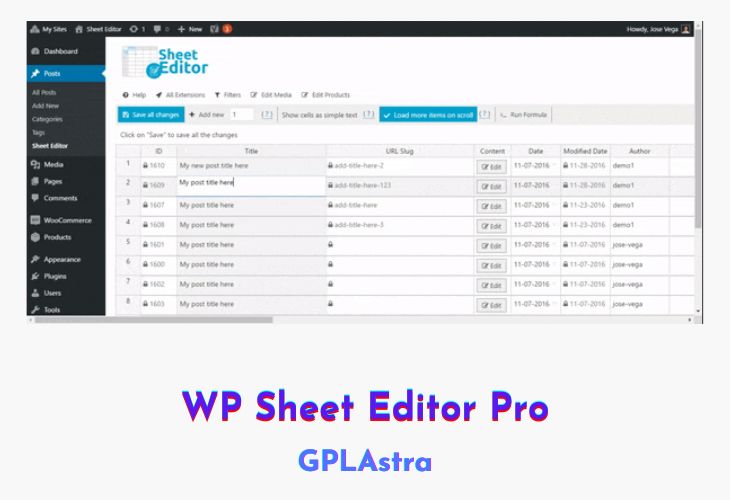
Introducing the WP Sheet Editor Pro (Premium) plugin – a powerful tool that revolutionizes the way you manage and organize your WordPress website’s content. With this premium plugin, you gain access to a streamlined and efficient approach to handling taxonomies. Each taxonomy, whether it’s categories, tags, or even specialized attributes like Colors and Sizes, gets its own dedicated spreadsheet. This innovative approach brings simplicity and clarity to your content management tasks.
Gone are the days of navigating complex backend interfaces. WP Sheet Editor empowers you with intuitive spreadsheets for every taxonomy, making category, tag, and attribute management a breeze. Whether you’re handling event categories, portfolio categories, or any other custom taxonomy, this plugin centralizes the process into an easy-to-use spreadsheet. Create and update categories, tags, and attributes in bulk, saving you time and effort. Dive into advanced searches using keywords, parent relationships, descriptions, images, and custom fields. WP Sheet Editor (Premium) brings forth a new era of efficient taxonomy management, enhancing your WordPress experience to the fullest.
| Name | WP Sheet Editor Pro |
| Type | Plugin |
| Version | 2.26.1 |
| File Name | wp-sheet-editor-premium |
| File Type | rar (Archive, please extract before use) |
| File Host | mediafire.com | Mirror |
| Updated On: | 1 month ago |
Core Features of WP Sheet Editor Pro Plugin
- Dedicated Taxonomy Spreadsheets:
- Seamlessly manage categories, tags, and product attributes with individual spreadsheets.
- Streamline your content organization and simplify management tasks.
- Bulk Operations:
- Create new categories, tags, and product attributes in bulk.
- Update names, slugs, descriptions, and other attributes across multiple items simultaneously.
- Universal Taxonomy Handling:
- Extend beyond conventional categories and tags to manage specialized attributes like Colors, Sizes, and more.
- Effortlessly handle event categories, portfolio categories, and any custom taxonomy.
- Effortless Interface:
- Escape the complexities of traditional backend interfaces.
- Edit, organize, and optimize taxonomies using an intuitive spreadsheet layout.
- Advanced Search Capabilities:
- Conduct thorough searches based on keywords, parent relationships, descriptions, images, and custom fields.
- Find exactly what you’re looking for without hassle.
- Enhanced Content Management:
- Elevate your content management workflow with a user-friendly, efficient approach.
- Keep your WordPress website organized and up-to-date with ease.
What’s New (Changelog) in WP Sheet Editor Pro v2.26.1
= v2.26.1 - 2026-01-18 =
* FIX - CORE - Some columns can't be enabled
* FIX - CORE - Columns manager - long lists are not showing all the columns
* FIX - CORE - Toolbar dropdowns are not showing all the items when there are too many items
* FIX - CORE - Some columns are not being generated
Sales Page and Live Demo of WP Sheet Editor Pro Plugin
https://wpsheeteditor.com/
Free Download WP Sheet Editor Pro Latest Version
⚡ Premium Access
Unlock All Premium Features
Unlimited Downloads
No Restrictions
Direct Download Links
Access to Private Content
Frequently Asked Questions (FAQs):
Here are some frequently asked questions related to WP Sheet Editor Pro Plugin that might help you while installing it on your WordPress site:
is it with the google sheets version ?