WooCommerce Order Tracker v2.3.4 Plugin
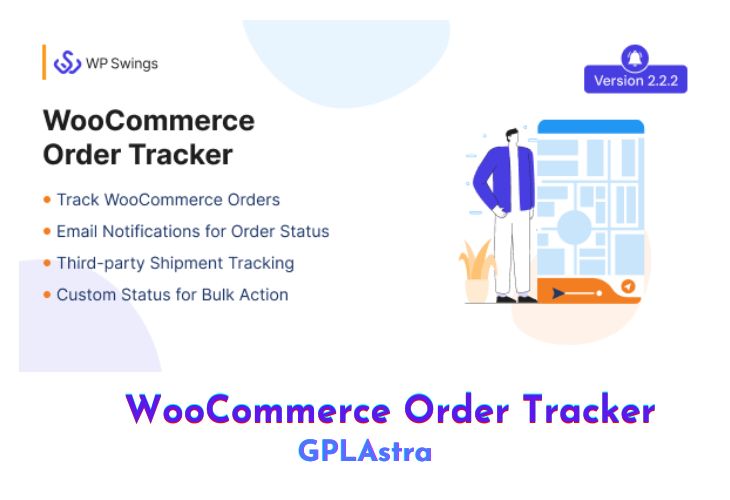
The WooCommerce Order Tracker is a powerful plugin designed to enhance the order tracking experience for both store administrators and customers. It provides a seamless and interactive way to track orders, offering real-time updates on order status, estimated delivery dates, and shipment progress. With its intuitive interface and customizable features, the plugin ensures customers stay informed about their orders, reducing the need for manual inquiries. The plugin supports third-party shipping services like USPS, FedEx, and Canada Post, making it versatile for businesses using external logistics. Additionally, it allows admins to create custom order statuses, design personalized tracking pages using shortcodes, and send automated email notifications to keep customers updated at every stage of the shipment process.
The plugin also includes advanced features like Google Maps integration for live tracking, 17track.net compatibility for multi-carrier shipments, and the ability to apply custom CSS and JS for branding purposes. With six pre-designed tracking templates, bulk order status updates, and support for WooCommerce HPOS (High-Performance Order Storage), the WooCommerce Order Tracker is a comprehensive solution for businesses looking to streamline their shipping process, improve customer satisfaction, and maintain transparency in their operations.
| Name | WooCommerce Order Tracker |
| Type | Plugin |
| Version | 2.3.4 |
| File Name | woocommerce-order-tracker |
| File Type | zip (Installable Archive) |
| File Host | mediafire.com | Mirror |
| Updated On: | 4 months ago |
Core Features of WooCommerce Order Tracker Plugin
- Order Tracking System:
- Enables customers and admins to track orders using order numbers and tracking URLs.
- Provides real-time updates on order status (packed, shipped, delivered).
- Displays estimated delivery dates and shipping service details.
- Custom Order Statuses:
- Admins can create custom order statuses to match their shipment process.
- Apply custom statuses in bulk for multiple orders.
- Email Notifications:
- Automatically sends email notifications to customers on order status changes.
- Includes order details, shipping price, and payment links for pending orders.
- Order Tracking Templates:
- Offers six pre-designed tracking templates for order status display.
- Admins can customize templates using custom CSS and JS.
- Shortcode Integration:
- Create custom order tracking pages using shortcodes like
[wps_track_tracking_page]. - Generate WooCommerce order tracking forms with
[wps_track_order_form].
- Create custom order tracking pages using shortcodes like
- Third-Party Shipping Integration:
- Supports integration with USPS, FedEx, and Canada Post.
- Enables third-party shipment tracking via API.
- Google Maps Tracking:
- Admins can enable live order tracking using Google Maps by integrating the Google Map API.
- 17track.net Compatibility:
- Tracks orders shipped through multiple carriers using 17track.net.
- Order Export:
- Logged-in users can export orders from the “My Account” or “Order Section.”
- Guest users can export orders from the guest tracking page.
- Payment Link Notifications:
- Sends payment links to customers for orders with pending payment status.
- WooCommerce HPOS Compatibility:
- Fully compatible with WooCommerce High-Performance Order Storage (HPOS) for efficient order management during high-volume periods.
- Transparent Shipment Process:
- Keeps customers informed about their order status, reducing delivery inquiry calls.
- Builds customer trust by providing full visibility into the shipment process.
- Guest User Support:
- Allows guest users to track orders using Order ID without requiring an account.
- Bulk Actions:
- Admins can apply custom order statuses in bulk for multiple products.
- Customizable Branding:
- Admins can add custom CSS and JS to tracking templates to align with store branding.
- Comprehensive Tracking Information:
- Provides customers with complete details about their orders, including shipping service, tracking number, and delivery date.
- Enhanced Customer Experience:
- Reduces customer inquiries by providing automated updates and self-service tracking options.
- Festive Season Readiness:
- Efficiently manages high order volumes during peak seasons with WooCommerce HPOS support.
What’s New (Changelog) in WooCommerce Order Tracker v2.3.4
29-10-202: v2.3.4
New: Compatibility with the latest WP 6.8.3 and WC 10.3.3
Fix: Deprecated function fixes.
Sales Page and Live Demo of WooCommerce Order Tracker Plugin
https://codecanyon.net/item/woocommerce-order-tracker/19814717
Free Download WooCommerce Order Tracker Latest Version
⚡ Premium Access
Unlock All Premium Features
Unlimited Downloads
No Restrictions
Direct Download Links
Access to Private Content
Frequently Asked Questions (FAQs):
Here are some frequently asked questions related to WooCommerce Order Tracker Plugin that might help you while installing it on your WordPress site:


