WP Speed of Light v3.3.5 Plugin
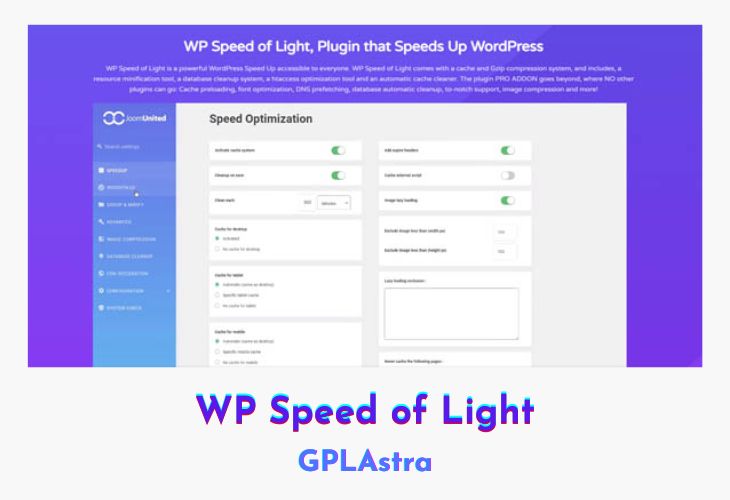
WP Speed of Light is a powerful WordPress plugin that is designed to optimize your website’s speed and performance. It comes with various features like cache and Gzip compression systems, resource minification tool, database cleanup system, htaccess optimization tool, and an automatic cache cleaner.
| Name | WP Speed of Light |
| Type | Plugin |
| Version | 3.3.5 |
| File Name | wp-speed-of-light-addon |
| File Type | zip (Installable Archive) |
| File Host | mediafire.com | Mirror |
| Updated On: | 7 months ago |
Core Features of WP Speed of Light Plugin
- Static File Cache System: The plugin comes with a static file cache system that stores copies of your website’s pages in the cache, making them faster to load on subsequent visits. This feature reduces server load and improves site speed.
- Gzip Data Compression: WP Speed of Light also includes a Gzip compression system that compresses your website’s files, making them smaller and faster to load. This feature saves bandwidth and reduces the time it takes for your site to load.
- Browser Caching: The plugin offers browser caching, which allows the browser to store your website’s files in its cache for a specified period. This feature reduces the number of requests made to the server, resulting in faster page loading times.
- Files Grouping: CSS, JS, Local Fonts, Google Fonts: WP Speed of Light allows you to group your website’s files, including CSS, JS, local fonts, and Google Fonts. This feature makes it easier to manage your website’s files and reduces the number of requests made to the server, speeding up the loading time.
- Resource Minification: HTML, CSS, JS: The plugin comes with a resource minification tool that removes unnecessary characters from your website’s files, reducing their size and improving loading times.
- Specific Mobile Cache per Device: WP Speed of Light offers a specific mobile cache per device, allowing mobile users to access a cached version of your website optimized for their device. This feature results in faster page loading times for mobile users.
- Remove Query String: WP Speed of Light offers an option to remove query strings from your website’s URLs, making them cleaner and shorter. This feature can improve your website’s search engine optimization (SEO) and reduce server load.
- Cache External Scripts: The plugin allows you to cache external scripts, reducing the number of requests made to external servers and improving site speed.
- Option to Disable WordPress Features: WP Speed of Light offers an option to disable WordPress features such as REST API, RSS feeds, Gravatar, and Emojis. Disabling these features can reduce server load and improve site speed.
- Automatic Cache Clean: By Interval, On Save, by User Group: WP Speed of Light comes with an automatic cache cleaner that can clean the cache at specified intervals or when changes are made to your website. You can also set the cleaner to clean the cache for specific user groups, reducing server load and improving site speed.
What’s New (Changelog) in WP Speed of Light v3.3.5
= 3.3.5 =
* Add : Merged the free versions of WP Speed of Light into the WP Speed of Light Pro
* Add : Redesigned the plugin settings interface
* Add : Enhanced database cleanup with new options to remove orphaned data
Sales Page and Live Demo of WP Speed of Light Plugin
https://www.joomunited.com/wordpress-products/wp-speed-of-light
Free Download WP Speed of Light Latest Version
⚡ Premium Access
Unlock All Premium Features
Unlimited Downloads
No Restrictions
Direct Download Links
Access to Private Content
Frequently Asked Questions (FAQs):
Here are some frequently asked questions related to WP Speed of Light Plugin that might help you while installing it on your WordPress site: