Divi Ecommerce v1.3.4 Theme
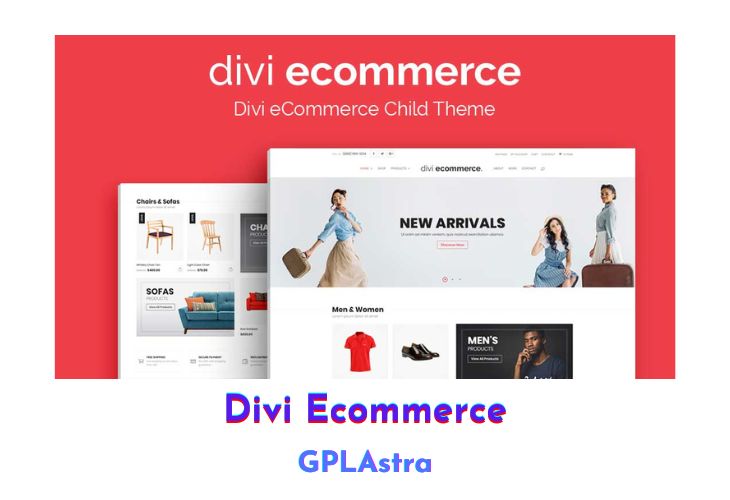
Divi Ecommerce is a beautiful and feature-rich child theme designed to showcase a business’s product or service offerings in a memorable and engaging way. With its custom WooCommerce sidebar, content marketing, rapid online store setup, responsive design, customizable homepage, social media integration, and easy customization options, this theme is perfect for anyone looking to create an impactful online presence. Its translation-ready and SEO-optimized features make it even more powerful, enabling users to reach a wider audience and improve their website’s ranking in search engine results.
| Name | Divi Ecommerce |
| Type | Theme |
| Version | 1.3.4 |
| File Name | diviecommerce |
| File Type | zip (Installable Archive) |
| File Host | mediafire.com | Mirror |
| Updated On: | 3 years ago |
Core Features of Divi Ecommerce Theme
- Two Feature-rich Home Pages: The theme offers two feature-rich home page options that allow users to create a lasting first impression on their audience.
- Custom Designer Woocommerce Sidebar: Divi Ecommerce includes a custom designer WooCommerce sidebar that enables products to stand out and attract more attention from customers.
- Content Marketing: The theme allows users to harness the power of content marketing to increase visibility in search results and drive traffic to their website.
- Rapid Online Store Setup: Divi Ecommerce enables users to set up an online store quickly without touching a line of code, saving time and effort.
- Responsive Design: The theme is designed to be responsive, ensuring that the website looks great on all devices.
- Customizable Homepage: Divi Ecommerce’s homepage is customizable, allowing users to choose from different layout options and add various elements such as sliders, featured products, and advertisements.
- Multiple Layout Options: The theme offers multiple layout options, including boxed, full-width, and framed layouts.
- Social Media Integration: Divi Ecommerce includes social media integration, allowing users to share their content on platforms such as Facebook, Twitter, and Instagram.
- Translation Ready: The theme is translation-ready, making it easy for users to translate their website into different languages.
- SEO Optimized: Divi Ecommerce is SEO optimized, ensuring that the website ranks well in search engines.
- Easy Customization: The theme provides an easy-to-use customization panel that allows users to adjust various aspects of their website’s design, such as colors, fonts, and backgrounds.
What’s New (Changelog) in Divi Ecommerce v1.3.4
v1.3.4, March 10, 2023
Fix: List of required plugins doesn't show
Sales Page and Live Demo of Divi Ecommerce Theme
https://divi.space/product/divi-ecommerce/
Free Download Divi Ecommerce Latest Version
⚡ Premium Access
Unlock All Premium Features
Unlimited Downloads
No Restrictions
Direct Download Links
Access to Private Content
Frequently Asked Questions (FAQs):
Here are some frequently asked questions related to Divi Ecommerce Theme that might help you while installing it on your WordPress site:
Hello, can you update divi ecommerce on mediafire please?