Moddroid v14.5.6 WordPress Theme
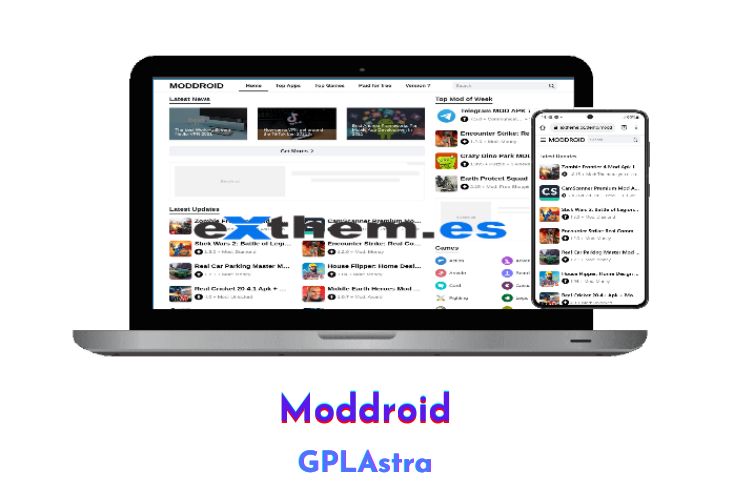
Moddroid Theme is a WordPress plugin and theme that provides an easy and convenient way to post APKs. With just three simple steps, users can post more than 1,000 APKs without the hassle of copy-pasting. Moddroid Themes offers a special theme bundled with an attractive appearance to make it easier for users to create their websites.
| Name | Moddroid |
| Type | WordPress Theme |
| Version | 14.5.6 |
| File Name | moddroid |
| File Type | zip (Installable Archive) |
| File Host | mediafire.com | Mirror |
| Updated On: | 2 weeks ago |
Core Features of Moddroid WordPress Theme
- Responsive: The plugin and theme are designed to be responsive, ensuring that the website looks great on all devices.
- Extract APK and Grab from Google Play Store and Many Sources: Users can easily extract APKs and grab them from various sources, including the Google Play Store.
- Automatic Generate Content or Manual Content: Users have the option to automatically generate content or create manual content for their website.
- Page Download: This feature allows users to create a page specifically for downloading APKs, making it easier for visitors to access and download the files.
- Automatic Category: Moddroid Themes will automatically create categories for users, eliminating the need for manual work.
- SEO Friendly: The plugin and theme are optimized for search engines, ensuring that the website ranks high in search results.
- Featured Game or Apps Widget: Users can showcase featured games or apps on their website using this widget.
- Mobile-Friendly: The plugin and theme are mobile-friendly, ensuring that the website works well on mobile devices.
- Fast Loading: Moddroid Themes are designed to load quickly, providing a seamless user experience.
- Numbered Page Navigation: This feature enables users to navigate through pages quickly and easily.
- Adsense Ready: The plugin and theme are Adsense ready, allowing users to monetize their website.
- Social Share Buttons: Users can easily share content on social media platforms with this feature.
- Google Play and Download Buttons: Users can add Google Play and download buttons to their website.
- Most Popular Games & Apps Page: This feature allows users to display the most popular games and apps on a dedicated page.
- Breadcrumbs: This feature improves website navigation by displaying the user’s location on the website.
- Recent Posts Widget: Users can display recent posts using this widget.
- Schemes Software Apps: This feature makes it easy to categorize and organize software apps.
- Automatic Generate Post: A collection of millions of Extractor APK App that are ready to run to create automatic posts, working to create automatic articles.
- Automatic Category Post: No need to manually create categories, as Moddroid Themes automatically creates them.
- Auto Generate Download LINK: This feature allows users to create automatic download links according to each APK.
- Page Download: The download page (page download link) has the most chance of placing banner ads such as Adsense.
- Smart Download Timing: This smart feature prevents other websites from using the download link from your blog, as the download link changes automatically every 24 hours.
What’s New (Changelog) in Moddroid v14.5.6
- Add live search feature for Google Play Store in APK extractor
- Add API token monitoring dashboard
- Add toggle option for JSON SEO BlogPosting
- Add new styling for license page
- Fix minor theme issues
- Fix minor APK extractor issues
Sales Page and Live Demo of Moddroid WordPress Theme
https://exthem.es/item/moddroid-themes-premium/
Free Download Moddroid Latest Version
License Key: 6F98GPLASTRACOM89
⚡ Premium Access
Unlock All Premium Features
Unlimited Downloads
No Restrictions
Direct Download Links
Access to Private Content
Frequently Asked Questions (FAQs):
Here are some frequently asked questions related to Moddroid WordPress Theme that might help you while installing it on your WordPress site:
Thanks for your precious shares.
Sir, It would be really appreciated if you can provide the updated version or any other such themes, because the current theme have many issues.
Please update to v.9.3
plzz add an1 theme
Update Please 9.3 Version
Please Update Latest Version 9.2
Please Update Latest Version 9.2
plzz add an1 theme
Please Update Latest Version 9.1
Is is working ? can i Upload it to existing same theme version 6.3 ?
Yes
This Theme works well & of cource the License Key is great
Please update new version to v7.5 with key
It’s updated to 8.1
hello, this is the latest version of Theme
Hey bro moddroid theme v7.2 update and an1 theme v2.1 add is new theme an1 theme plz next post this is ????
hello, this is the latest version of Thema
yeah
Apakah ada pembaruan moddroid ini, semisalnya di telegram nggak aktif
Theme is not activated
Please enter 6F98GPLASTRACOM89 as the license key.