Youzify v3.6.1 WordPress Plugin
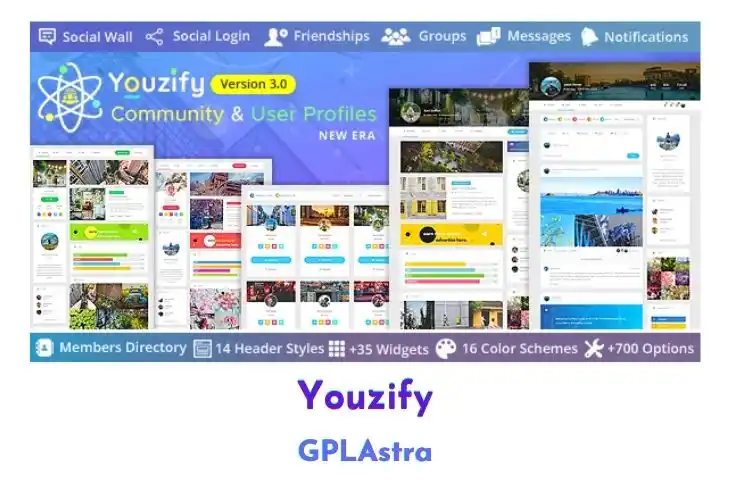
Youzify (formerly Youzer) is a powerful community and user profile management plugin built for BuddyPress and WordPress. It transforms your website into a fully featured social platform with secure membership, social login, front-end account settings, and advanced profile customization. With extensive social features such as private messages, notifications, groups, badges, and a social wall, it enables rich user interaction and engagement. Designed to be fully responsive and highly customizable, it gives you complete control over how your online community looks and functions.
Youzify works by extending BuddyPress with advanced directories, profile structures, widgets, and membership controls managed through a powerful admin panel. It offers unlimited custom tabs, fields, widgets, and color schemes, along with multiple header styles and layout variations. The plugin integrates with tools like MyCRED, bbPress, Mailchimp, and Mailster, while also supporting AJAX login, social authentication, and secure password management. With granular privacy controls and extensive customization options, you can build a dynamic and fully branded community experience.
| Name | Youzify |
| Type | WordPress Plugin |
| Version | 3.6.1 |
| File Name | youzify |
| File Type | zip (Installable Archive) |
| File Host | mediafire.com | Mirror |
| Updated On: | 1 week ago |
Core Features of Youzify WordPress Plugin
- Comprehensive Social Features: Includes likes, points, badges, mentions, comments, private messages, notifications, social wall, groups, media sharing, and more.
- Members and Groups Directories: Provides members directory, groups directory, and global news feed.
- Unlimited Custom Tabs: Create unlimited profile tabs using shortcode or HTML.
- Unlimited Custom Links: Add internal and external custom profile links.
- Front-End Profile Management: Edit profiles and account settings from the front end.
- Multiple Header Styles: Includes 14 profile header styles.
- 22 Profile Widgets: Offers 22 built-in profile widgets plus unlimited custom widgets.
- 09 Profile Tabs: Includes overview, wall, infos, posts, comments, friends, groups, messages, and notifications tabs.
- Advanced Privacy Controls: Control information visibility for everyone, members, friends, or only the user.
- Unlimited Field Types: Supports multi-select, checkboxes, radio buttons, dropdowns, date, number, text, URL, and textarea fields.
- Membership and Social Login: Supports social login, AJAX login, secure reset system, and customizable login redirection.
- Login Form Customization: Create multiple login forms with shortcode and widget support.
- Integration Support: Integrates with MyCRED, bbPress, Mailchimp, and Mailster.
- Responsive and Customizable Design: Fully responsive layout with unlimited color schemes and profile structures.
What’s New (Changelog) in Youzify v3.6.1
Changelog Not Found!
Sales Page and Live Demo of Youzify WordPress Plugin
https://codecanyon.net/item/youzer-new-wordpress-user-profiles-era/19716647
Free Download Youzify Latest Version
⚡ Premium Access
Unlock All Premium Features
Unlimited Downloads
No Restrictions
Direct Download Links
Access to Private Content
Frequently Asked Questions (FAQs):
Here are some frequently asked questions related to Youzify WordPress Plugin that might help you while installing it on your WordPress site:


