Design Upgrade Pro for LearnDash v2.29 Plugin
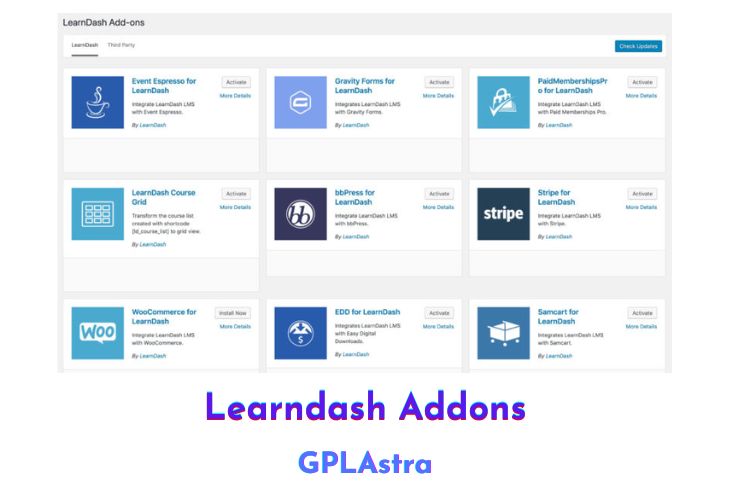
Design Upgrade Pro for LearnDash is a powerful WordPress plugin that improves the overall appearance and style of LearnDash pages. With over 80 customizable options, the plugin allows you to enhance the design of your LearnDash site without having to write a single line of code.
The plugin completely rewrites every line of LearnDash CSS, providing cleaner styles and modern buttons, updated SVG icons, and a more consistent look across your site. The profile page and registered courses are redesigned, along with course content for lessons, topics, and quizzes. Additionally, the plugin adds a quiz timer, progress, and results that are presented in an easy-to-read format.
In the Customizer, you can choose from 80+ options to further customize your LearnDash site. There are 24 options available for the LearnDash Course Grid add-on and 19 options for the Course Navigation Widget. You can show or hide various course features, customize the correct/incorrect colors, and choose from striped, animated, rounded or square progress bars.
The plugin also allows you to customize borders and background colors on course content lists, show or hide profile info and quizzes on [ld_profile]output, and customize the URL for the “Edit Profile” link. With the option to enable or disable the “Expand/Collapse” feature, you can give your learners control over their course content.
The Course Grid Design has been improved, with better spacing for up to 6 columns, equal height grid items, and no more weird spacing or floating issues. The plugin also provides hover effects, full-width buttons, and four different types of ribbon colors. Additionally, you can customize course category dropdown styles, including width, background color, border radius, and padding.
The Course Navigation Widget can show all topics, highlight the current lesson/topic, add space between each lesson, and control indentation for lessons, topics, and quizzes. You can customize or remove line separators, hide the “Return to Course” link, and remove the status checkmark icons.
| Name | Design Upgrade Pro for LearnDash |
| Type | Plugin |
| Version | 2.29 |
| File Name | design-upgrade-pro-learndash |
| File Type | zip (Installable Archive) |
| File Host | mediafire.com | Mirror |
| Updated On: | 7 months ago |
Core Features of Design Upgrade Pro for LearnDash Plugin
- Rewritten LearnDash CSS for cleaner styles and modern buttons
- Improved design for profile page and registered courses
- Customizable course content for lessons, topics, and quizzes
- Updated SVG icons
- Improved quiz timer, progress, and results display
- Consistent and modern button styles
- Quiz statistics popup and progress bars
- 80+ customizable options in the Customizer
- 24 options for the LearnDash Course Grid add-on
- 19 options for the Course Navigation Widget
- Ability to show/hide various course features
- Custom URL for “Edit Profile” link
- Custom correct/incorrect colors
- Striped, animated, rounded, and square progress bars
- Primary and secondary button colors
- Ability to enable/disable the “Expand/Collapse” feature
- Ability to customize borders and background colors on course content lists
- Ability to show/hide profile info and quizzes on [ld_profile] output
- Improved spacing for up to 6 columns in course grid design
- Equal height grid items and no more weird spacing or floating issues
- Custom borders, shadows, and square or rounded corners in course grid design
- Hover effects including shadow, lift, and enlarge in course grid design
- Full-width buttons in course grid design
- 4 different types of ribbon colors for paid courses, free courses, already enrolled, and custom ribbons in course grid design
- Course category dropdown styles, including width, background color, border radius, and padding in course grid design
- Ability to show all topics and remove expandable arrows in Course Navigation Widget
- Customizable text, background, and hover colors in Course Navigation Widget
- Ability to highlight the current lesson/topic in Course Navigation Widget
- Ability to add space between each lesson in Course Navigation Widget
- Ability to control indentation for lessons, topics, and quizzes in Course Navigation Widget
- Ability to customize or remove line separators in Course Navigation Widget
- Ability to hide “Return to Course” link in Course Navigation Widget
- Ability to remove the status checkmark icons in Course Navigation Widget
- Customizable progress bars with ability to choose container and bar color, rectangular or rounded corners, adjust bar height, add stripes or choose a custom color, and display “X of Y steps completed”
What’s New (Changelog) in Design Upgrade Pro for LearnDash v2.29
Changelog Not Found!
Sales Page and Live Demo of Design Upgrade Pro for LearnDash Plugin
https://escapecreative.com/products/design-upgrade-learndash/
Free Download Design Upgrade Pro for LearnDash Latest Version
⚡ Premium Access
Unlock All Premium Features
Unlimited Downloads
No Restrictions
Direct Download Links
Access to Private Content
Frequently Asked Questions (FAQs):
Here are some frequently asked questions related to Design Upgrade Pro for LearnDash Plugin that might help you while installing it on your WordPress site: