Workreap v3.4.4 Theme
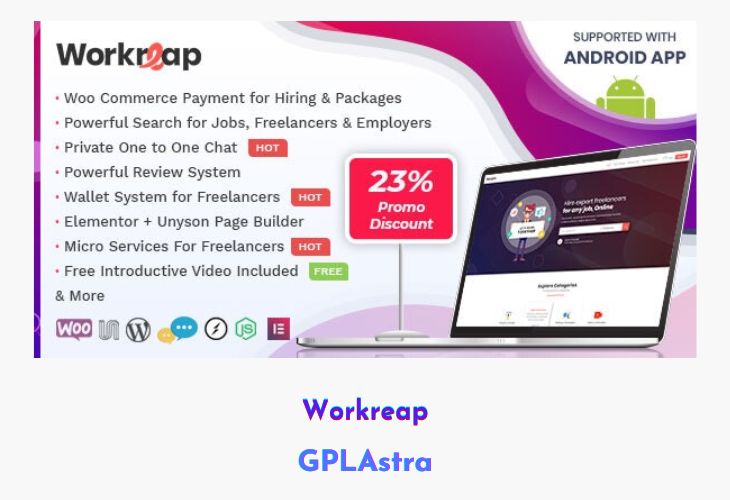
Workreap is a powerful Freelance Marketplace WordPress theme crafted to help you build a fully functional freelancing platform with professional design and rock-solid code quality. Developed after extensive research, it focuses on usability, clear visual hierarchy, and modern aesthetics to ensure a smooth experience for freelancers, employers, and administrators alike. Whether you want to create a freelance job portal, service marketplace, or project bidding platform, Workreap provides all the essential tools out of the box.
The theme supports a complete workflow where freelancers and employers can register, create profiles, post jobs, submit proposals, manage payments, and track earnings through an integrated wallet system. Payments are handled via WooCommerce, allowing the admin to earn commissions while maintaining transparency. With built-in messaging, reviews, advanced search, and an upcoming Android app, Workreap delivers a scalable and monetizable marketplace solution suitable for long-term growth.
| Name | Workreap |
| Type | Theme |
| Version | 3.4.4 |
| File Name | workreap |
| File Type | rar (Archive, please extract before use) |
| File Host | mediafire.com | Mirror |
| Updated On: | 4 days ago |
Core Features of Workreap Theme
- Complete Freelance Marketplace System: Enable freelancers and employers to register, create profiles, post jobs, and submit proposals.
- Wallet & Commission Management: Track pending and available balances with automatic admin commission deductions.
- WooCommerce Payment Integration: Accept payments securely using WooCommerce-supported gateways.
- Advanced User Dashboards: Professionally designed dashboards for easy navigation and account management.
- Powerful Job & Profile Search: Search freelancers, employers, and jobs with advanced filtering options.
- Private One-to-One Messaging: Built-in inbox system for direct communication between users.
- Multi-Rating Review System: Allow employers to rate and review freelancers with moderation controls.
- Android App Support: Android application support available and planned for release on CodeCanyon.
- Drag & Drop Page Builder: Design pages effortlessly using an intuitive visual page builder.
- One-Click Demo Import: Instantly replicate the demo site setup with minimal effort.
- Bulk User Import (CSV/Excel): Import users in bulk without manual account creation.
- Email Template Customization: Modify system emails using powerful template settings.
- Favorites System: Let users save favorite jobs, freelancers, and employers.
- Unlimited Packages Management: Create and manage unlimited pricing packages using WooCommerce.
- Featured Listings: Highlight featured jobs, freelancers, and employers for better visibility.
- Powerful Admin Panel: Control platform settings, moderation, and user management from a centralized panel.
- Shortcode Library: Access 20+ shortcodes for flexible content creation.
- Unlimited Colors & Sidebars: Customize design elements to match your brand identity.
- Front-End Login & Registration: Enable or disable front-end authentication as needed.
- Fully Responsive Design: Optimized for desktops, tablets, and mobile devices.
- Translation & WPML Ready: Easily translate the theme using PO/MO files and multilingual plugins.
- Cross-Browser Compatibility: Works smoothly across all major browsers.
- Child Theme Included: Safely customize the theme without losing update compatibility.
- Clean & Extendable Code: Developer-friendly structure for future enhancements.
- Comprehensive Documentation & Support: Well-documented setup with reliable customer support.
What’s New (Changelog) in Workreap v3.4.4
v3.4.4 – 20 February 2026
Fixed security issues for workreap_core plugin.
Fixed missing employer description on the admin side.
Sales Page and Live Demo of Workreap Theme
https://themeforest.net/item/workreap-freelance-marketplace-wordpress-theme/23712454
Free Download Workreap Latest Version
⚡ Premium Access
Unlock All Premium Features
Unlimited Downloads
No Restrictions
Direct Download Links
Access to Private Content
Frequently Asked Questions (FAQs):
Here are some frequently asked questions related to Workreap Theme that might help you while installing it on your WordPress site:


