YITH WooCommerce Badge Management v3.23.0 Plugin
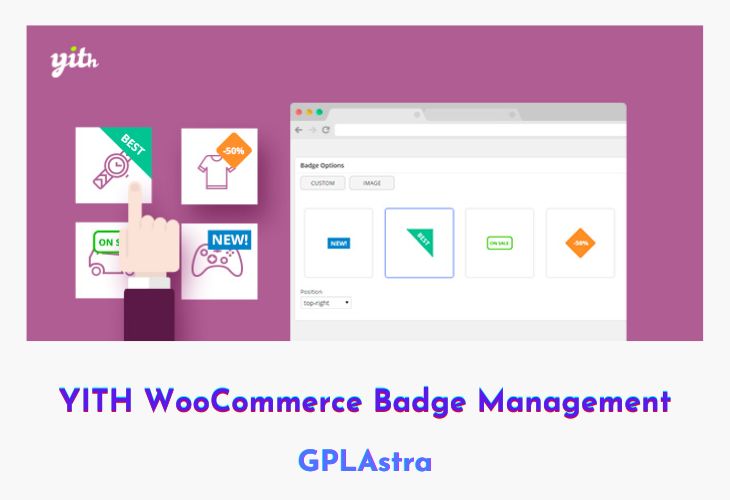
YITH WooCommerce Badge Management is a conversion-focused plugin that helps store owners highlight important products and offers using eye-catching badges. Research shows that product badges can significantly boost conversion rates, and this plugin makes it easy to draw customer attention to discounts, deals, new arrivals, or low-stock items. By visually emphasizing key products in your catalog, badges act as subtle but powerful marketing signals that guide customers toward quicker purchase decisions.
The plugin offers full control over both the appearance and behavior of badges. You can customize badge text, colors, images, and positioning to perfectly match your store’s branding. Beyond manual control, YITH WooCommerce Badge Management also allows partial automation, letting you assign badges based on product conditions like sales, availability, or stock status. This flexibility gives you complete freedom to promote exactly what matters most in your WooCommerce store.
| Name | YITH WooCommerce Badge Management |
| Type | Plugin |
| Version | 3.23.0 |
| File Name | yith-woocommerce-badge-management-premium |
| File Type | rar (Archive, please extract before use) |
| File Host | mediafire.com | Mirror |
| Updated On: | 4 weeks ago |
Core Features of YITH WooCommerce Badge Management Plugin
- Custom Badge Creation: Design badges with custom text, colors, and styling
- Pre-Designed Image Badges: Use ready-made badges with modern and attractive designs
- Flexible Badge Positioning: Place badges anywhere on product images for maximum visibility
- Automated Badge Rules: Automatically apply badges based on product status or conditions
- Manual Product Badging: Assign badges individually to specific products when needed
- Discount & Deal Highlighting: Emphasize sale items, special offers, and promotions
- Stock Status Indicators: Show badges for low stock, out-of-stock, or unavailable products
- Catalog Visibility Boost: Make highlighted products stand out across shop and category pages
- Brand-Friendly Customization: Match badge appearance with your store’s visual identity
- Conversion-Driven Marketing Tool: Guide customer attention and influence purchase behavior visually
What’s New (Changelog) in YITH WooCommerce Badge Management v3.23.0
= v3.23.0 - Released on 26 January 2026 =
* New: support for WooCommerce 10.5
Sales Page and Live Demo of YITH WooCommerce Badge Management Plugin
https://yithemes.com/themes/plugins/yith-woocommerce-badge-management/
Free Download YITH WooCommerce Badge Management Latest Version
⚡ Premium Access
Unlock All Premium Features
Unlimited Downloads
No Restrictions
Direct Download Links
Access to Private Content
Frequently Asked Questions (FAQs):
Here are some frequently asked questions related to YITH WooCommerce Badge Management Plugin that might help you while installing it on your WordPress site: