YITH WooCommerce Color and Label Variations v3.16.0 Plugin
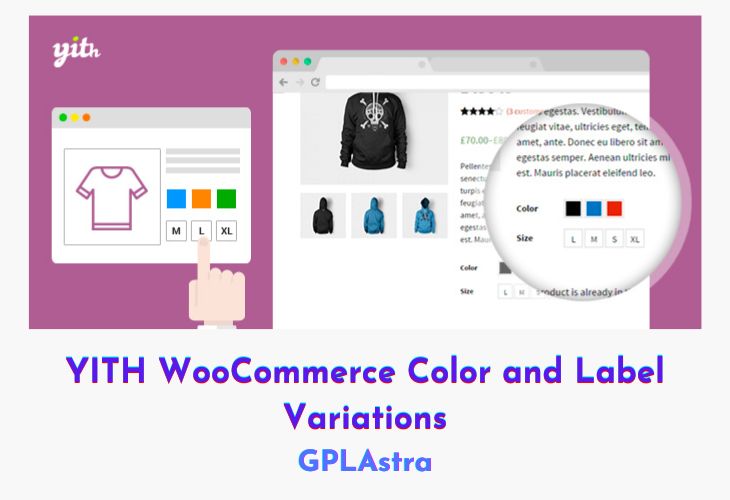
YITH WooCommerce Color and Label Variations is a smart solution for showcasing all available product options in a clear, visual, and engaging way. Instead of using standard WooCommerce dropdowns, this plugin lets you display product variations as colors, images, icons, or custom labels, making it easier for customers to understand and choose the exact option they want. With support for unlimited variations, store owners can present sizes, colors, patterns, and other attributes in a more appealing and intuitive format.
The plugin is highly flexible and works perfectly with a wide range of products. Whether you’re selling fashion items like clothes and shoes, or more complex products such as jewelry with multiple customization options, YITH WooCommerce Color and Label Variations adapts effortlessly. By improving how variations are displayed, it enhances the shopping experience, reduces confusion, and helps customers make quicker, more confident purchase decisions.
| Name | YITH WooCommerce Color and Label Variations |
| Type | Plugin |
| Version | 3.16.0 |
| File Name | yith-woocommerce-color-label-variations-premium |
| File Type | rar (Archive, please extract before use) |
| File Host | mediafire.com | Mirror |
| Updated On: | 4 weeks ago |
Core Features of YITH WooCommerce Color and Label Variations Plugin
- Visual Attribute Display: Replace default dropdowns with colors, images, icons, or labels
- Unlimited Product Variations: Add and manage unlimited attributes like size, color, or material
- Custom Images for Variations: Assign specific images to each variation for better clarity
- Dynamic Label Support: Display text-based labels for attributes that don’t need images or colors
- Flexible Product Compatibility: Suitable for clothing, jewelry, accessories, and complex products
- Improved User Experience: Make variation selection faster, clearer, and more engaging
- Attractive Storefront Presentation: Create a more modern and visually appealing product page
- Easy Attribute Configuration: Manage variation styles directly from the WooCommerce settings
- Theme-Friendly Design: Works smoothly with most WooCommerce-compatible themes
- Conversion-Oriented Layout: Helps customers visualize options easily, boosting purchase confidence
What’s New (Changelog) in YITH WooCommerce Color and Label Variations v3.16.0
= v3.16.0 = Released on 21 January 2026
* New: support for WooCommerce 10.5
* Update: YITH plugin framework
Sales Page and Live Demo of YITH WooCommerce Color and Label Variations Plugin
https://yithemes.com/themes/plugins/yith-woocommerce-color-and-label-variations/
Free Download YITH WooCommerce Color and Label Variations Latest Version
⚡ Premium Access
Unlock All Premium Features
Unlimited Downloads
No Restrictions
Direct Download Links
Access to Private Content
Frequently Asked Questions (FAQs):
Here are some frequently asked questions related to YITH WooCommerce Color and Label Variations Plugin that might help you while installing it on your WordPress site: