Slim SEO Pro v1.6.0 Plugin
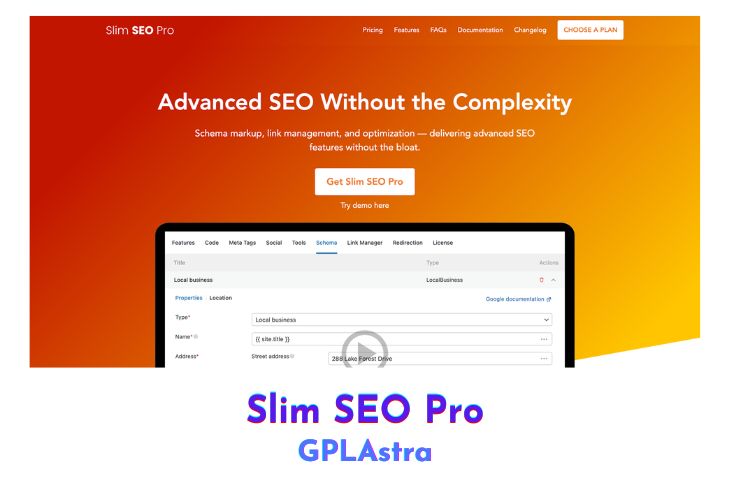
Slim SEO Pro simplifies advanced SEO management by combining powerful tools for schema markup, link optimization, and structured data — all within an intuitive interface. It’s designed for WordPress users who want professional-grade SEO functionality without dealing with technical complexities or bulky setups. With Slim SEO Pro, you can build structured data visually, manage internal links efficiently, and enhance your website’s search engine visibility through clean, optimized metadata.
The plugin empowers users to take full control of their site’s SEO with dynamic data connections, real-time reporting, and automation features that streamline link management and structured data creation. From auto-suggesting internal links to bulk link updates and schema customization, Slim SEO Pro ensures your content is well-understood by search engines and perfectly optimized for maximum discoverability.
| Name | Slim SEO Pro |
| Type | Plugin |
| Version | 1.6.0 |
| File Name | slim-seo-pro |
| File Type | zip (Installable Archive) |
| File Host | mediafire.com | Mirror |
| Updated On: | 4 months ago |
Core Features of Slim SEO Pro Plugin
- Visual Schema Builder: Create complex schema markups easily by selecting schema types and filling in fields visually.
- Comprehensive Schema Support: Includes all Google-recognized schema types plus advanced options from schema.org.
- Dynamic Data Integration: Automatically connect schema fields to post, site, user, or custom meta data.
- Custom JSON-LD Support: Add your own JSON-LD snippets and have them rendered directly on the front end.
- Real-time Link Reports: Get detailed reports about link health, keyword distribution, and orphaned pages.
- Bulk Link Updates: Efficiently fix broken or redirected links across your site with one-click batch actions.
- Automatic Link Suggestions: Smartly suggests internal and cross-site links based on content relevance.
- Automatic Link Updating: Instantly updates all internal links whenever a post slug is modified.
What’s New (Changelog) in Slim SEO Pro v1.6.0
Highlights:
- Adds a new hasMerchantReturnPolicy property to Organization, Product and Offer schemas to be compatible with Google requirements. You can configure the merchant return policy by referring to a page (default) or set it in detailly in the schema. You can also set the policy for the whole store (by adding it to the Organization schema) or per product/offer (in Product/Offer schemas).
- Add a new report for linked external websites that will let you know which sites (domains) that you link to.
Other changes:
- Convert numeric values to numbers (for breadcrumb positions)
- Fix site language to BCP47 format
- Allow to select custom product attributes
- Writting Assistant: fix issue with diacritics in slug
Sales Page and Live Demo of Slim SEO Pro Plugin
https://wpslimseo.com/products/slim-seo-pro/
Free Download Slim SEO Pro Latest Version
⚡ Premium Access
Unlock All Premium Features
Unlimited Downloads
No Restrictions
Direct Download Links
Access to Private Content
Frequently Asked Questions (FAQs):
Here are some frequently asked questions related to Slim SEO Pro Plugin that might help you while installing it on your WordPress site: