LoftLoader Pro v2.5 WP Plugin
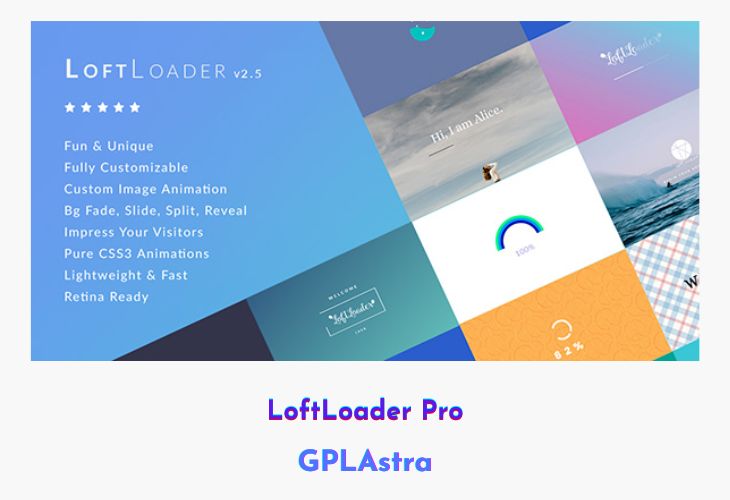
LoftLoader is a stylish and lightweight WordPress preloader plugin designed to enhance user experience during page loading. Instead of leaving visitors staring at a blank screen, LoftLoader adds beautiful animations, progress indicators, and engaging messages to keep them entertained while your content loads. The plugin comes with a variety of creative animations, color options, background effects, and text customization tools — all easily configurable through an intuitive interface.
The latest version introduces new loader and ending animations, a progress bar with a counting number, and the ability to show random loading messages for added personality. You can even assign different preloaders for different pages or post types, control visibility across devices, and create smooth page transitions for a polished browsing experience. With LoftLoader, waiting becomes part of the fun, turning ordinary load times into delightful moments.
| Name | LoftLoader Pro |
| Type | WP Plugin |
| Version | 2.5 |
| File Name | loftloader-pro |
| File Type | zip (Installable Archive) |
| File Host | mediafire.com | Mirror |
| Updated On: | 4 months ago |
Core Features of LoftLoader Pro WP Plugin
- New Animations & Progress Bar: Add modern loader and ending animations with a counting progress bar for visual engagement.
- Random Loading Messages: Display a new random message each time the page loads to entertain visitors.
- Flexible Display Rules: Show preloaders globally, on specific pages, or only for selected post types like products or portfolios.
- Custom Loader Options: Choose from 19 animations (6 supporting custom images) and set looping preferences.
- Advanced Background Control: Use solid colors, gradients, or full background images with 11 transition effects.
- Progress Indicators: Show progress bars, percentages, or both—fully customizable in color, position, and size.
- Custom Welcome Messages: Add personalized text with complete control over font, color, size, and placement.
- Minimum Load Time Setting: Ensure smooth appearance without the preloader disappearing too quickly.
- Device-Based Display Control: Choose to show preloaders on all devices, hide them on mobile, or display only on mobile.
- Smooth Page Transitions: Enable seamless fade or slide transitions when navigating between pages.
- Multiple Loaders Support: Assign unique loaders for different posts, pages, or custom post types.
- Close Button Option: Allow visitors to manually close the loading screen with customizable button text.
- Google Fonts Integration: Style your messages and progress indicators using any Google font combination.
- Lightweight & Fast: Optimized for performance to ensure no impact on page loading speed.
What’s New (Changelog) in LoftLoader Pro v2.5
v2.5.0 - September 5, 2024
* New: Display On - "Selected Post Types" - Included Pages
* New: Display On - "Selected Post Types" - Option to enable Once Per Session
* New: Progress - "Percentage" - Option to set progress percentage indicator margins
* New: Progress - "Percentage" - New Position Option: Absolute Position
* New: Progress - "Percentage" - 6 preset selectable absolute position options
* Fixed: Changed deprecated JavaScript event "unload" to "pagehide"
* Fixed: When smooth page transition feature is enabled and background opacity is less than 1, opacity is reduced when entering a new page
Sales Page and Live Demo of LoftLoader Pro WP Plugin
https://codecanyon.net/item/loftloader-pro-preloader-plugin-for-wordpress/17339671
Free Download LoftLoader Pro Latest Version
⚡ Premium Access
Unlock All Premium Features
Unlimited Downloads
No Restrictions
Direct Download Links
Access to Private Content
Frequently Asked Questions (FAQs):
Here are some frequently asked questions related to LoftLoader Pro WP Plugin that might help you while installing it on your WordPress site:


